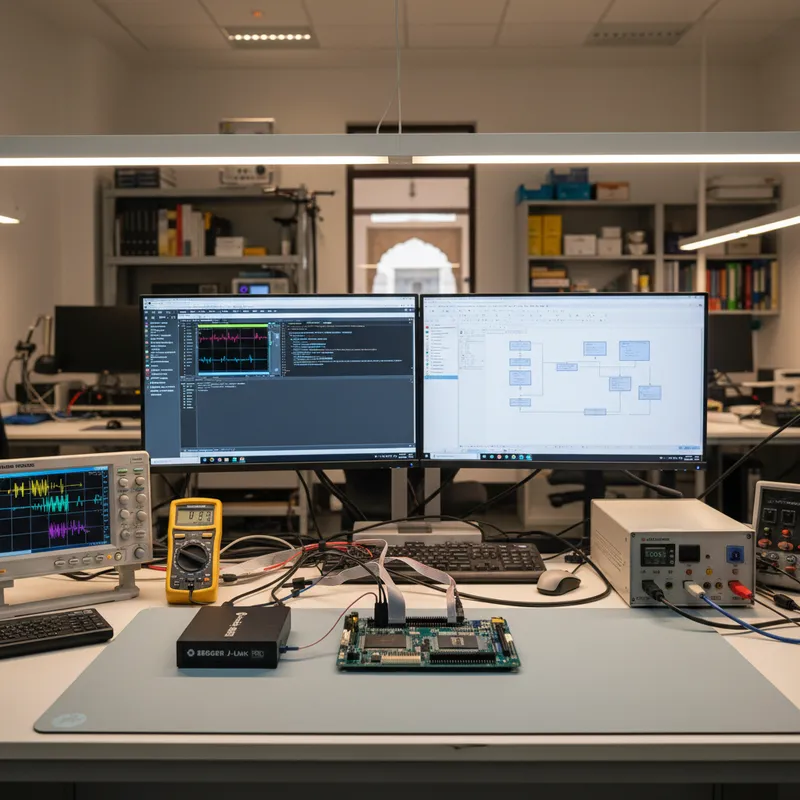
NXP’s i.MX RT family sits in a category all its own, microcontrollers with application-processor performance. The i.MX RT500 (dual-core Cortex-M33 plus a Cadence Xtensa Fusion F1 DSP), RT600 (Cortex-M33 + F1), RT1050 / RT1060 (Cortex-M7 at 600 MHz), and the flagship RT1170 (Cortex-M7 at 1 GHz plus a Cortex-M4) are finding their way into Indian products where a traditional MCU runs out of headroom and a Linux SoC is overkill: industrial HMI displays, factory vision systems, audio processing appliances, motor control with advanced DSP, and edge AI inference at the sensor.
Debugging i.MX RT is materially harder than debugging a traditional Cortex-M MCU. The executable lives in external Octo-SPI or Hyper-Flash, not on-chip flash. Dual-core variants demand simultaneous debug of two processing units with different architectures. The DCD (Device Configuration Data) and IVT (Image Vector Table) boot sequence is far more involved than anything STM32 or Nordic developers encounter. SEGGER J-Link handles all of this, which is why NXP’s own MCUXpresso dev kits ship with an on-board J-Link OB probe.
This guide helps Indian teams building products on the i.MX RT family pick the right standalone J-Link model for their custom boards, understand how SEGGER handles external flash programming, and plan production programming with Flasher. GSAS Micro Systems is an authorized SEGGER engineering partner in India, stocking every tool below locally for INR invoicing and engineering support across Bengaluru, Chennai, Hyderabad, Delhi NCR, Mumbai, and Pune.
Why i.MX RT is different (and why J-Link is the right probe)
Most Cortex-M MCUs keep the application binary in on-chip flash. The i.MX RT family does not, it executes code from external serial or Hyper-Flash memory via an on-chip FlexSPI controller, after the boot ROM initializes the interface using the DCD descriptor in the image header. This architecture gives i.MX RT its application-processor-class performance, but it also means the debug probe has to know how to:
- Program an external flash device it did not design
- Set up the FlexSPI peripheral correctly for the specific memory vendor and part
- Handle the XiP (eXecute-in-Place) boot sequence without corrupting the running image
- Work with dual cores (on RT500 / RT600) and coordinate their reset and halt states
SEGGER has done this work for every supported i.MX RT variant and every standard external flash part NXP qualifies. The J-Link Software Pack includes preconfigured flash loader scripts for MX25L, W25Q, S26HS, MT25Q, HyperFlash, and other common parts, and SEGGER publishes a well-documented approach for extending the list with custom flash devices when Indian teams design boards around a non-standard memory.
The practical consequence: an Indian product engineering team building a custom i.MX RT1060 or RT1170 board with a specific Winbond or Macronix Octo-SPI flash part can get first debug silicon running with J-Link in hours, not weeks. The alternative, building your own OpenOCD flash driver, is a multi-week project that most Indian teams skip entirely by buying a J-Link.
Which J-Link model for i.MX RT work
- J-Link PLUS / PLUS Compact: the minimum practical choice for i.MX RT. External flash programming is bandwidth-intensive; J-Link PLUS’s 1 MB/s download speed is the practical floor. Commercial licensing and the unlimited flash breakpoints license are included, which matters because i.MX RT teams are building products, not learning.
- J-Link ULTRA: USB 2.0 Hi-Speed with download speeds up to 4 MB/s and high-speed RTT. This is the model most Indian i.MX RT teams end up on. Large firmware images (multi-megabyte application code plus DSP model weights plus asset data) flash visibly faster compared to PLUS.
- J-Link PRO: Ethernet interface. For CI/CD labs that flash i.MX RT boards on a schedule from a build server, the Ethernet interface removes the USB cable contention. For i.MX RT1170 designs running on evaluation rigs with high-power motor drives or 400 V inverter hardware, pair the probe with the separate SEGGER J-Link Isolator; galvanic isolation is not built into the probe itself.
- J-Trace PRO Cortex-M: add this probe when you need instruction trace on the RT1170’s M7 core. The M7 supports ETM-based 4-bit trace, and J-Trace PRO captures it continuously over USB 3.0 or Gigabit Ethernet. For crash debugging, code coverage on safety-adjacent firmware, or profiling hot loops in Cadence Xtensa DSP handoff code, J-Trace PRO is the one tool that gives you the full execution history.
Dual-core i.MX RT500 and RT600 debug
The RT500 and RT600 pair an Arm Cortex-M33 application core with a Cadence Xtensa Fusion F1 DSP. SEGGER J-Link handles the Cortex-M33 side fully; the Fusion F1 requires a separate Xtensa debugger (typically Xplorer or XOCD), which is outside SEGGER’s scope. In practice, most Indian RT500/RT600 teams:
- Use J-Link + Ozone for all Cortex-M33 application work
- Use SystemView to trace task scheduling on the M33 side
- Coordinate with the DSP team who uses the Xtensa toolchain separately
- Rely on RTT to exchange debug messages between the two cores during integration testing
The RT1170 is architecturally simpler for J-Link purposes, both the M7 and M4 cores are Arm Cortex-M and both are first-class debug targets for J-Link. Ozone can open two debug sessions on the same J-Link, one per core, and step through the M7 application while observing the M4 real-time loop.
RTT throughput on i.MX RT
Because i.MX RT applications often stream log data at high volume (vision systems, audio pipelines, motor control telemetry, edge AI inference results), RTT bandwidth matters. J-Link BASE’s 1 MB/s is usually enough for printf-style logging, but for continuous telemetry (every frame of a video pipeline or every control cycle of a high-speed motor drive), the J-Link ULTRA’s high-speed RTT capacity prevents log drops during stress tests. Indian teams building vision or audio products on RT1170 typically step up to ULTRA for this reason.
Production programming i.MX RT with SEGGER Flasher
For Indian contract manufacturers producing i.MX RT-based products at volume, the SEGGER Flasher family handles the factory line. Important to understand:
- Flasher programs the external Octo-SPI or HyperFlash directly through the RT’s boot ROM mechanism, using the same flash loader scripts as J-Link.
- Flasher ATE integrates into rack-mounted automated test equipment at large contract manufacturers.
- Flasher Hub provides 10-gang parallel programming for volume RT1060 / RT1170 runs.
- Flasher Secure is required when the production flow includes Root-of-Trust injection, HAB (High Assurance Boot) fuse programming, and other one-time-programmable security settings.
Because Flasher shares the i.MX RT flash algorithms with J-Link, the validation work your R&D team does on the bench applies directly to the production line. For Indian medical electronics and industrial automation products where the i.MX RT firmware must be cryptographically signed and the signing key loaded in a secure environment, Flasher Secure is typically the correct tool.
Buy SEGGER J-Link, J-Trace, and Flasher for i.MX RT in India from GSAS
GSAS Micro Systems stocks the full SEGGER range for i.MX RT development and production, J-Link BASE through PRO, J-Trace PRO Cortex-M for instruction trace, every Flasher variant for the production line, and the Embedded Studio IDE if your team wants a cross-platform alternative to MCUXpresso. Contact us for model selection guidance on your specific i.MX RT variant (RT500, RT600, RT1050, RT1060, RT1170) and a hands-on demo at any of our Bengaluru, Chennai, Hyderabad, Delhi NCR, Mumbai, or Pune offices.
Interested in SEGGER tools?
Talk to our application engineers for personalized tool recommendations.
More from SEGGER
View all →
Meet the GSAS Team at electronica India 2026, Stall H3.I45
15 Sept · 3 min
J-Link Is Now Validated by ST for StellarStudio
13 Sept · 2 min
An AI Agent That Drives the Debugger: SEGGER and Embedder Connect J-Link to the Loop
13 Sept · 6 min
SEGGER J-Link and J-Trace Now Support Andes Trace: Why This Matters for RISC-V
21 Jul · 6 min

Emulating Processor Power for Thermal Testing: Why Constant Power
7 Oct · 7 min

CRPS and Rack Power Supply Testing: The Six Tests That Matter
7 Oct · 7 min