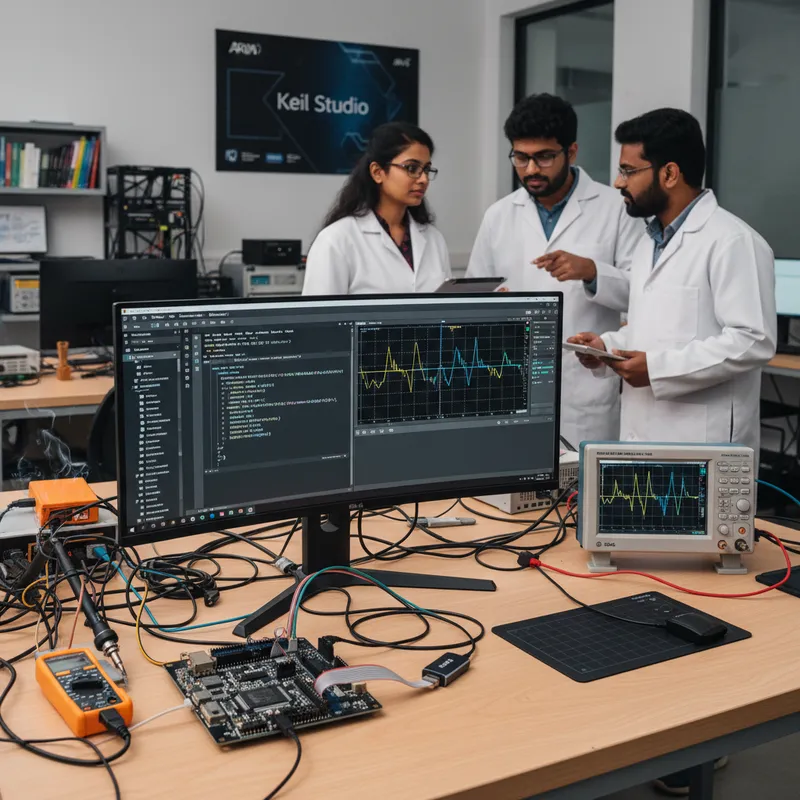
A question we hear at Indian embedded conferences almost every month: “We love µVision, but our new hires live in VS Code. What is the realistic path to a modern Cortex-M workflow without losing our existing project investment?” The answer is Arm Keil Studio, the VS Code-based IDE that Arm now ships alongside µVision as part of the commercial Keil MDK subscription. GSAS Micro Systems, Arm’s authorized partner in India for Arm Development Tools, sees Keil Studio Desktop adopted most heavily by Indian startups beginning greenfield Cortex-M projects, consulting firms running multi-client engagements, and established teams gradually modernising a µVision codebase. This post explains what Keil Studio actually is, where it fits, and how to plan a migration that does not break production.
The two faces of Keil Studio: Desktop and Cloud
Arm Keil Studio is not a single product. It is two related environments, both built around VS Code and the same CMSIS-Pack ecosystem, aimed at different parts of the development lifecycle.
Keil Studio Desktop is the one to care about for day-to-day commercial development. It is a curated set of VS Code extensions, Arm Keil Studio Pack, CMSIS solution extension, Arm debugger and trace integration, Arm Compiler 6 (armclang), Arm GNU Toolchain, CMSIS-Pack manager, and the Event Recorder and Execution Profiler views, that turn a standard VS Code install into a full Cortex-M IDE. It runs on Windows, Linux, and macOS. For an Indian team that lives in git, SSH’es into a build server, and wants Copilot or any other VS Code AI assistant in the same workspace, Keil Studio Desktop is the right call.
Keil Studio Cloud is the browser-based face of Keil Studio. It loads in a browser tab, gives an engineer a project workspace and a hosted build, and is excellent for evaluation, prototyping, training, and short-form exploratory work. Where an Indian field application engineer wants to walk a customer through a board bring-up in a meeting room without installing anything, Keil Studio Cloud is perfect. For production firmware, most teams return to Keil Studio Desktop or µVision, the browser model is not where long-running production builds live.
The important engineering fact to carry around: both Keil Studio Desktop and Keil Studio Cloud share the same CMSIS-Pack ecosystem, the same Arm Compiler 6, and the same project file model as µVision. A project is a project. The IDE is a skin over the same toolchain.
µVision is not going away
Before covering the migration path, one clarification that saves Indian programme managers a lot of anxiety: µVision is not being retired out from under production teams. Arm continues to maintain µVision as part of the commercial MDK subscription, and for a large share of Indian firmware teams, particularly long-running programmes in automotive ECUs, medical devices, and industrial controls, µVision remains the proven workhorse for the active codebase.
Keil Studio is not a replacement IDE that every team must migrate to. It is a second, modern IDE that sits alongside µVision and gives teams a choice. Indian teams with active µVision projects can stay on µVision indefinitely. Teams starting a new greenfield board can evaluate Keil Studio Desktop as the default, and mixed teams can run both IDEs against the same project tree. This matters because procurement meetings love a stable answer, and the stable answer is “your existing µVision seats are supported, and you can add Keil Studio Desktop whenever you are ready.”
The migration path: same CMSIS, same compiler, same debugger
For an Indian team that does decide to move to Keil Studio Desktop, usually because they want git-native workflows, VS Code extensions, or first-class Linux and macOS support, the migration is deliberately undramatic.
Arm Compiler 6 (armclang) is the same LLVM-based compiler inside both µVision and Keil Studio Desktop. You are not switching compilers. You are switching IDEs. Compiler options, linker scripts, and scatter files carry across with minimal rework.
The CMSIS-Pack ecosystem is the same. Any device pack, middleware pack, or board support pack that your µVision project depends on, STM32, NXP LPC/i.MX RT/Kinetis, Renesas RA/Synergy, Nordic nRF52/53, Infineon PSOC 6/XMC, Silicon Labs EFM32, TI TM4C/SimpleLink, Microchip SAM, is consumed identically by Keil Studio. The Open CMSIS Pack model, the csolution/cproject/clayer files, and the pack manager UI all work the same way in the VS Code extension.
Project imports from µVision work at the source level. The CMSIS solution extension understands legacy .uvprojx files and can bring them forward into a Keil Studio project layout. For active programmes, the common pattern is to keep the µVision project for stable production code and create a Keil Studio project for the next branch, both pointing at the same source tree under git.
Debugging and trace carry across. ULINKplus, ULINKpro, and ULINKpro D all work inside Keil Studio Desktop with the same debug semantics Indian teams already know: SWD/JTAG debug, integrated current measurement on ULINKplus, SWV trace on all three, and streaming ETM instruction trace on ULINKpro and ULINKpro D for Cortex-M parts that expose it. The Event Recorder and Execution Profiler views render RTX5 thread timelines inside VS Code, not just inside µVision.
Why Indian teams are seriously considering Keil Studio Desktop
The VS Code framing is not cosmetic. It enables a set of workflows that Indian firmware teams have been asking for, and that are hard to justify on any IDE that is not built on VS Code.
First, remote development over SSH. A senior engineer in Bengaluru can open a firmware repository that lives on a build server in the company’s Pune office, work on it as if it were local, and drive a ULINK debug session against a board in either location. VS Code Remote-SSH makes this one of the best-supported workflows in the industry, and Keil Studio Desktop inherits it for free.
Second, git-native workflow and code review. Indian firmware teams have matured into modern git workflows, pull requests, protected branches, signed commits, CI, and VS Code’s git integration makes that feel natural. The result is that a Keil Studio project on a new programme typically has more frequent, smaller commits than a µVision project on a legacy programme, and code review happens inside the same IDE.
Third, AI assistance. Whether the team standardises on GitHub Copilot, an internal LLM, or another VS Code-native AI extension, those tools run in Keil Studio Desktop because it is VS Code underneath. For a consulting firm in Hyderabad running multiple Cortex-M client engagements, the ability to use the same AI workflow across every project is a real per-seat productivity gain.
Fourth, Linux and macOS first-class support. For a long time, Windows was the only serious platform for commercial Cortex-M development because µVision is Windows-only. Keil Studio Desktop runs on Linux and macOS as well, which matters for Indian startups whose engineering teams run on Ubuntu or macOS and do not want to spin up a Windows VM just to build firmware.
Fifth, team onboarding speed. A new engineer joining an Indian consulting team in Chennai already knows VS Code from their university and internship work. Dropping a Keil Studio Desktop extension pack and a CMSIS solution into their existing VS Code install is a fifteen-minute onboarding, not a half-day.
Where Keil Studio Cloud earns its place
Keil Studio Cloud is often dismissed by production teams, but it has two very real uses in the Indian market.
For evaluation and training, Keil Studio Cloud lets an engineering manager run an internal Cortex-M workshop without provisioning laptops, installing extensions, or managing licences on every seat. Attendees load a browser tab, clone an example, and build and simulate inside the cloud environment. GSAS uses this model when running Arm Keil technical workshops at Indian engineering colleges and corporate training rooms, no installation friction, consistent environment, and the same CMSIS-Pack model attendees will encounter on the job.
For prototyping and customer demos, a field application engineer can open a board support example in Keil Studio Cloud during a customer meeting, modify a few lines of code, and show a live build result, all without touching the customer’s laptop. That is particularly useful for early design-in conversations at Indian semiconductor distributors, Tier-1 design houses, and research teams.
What Keil Studio Cloud is not: the home for your production firmware. Long-running production builds, multi-hour CI pipelines, and regulated programmes under ISO 26262 or IEC 62304 should live on Keil Studio Desktop or µVision, under your company’s own build infrastructure.
ULINK probes work across both IDEs
One of the quiet wins of the MDK v6 era is that your debug hardware is not locked to a single IDE. ULINKplus, ULINKpro, and ULINKpro D all work with µVision and with Keil Studio Desktop. A team that buys a ULINKpro for a µVision-based Cortex-M7 project today and migrates the same project to Keil Studio Desktop next year keeps the same probes, the same trace capture workflow, and the same debug muscle memory. Indian teams scoping a new lab bench do not need to pick “the µVision probe” or “the Keil Studio probe”, there is one probe family.
A practical migration plan
Indian embedded leads who are seriously considering a move typically run a four-step plan. One, install Keil Studio Desktop on a single engineer’s machine and open the current µVision project through the CMSIS solution import. Two, verify that the same Arm Compiler 6 build produces binary-equivalent or functionally identical output to the µVision build, using the existing test suite. Three, run a debug session with the existing ULINK probe against a known-good board and confirm that Event Recorder and Execution Profiler views come up correctly. Four, decide whether the team adopts Keil Studio Desktop as the default for new branches, keeps µVision for production maintenance, or runs both in parallel during a transition quarter. None of these steps require a new licence, Keil Studio is part of the same commercial MDK subscription.
Further reading
- Arm Keil MDK product page on GSAS, licensing, tiers, and Indian support
- Arm partner page, training, workshops, and engineering enablement from GSAS
- ULINKplus and ULINKpro debug probes
- Automotive, Medical electronics, and Industrial automation solutions from GSAS
- Keil Studio documentation on keil.arm.com
- Arm Compiler for Embedded reference on developer.arm.com
Indian embedded teams do not have to choose between proven and modern. µVision remains the quiet workhorse of production firmware in Bengaluru, Chennai, Hyderabad, Delhi NCR, Mumbai, and Pune, and Keil Studio Desktop is the modern VS Code-based complement that Arm now ships alongside it for greenfield work, remote teams, and Linux/macOS developers. Both paths use Arm Compiler 6, the same CMSIS-Pack ecosystem, and the same ULINK probes, which means migrating is a workflow decision, not a tooling rebuild. Talk to GSAS, Arm’s authorized partner in India for Arm Development Tools, when you are ready to scope a move.
Also appears in:
Interested in Arm tools?
Talk to our application engineers for personalized tool recommendations.
More from Arm
View all →
Meet the GSAS Team at electronica India 2026, Stall H3.I45
15 Sept · 3 min
Arm's Agentic AI Push: What Indian Embedded Teams Can Actually Use Today
13 Sept · 7 min
Arm User-Based Licensing in CI/CD: armlm, Proxy Activation and What Breaks
28 Jul · 11 min
Two Arm Keil MDK Webinars This Summer: DevOps and Edge AI for Indian Cortex-M Teams
17 Jun · 4 min

Emulating Processor Power for Thermal Testing: Why Constant Power
7 Oct · 7 min

CRPS and Rack Power Supply Testing: The Six Tests That Matter
7 Oct · 7 min