
 SEGGER
 Ozone-Sim
Compilers & IDEsOzone-Sim is SEGGER's high-speed instruction set simulator for Arm and RISC-V: hardware-free debugging, profiling, coverage and CI/CD testing with no J-Link or target board. India evaluation and FAE-led support from GSAS.
Type
Instruction set simulator (Arm + RISC-V)
Speed
Up to 700M instr/sec (AMD Ryzen 9, per SEGGER)
Target hardware
None required, pure software
Deployment
Ozone component, standalone CLI, GDB server
Analysis
Profiling, backtrace, live instruction counters, coverage
Semihosting
Built-in, file I/O and test logs
OS
Windows, macOS, Linux
License
30-day evaluation, licensed with Ozone
Overview
About Ozone-Sim
SEGGER Ozone-Sim is a high-performance instruction set simulator for Arm and RISC-V that runs embedded applications directly on a PC, with no target hardware and no J-Link required. It ships bundled with the standard Ozone package but needs a separate license key, and it lets development, debugging, and automated testing start long before production hardware is available.
Key features
| Feature | Description |
|---|---|
| Instruction Set Simulation | Runs Arm and RISC-V applications entirely in software, no target board or J-Link needed |
| High Simulation Speed | Hundreds of millions of instructions per second, up to 700 million instructions/sec on an AMD Ryzen 9 (per SEGGER) |
| Ozone Integration | Source-level debugging, profiling, backtracing, live instruction counters, timeline analysis, execution statistics, and code coverage |
| Standalone CLI Mode | Headless command-line simulator for automated and unattended testing |
| Built-in Semihosting | Read config or test vectors, write logs, results, and output to files; pass parameters via the command line |
| GDB Server | Integrated GDB server interface connects third-party debuggers and IDEs over the standard GDB protocol |
| Real/Simulated Switching | Move between real hardware and the simulated environment without changing your analysis workflow |
| Cross-Platform | Native builds for Windows, macOS, and Linux |
How Ozone-Sim works with Ozone
- Build the application: compile and prepare the executable as usual.
- Configure the simulation: launch Ozone and select Ozone-Sim as the target/host interface.
- Load the executable: import the firmware into the simulation environment.
- Debug and analyze code: run, inspect, profile, and validate firmware behavior.
- Review execution insights: examine execution metrics and backtraces.
Once Ozone-Sim is running, the debugging and analysis features are the same ones Ozone already provides on real hardware: source-level and assembly debugging, profiling, backtrace support, live instruction counters, and code coverage. Switching between a real J-Link/J-Trace connection and the simulated target is straightforward, and Ozone-Sim can display real-time code coverage and profiling just as when debugging on real hardware with J-Trace, then export that information to help automatically identify functional or performance deviations.
Hardware-free testing and CI/CD
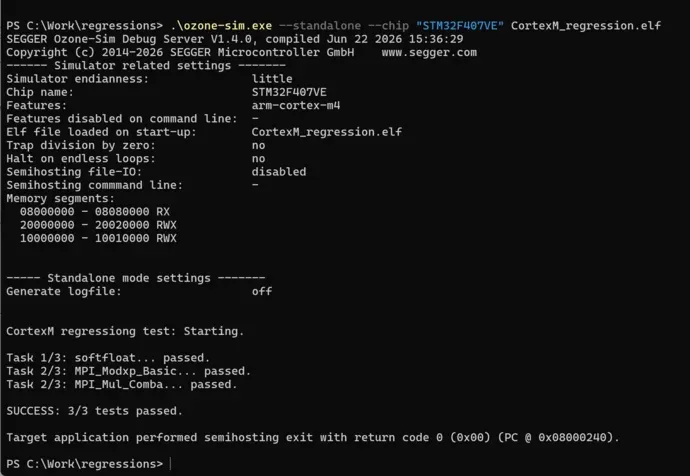
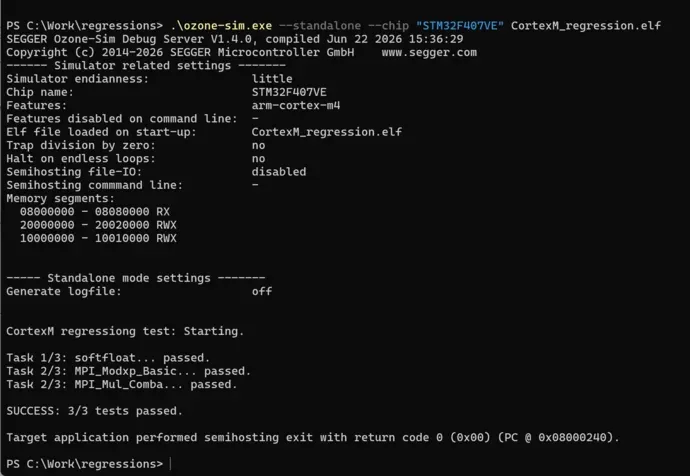
Ozone-Sim’s standalone command-line mode is built for headless and automated testing, the mode most teams reach for once they want simulation inside a build pipeline rather than an interactive debug session.
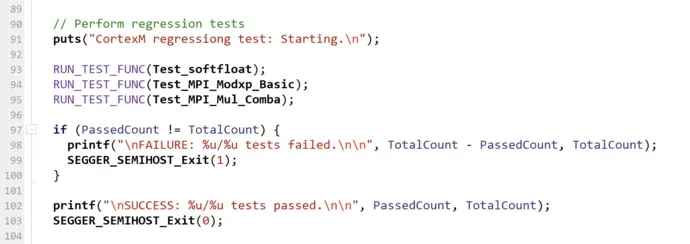
Built-in semihosting is what makes this practical for regression testing: the simulated program can read configuration or test vectors, then write logs, results, and other output directly to files, with parameters passed in over the command line. That turns Ozone-Sim into a repeatable, scriptable test target that a CI/CD pipeline can call the same way it calls any other build step, no lab hardware, no probe contention between engineers, no waiting for a free test rig.
For teams that also validate on physical targets, J-Trace PRO hardware-in-the-loop trace remains the reference point Ozone-Sim results can be checked against.
Using Ozone-Sim in other IDEs (GDB server)
Ozone-Sim is not limited to the Ozone application. It includes an integrated GDB server interface, so third-party debuggers and IDEs, including Visual Studio Code, SEGGER Embedded Studio, or any generic GDB client, can connect to the simulator over the standard GDB protocol. Teams that already have a GDB-based debug workflow can point it at Ozone-Sim and get hardware-free simulation without changing their day-to-day IDE.
How Ozone-Sim compares to QEMU and Renode
Teams evaluating hardware-free simulation often weigh Ozone-Sim against the two established open-source options, QEMU and Renode. They solve overlapping but different problems, and the honest trade-off is fidelity versus integration and support.
| Tool | What it is | Strengths | Where it fits |
|---|---|---|---|
| Ozone-Sim | Commercial instruction set simulator for Arm and RISC-V | Execution speed (up to 700 million instructions/sec on an AMD Ryzen 9, per SEGGER), native profiling, coverage, backtrace and timeline inside the Ozone debugger, GDB server, SEGGER support | Fast firmware regression, coverage, and debugging in the same tool you already use on real J-Link hardware |
| QEMU | Open-source emulator | Full-system Linux emulation across many architectures, ubiquitous, free | OS and kernel bring-up; for bare-metal microcontroller work, peripheral models are often stub-only and timing is not cycle-accurate |
| Renode | Open-source simulator (Antmicro) | Models CPUs, peripherals, and external devices; strong at multi-node and networked-system simulation and CI | System-level scenarios where modeling peripherals and multiple connected nodes matters |
Ozone-Sim does not set out to reproduce peripheral electrical behavior or cycle-exact timing, which is where QEMU’s full-system emulation and Renode’s peripheral models have the edge. Its advantage is speed and running inside the same Ozone debugger and workflow that engineers already use on physical targets, so there is no second tool to learn and no discontinuity between simulated and real-hardware debugging. For tests that depend on real peripheral timing or electrical behavior, pair simulation with J-Trace PRO hardware-in-the-loop trace.
Supported architectures
| Family | Supported targets |
|---|---|
| Arm | Armv5, Armv6-M, Armv7-M, Armv7E-M, Armv7-A, Armv7-R, Armv8-M, Armv8-A (AArch32), Armv8-R (AArch32), Armv8.1-M* |
| RISC-V | RV32 and RV64, with the A, C, D, E, F, and M extensions |
*Armv8.1-M support excludes half-precision floating point and includes a subset of the M-Profile Vector Extension (Helium). SEGGER notes that support for additional architectures and instruction-set extensions may be added in future releases.
System requirements
| Requirement | Detail |
|---|---|
| Operating systems | Windows (Arm/Intel), macOS (Apple/Intel), Linux (see SEGGER’s supported-distributions list) |
| CPU | 1 GHz or better |
| RAM | 1 GB |
| Disk | 1 GB |
Licensing and evaluation
Ozone-Sim is bundled with and installed as part of the standard Ozone package, but it requires a separate license key. Full hardware-free simulation inside Ozone needs active licenses for both Ozone and Ozone-Sim. SEGGER offers a 30-day evaluation of the full feature set, with the trial period beginning on first use, whether inside Ozone or as a standalone simulator, and no trial-license request needed to get started.
Ozone-Sim in India with GSAS
GSAS is an authorized engineering partner in India, and Ozone-Sim is where our field application engineers add the most value before a single license changes hands. Getting real use out of a hardware-free simulator, wiring it into an existing CI/CD test rig, choosing standalone CLI versus the GDB server for a given IDE, mapping semihosting output to your existing log pipeline, is application engineering, not invoicing. Our FAEs across Bengaluru, Chennai, Hyderabad, Pune, Mumbai, and Delhi NCR work directly with teams evaluating Ozone-Sim for early software bring-up, including RISC-V teams building on Shakti and Vega cores who want to start firmware validation before silicon or boards arrive. Talk to GSAS about evaluating Ozone-Sim, or request a quote once you’re ready to license alongside Ozone.
Videos
Ozone-Sim in Action

SEGGER Ozone-Sim: debug embedded firmware with no hardware (GUI, CLI and CI/CD demo)
Blog
SEGGER Insights
Ozone-Sim: SEGGER's Hardware-Free Embedded Simulator for Arm and RISC-V
SEGGER's new Ozone-Sim instruction set simulator runs Arm and RISC-V firmware on a PC at hundreds of millions of instructions per second (up to 700 million on an AMD Ryzen 9, per SEGGER), no J-Link and no target board required. Here is how it works with Ozone, how it plugs into CI/CD, and how to evaluate it in India with GSAS.
Hardware-Free CI/CD Regression Testing for Embedded Teams in India
Embedded regression suites are often bottlenecked by how many test boards a team owns. SEGGER's Ozone-Sim runs Arm and RISC-V firmware headless in CI, with built-in semihosting for test parameters and logged results, so regression testing no longer waits on hardware availability.

Meet the GSAS Team at electronica India 2026, Stall H3.I45
electronica India 2026 opens on 16 September at BIEC Bengaluru. The GSAS team is on the floor all three days at Stall H3.I45, and this is who you will be talking to and what they can show you.
Related products
More from SEGGER
All SEGGER products →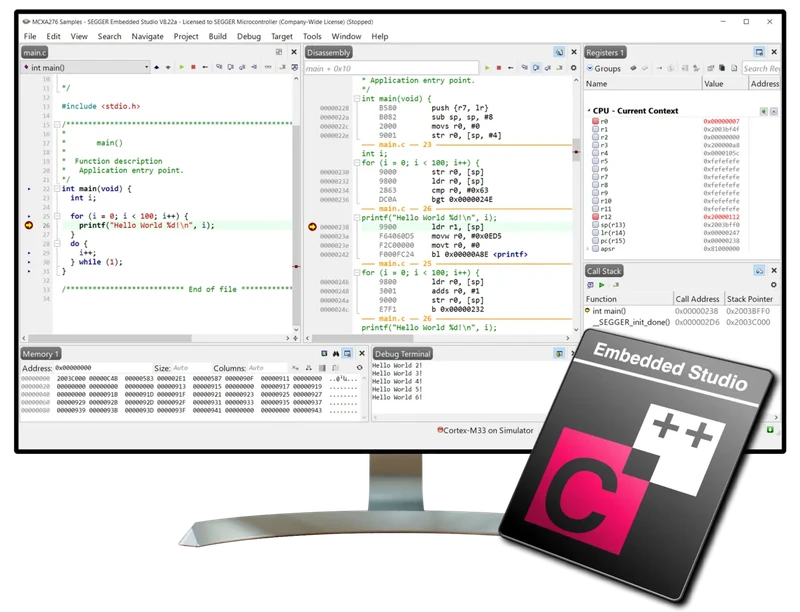
Embedded Studio
Cross-platform IDE for Arm and RISC-V with integrated GCC, Clang/LLVM compilers and SystemView analysis. Local stock and support across India, GSAS.
View Embedded Studio →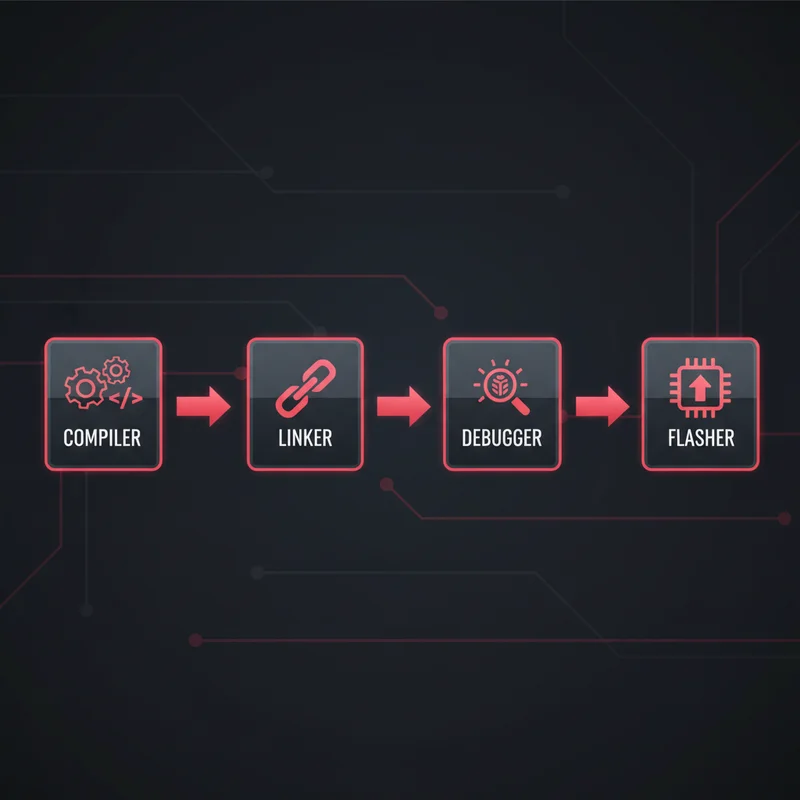
SEGGER Toolchain
Optimising C/C++ compiler and linker for Arm and RISC-V with compact code density, STOP stack protection, and up to 5.8x faster link times. Available in India from GSAS.
View SEGGER Toolchain →
emRun / emRun++ / emFloat
High-performance C/C++ runtime and floating-point libraries for Arm and RISC-V, delivering up to 4x smaller footprint and 4x faster execution than newlib. Available in India from GSAS.
View emRun / emRun++ / emFloat →FAQ
Common questions about Ozone-Sim
Can I test embedded software without target hardware?
Do I need a J-Link debug probe to use Ozone-Sim?
How fast is Ozone-Sim?
Which processor architectures does Ozone-Sim support?
Can I use Ozone-Sim in CI/CD pipelines?
Can I use Ozone-Sim with IDEs other than Ozone?
What analysis features does Ozone-Sim add inside Ozone?
What is semihosting and how does Ozone-Sim use it?
Which operating systems does Ozone-Sim run on?
How can I evaluate Ozone-Sim, and is it licensed separately from Ozone?
Is Ozone-Sim the same as Ozone's third-party simulator support announced in 2025?
Is Ozone-Sim a simulator or an emulator?
How is Ozone-Sim different from QEMU or Renode?
Can Ozone-Sim validate a RISC-V core like Shakti or Vega before tape-out?
Interested in Ozone-Sim?
Get pricing, an evaluation unit, or a technical consultation from our application engineers.