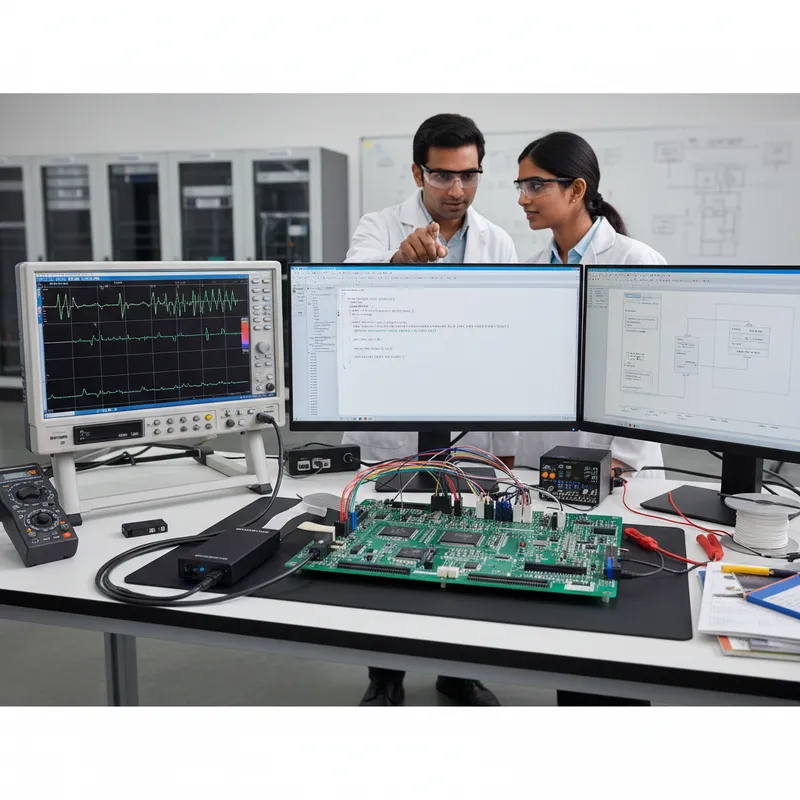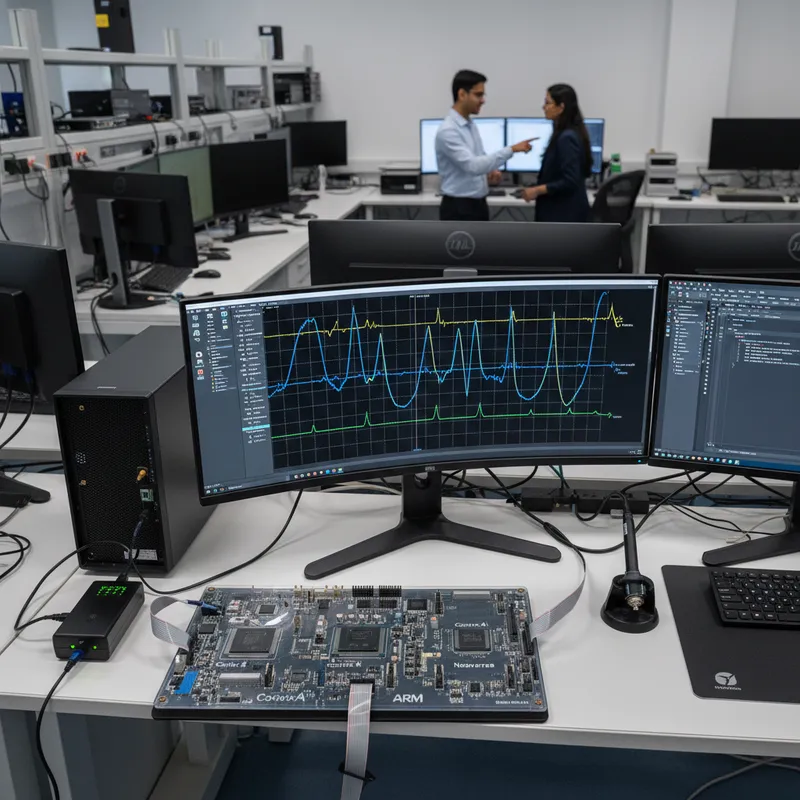
Indian embedded teams are building more Linux-class, real-time, and infrastructure silicon every year, zonal ECUs for automotive Tier-1s in Pune and Chennai, rugged avionics computers for defence programmes in Bengaluru and Hyderabad, and Neoverse-based edge and telecom platforms for hyperscalers and operators across Delhi NCR and Mumbai. For all of these, the professional toolchain of choice from Arm is Arm Development Studio, available in India through GSAS Micro Systems as Arm’s authorized partner in India for Arm Development Tools. This post walks through what Arm Development Studio (DS) actually gives your team, when it is the right choice over Keil MDK, and how Indian teams are using it today.
The Two-Minute Decision: Arm Development Studio Gold or Keil MDK?
Both toolchains come from Arm and both bundle the Arm Compiler for Embedded, so the decision is not about compiler quality, it is about target architecture and debug scope.
Reach for Arm Development Studio Gold if:
- Your primary software image is an OS (Linux, Android, a hypervisor) running on Cortex-A
- Your SoC is heterogeneous, Cortex-A paired with Cortex-R or Cortex-M on the same die
- Your target is Neoverse infrastructure silicon (5G RAN, smart NICs, edge cloud)
- You need Streamline’s system-wide performance view across multiple cores and accelerators
- You need Fast Models to start software bring-up before silicon or a stable board exists
Reach for Keil MDK if:
- Your target is a Cortex-M microcontroller and nothing else
- Your safety obligation is Cortex-M-scoped (FuSa RTS ships with MDK Professional, not Development Studio)
- You want the µVision or Keil Studio VS Code project workflow
| Target Cores | Debugger Scope | Streamline | Best For |
|---|---|---|---|
| DS Gold: Cortex-M, Cortex-R, Cortex-A, Cortex-X, Neoverse | Multi-core, cache-coherent, CoreSight-aware, Linux kernel + user-space app debug | Included, system-wide profiling across all cores and accelerators | Heterogeneous SoCs, Linux-class silicon, Neoverse infrastructure |
| Keil MDK: Cortex-M only | Single or multi Cortex-M core, TrustZone-M secure/non-secure switching | Not included (Arm Debugger’s ETM/ITM trace instead) | Microcontroller firmware, IoT, motor and motion control |
Recommendations by team profile:
- Automotive Tier-1s on heterogeneous zonal ECUs (Cortex-A + Cortex-R + Cortex-M): DS Gold, paired with DSTREAM-ST and Fast Models for pre-silicon AUTOSAR bring-up.
- Defence and aerospace Linux-class mission computers: DS Gold for kernel debug and DSTREAM trace during integration; move to Gold FuSa only if the programme itself carries a certification obligation on the Cortex-A/R side.
- Telecom, hyperscaler, and edge-cloud Neoverse teams: DS Gold, Streamline for system-level profiling across control plane, data plane, and accelerators, DSTREAM for on-hardware trace.
- Industrial and robotics teams on heterogeneous Zynq / i.MX 8 / AM64 parts: DS Gold to debug the Cortex-R or Cortex-M real-time side alongside the Cortex-A Linux side in one session.
- Teams whose only target is Cortex-M, safety-certified or not: Keil MDK, including MDK Professional if the certification scope is Cortex-M only. Development Studio is not the right tool here.
What Arm Development Studio Is (and What It Isn’t)
Arm Development Studio is Arm’s professional software development toolchain for Cortex-A application processors, Cortex-R real-time cores, and Neoverse infrastructure silicon. It is distinct from Keil MDK, which is Arm’s toolchain for Cortex-M microcontroller development. If your team’s target is a Linux-capable SoC, a heterogeneous multi-cluster part, or a data-centre / networking chip, Arm Development Studio is the correct tool, not MDK.
At the core of DS you get five things:
- Arm Compiler for Embedded (armclang): Arm’s LLVM-based commercial compiler, with Cortex-A/R/Neoverse code generation tuned by Arm’s own architecture team. This is the same compiler family used to qualify safety-critical code for automotive and aerospace programmes.
- Arm DS Debugger: a multi-core, cache-coherent debugger that understands Arm’s debug architecture (CoreSight), lets you step across SMP clusters, attach to individual cores in an AMP system, and inspect caches, MMUs, and system registers in a way a generic gdb simply cannot.
- Linux Application Debug: for user-space code running on a Cortex-A target, DS integrates with gdbserver so you can debug an application in context while still seeing the full system view (kernel, other cores, peripheral state).
- Streamline Performance Analyzer: Arm’s system-level profiler. Streamline captures PMU counters, tracks heterogeneous cores and accelerators, correlates software activity with thermal and power traces, and gives you a visual timeline across a whole SoC instead of one core in isolation.
- Fast Models: cycle-approximate virtual platforms of Arm IP. These let your team start software bring-up before silicon or even before a board is stable, which is critical for long-lead Indian defence and automotive programmes where schedules cannot wait for tape-out.
Everything in DS is built around the assumption that your target is not a small microcontroller. The debugger, the profiler, and the compiler are tuned for systems with caches, MMUs, virtualisation extensions, and multiple heterogeneous clusters.
Gold and Gold FuSa: Which Edition Fits Your Programme
Arm Development Studio is licensed in two current commercial editions, Gold and Gold FuSa:
- Arm Development Studio Gold: the full toolchain, covering Cortex-M, Cortex-R, Cortex-A, Cortex-X, and Neoverse targets. This is the right edition for the large majority of Indian automotive, industrial, embedded Linux, and infrastructure teams, whether you are debugging a mainstream application processor, a real-time core, or Neoverse server silicon.
- Arm Development Studio Gold FuSa: everything in Gold plus the safety-qualified Arm Compiler for Embedded FuSa and Arm’s Safety Certified C library, qualified for ISO 26262 (Automotive), IEC 61508 (Industrial), railway (SIL 4), and IEC 62304 (Medical). This is the edition for safety-critical programmes that need a qualified compilation toolchain for certification evidence.
The practical rule of thumb we give Indian teams: start with Gold unless your programme has functional-safety certification obligations, in which case you want Gold FuSa. Gold’s target coverage already spans Cortex-A/R/M/X and Neoverse, so there is no separate “premium-core” tier to buy, a single Gold licence handles a commodity Cortex-A/R part (an NXP i.MX 8, a TI Sitara AM62/AM64, a Xilinx Zynq, a Renesas R-Car, an ST STM32MP1 or MP2) and a Neoverse V-series or N-series part alike. Older Development Studio editions (Bronze, Silver, Gold, Platinum, Ultimate) are legacy and are no longer sold as new licences, they remain available only as archive licences for existing customers maintaining older entitlements. We can help you size the right current edition when you request a quote from GSAS.
When to Pick DS Over Keil MDK
Keil MDK and Arm Development Studio both come from Arm, and both include the Arm Compiler for Embedded. Teams sometimes ask why they shouldn’t just “use Keil for everything”. The honest answer: MDK is purpose-built for Cortex-M microcontrollers, and its debugger, project system, and IDE assume that world. For the targets below, you want DS.
- Cortex-A Linux-class work. Any target where the primary software image is an OS (Linux, Android, a hypervisor) running on a Cortex-A cluster. MDK is not the right tool here; DS is.
- Heterogeneous SoCs. Parts like NXP i.MX 8, TI Sitara AM62/AM64, Xilinx (AMD) Zynq UltraScale+, Renesas R-Car, and ST STM32MP1/MP2 pair Cortex-A application cores with Cortex-M or Cortex-R real-time cores on the same die. DS can attach to all clusters in one session, walk the CoreSight topology, and step across cores while keeping cache coherency visible, an MDK session cannot do this.
- Cortex-R real-time work. Automotive Tier-1s in India building safety MCUs and zonal controllers on Cortex-R parts (the R5, R52, and R82 families) get substantially better debug ergonomics in DS, especially when combined with Fast Models for pre-silicon verification.
- Neoverse infrastructure. Indian hyperscaler, telecom, and edge-cloud teams building on Neoverse silicon, for 5G RAN, network acceleration, and cloud-native workloads, use Arm Development Studio Gold, which covers Neoverse targets. MDK has no Neoverse support at all.
- Multi-core trace across clusters. If your debug strategy depends on reconstructing what 8 cores were doing over a 1-second window, you need DS plus a high-bandwidth trace probe. More on the probes below.
If your only target is a Cortex-M microcontroller, stay on Keil MDK, it is the better tool for that job. DS is the answer once you leave that world.
Trace Probes: DSTREAM-ST and DSTREAM-PT
Arm Development Studio pairs with Arm’s DSTREAM family of professional multi-core debug and trace probes. Two are most relevant to Indian teams today:
- DSTREAM-ST: the streaming trace probe. DSTREAM-ST captures continuous on-chip trace data from modern Arm SoCs over their high-speed trace pins, streams it to the host, and lets Streamline reconstruct long-duration program flow across multiple cores. This is the current-generation choice for most Cortex-A/R debug and trace programmes.
- DSTREAM-PT: the parallel trace probe. DSTREAM-PT targets specific parallel trace configurations and workflows where the trace output is delivered over a wide parallel interface. It remains in use on particular silicon families and debug setups.
Both pair with Arm Development Studio natively. If you are unsure which probe is correct for your target SoC, the GSAS applications team can help you check the silicon’s trace topology and pick the right one before you commit.
Indian Use Cases We See Every Week
Defence and aerospace. Indian rugged-computing teams building Linux-on-Cortex-A mission computers, ground stations, and airborne processors rely on DS for kernel debug, Fast Models for pre-silicon work, and DSTREAM for on-target trace during integration. Arm Compiler for Embedded is also the same compiler family used on safety-qualified programmes, important when your certification auditors ask for a commercially supported toolchain.
Automotive Tier-1s. Indian automotive suppliers building zonal ECUs on heterogeneous Cortex-A + Cortex-R + Cortex-M SoCs use DS to debug all three clusters in one session. Fast Models let them start AUTOSAR and Adaptive AUTOSAR bring-up before the silicon sample lands. Our customers in Pune and Chennai typically pair DS with the automotive solution stack we support at GSAS.
Telecom and infrastructure. Teams building on Neoverse silicon, for 5G RAN, smart NICs, and edge cloud platforms, use DS Gold for compiler tuning, Streamline for system-level performance analysis, and DSTREAM for on-hardware trace. The Streamline view across heterogeneous cores is especially useful when the workload spans a control plane, a data plane, and accelerators.
Industrial and robotics. Industrial automation teams in India building robotic controllers, motion controllers, and machine-vision head units on heterogeneous Zynq / i.MX 8 / AM64 parts use DS to keep real-time code on the Cortex-R or lockstep Cortex-M side predictable while the Linux side on Cortex-A handles HMI, networking, and fleet management.
Space and launch. Defence and aerospace programmes with stringent traceability requirements pick DS because the compiler, debugger, and supporting documentation come from a commercial vendor with a clear release history, which matters for qualification packages.
Streamline: Why Indian Performance Teams Ask for It by Name
Streamline deserves a dedicated note because it is one of the strongest reasons Indian teams upgrade from ad-hoc profiling to DS. Streamline captures Arm PMU (Performance Monitoring Unit) counters from the CPU, Mali GPU counters where available, system bus counters, and user-annotated timeline events, and presents them as a single correlated timeline. For an automotive team chasing a frame-drop on a cluster HMI, or a telecom team tracking packet-processing jitter on a Neoverse data plane, the ability to see the whole system on one timeline, instead of perf output from one core in a terminal, is what finally lets the team fix the problem instead of guess at it.
Streamline is part of Arm Development Studio; there is no separate purchase. If you already own DS, you already have it.
Fast Models: Pre-Silicon Bring-Up for Indian Programmes
Indian programmes run on tight schedules and long lead times. Fast Models, the virtual platform technology in DS, lets your team write and debug boot code, kernel ports, and BSPs before the silicon sample lands in Bengaluru. Fast Models simulate Arm IP accurately enough to run real OS images, and DS debugger attaches to them exactly as it would to real hardware. Our customers use Fast Models to get AUTOSAR, Linux BSPs, and U-Boot ports stable on a virtual platform first, then switch to DSTREAM-ST on the real board once it is ready. The number of “we can’t start until silicon arrives” weeks this removes from a programme is often the single biggest reason a team justifies DS internally.
How to Get Started with DS in India
If your team is new to Arm Development Studio, the typical path we recommend:
- Confirm your target silicon and safety needs. Share the SoC family and any functional-safety obligations with GSAS so we can confirm whether Gold or Gold FuSa is the right edition and which DSTREAM probe fits your trace topology.
- Start with a time-limited evaluation. Arm supports paid evaluations of DS, we coordinate these through GSAS as Arm’s authorized partner in India for Arm Development Tools.
- Pair DS with the right probe. For most modern Cortex-A/R targets, pair DS with DSTREAM-ST. Ask us if your SoC needs DSTREAM-PT instead.
- Decide on Fast Models early. If your programme has a gap between software start and silicon arrival, budget Fast Models into the initial licence. Adding them mid-programme is possible but always slower.
- Plan for Streamline training. Streamline is powerful but rewards engineers who have seen it used in anger. Ask us about a short onboarding session with your performance team.
Further Reading
- Arm Development Studio, official product page on arm.com
- Arm Streamline Performance Analyzer, developer.arm.com
- Arm Keil MDK, for Cortex-M microcontroller work
- DSTREAM-ST trace probe product page at GSAS
- DSTREAM-PT parallel trace probe at GSAS
- Arm as an engineering partner, GSAS partner page
Talk to GSAS: the Authorized Arm Development Tools Partner for India
GSAS Micro Systems supports Arm Development Studio customers across India end-to-end: licence sizing, edition selection, DSTREAM probe pairing, Fast Models onboarding, Streamline training, and programme-level support when your team is under pressure. Our engineering teams work alongside customers in Bengaluru, Chennai, Hyderabad, Delhi NCR, Mumbai, and Pune, which means when a DS session goes sideways at 11pm on the night before a milestone, someone who actually understands the tool is in the same time zone. If your team is evaluating Arm Development Studio, Gold or Gold FuSa, Cortex-A or Cortex-R or Neoverse, talk to GSAS. We will get you the right edition, the right probe, and the right support for the programme you are actually running.
Also appears in:
Interested in Arm tools?
Talk to our application engineers for personalized tool recommendations.
More from Arm
View all →
Meet the GSAS Team at electronica India 2026, Stall H3.I45
15 Sept · 3 min
Arm's Agentic AI Push: What Indian Embedded Teams Can Actually Use Today
13 Sept · 7 min
Arm User-Based Licensing in CI/CD: armlm, Proxy Activation and What Breaks
28 Jul · 11 min
Two Arm Keil MDK Webinars This Summer: DevOps and Edge AI for Indian Cortex-M Teams
17 Jun · 4 min

Emulating Processor Power for Thermal Testing: Why Constant Power
7 Oct · 7 min

CRPS and Rack Power Supply Testing: The Six Tests That Matter
7 Oct · 7 min