
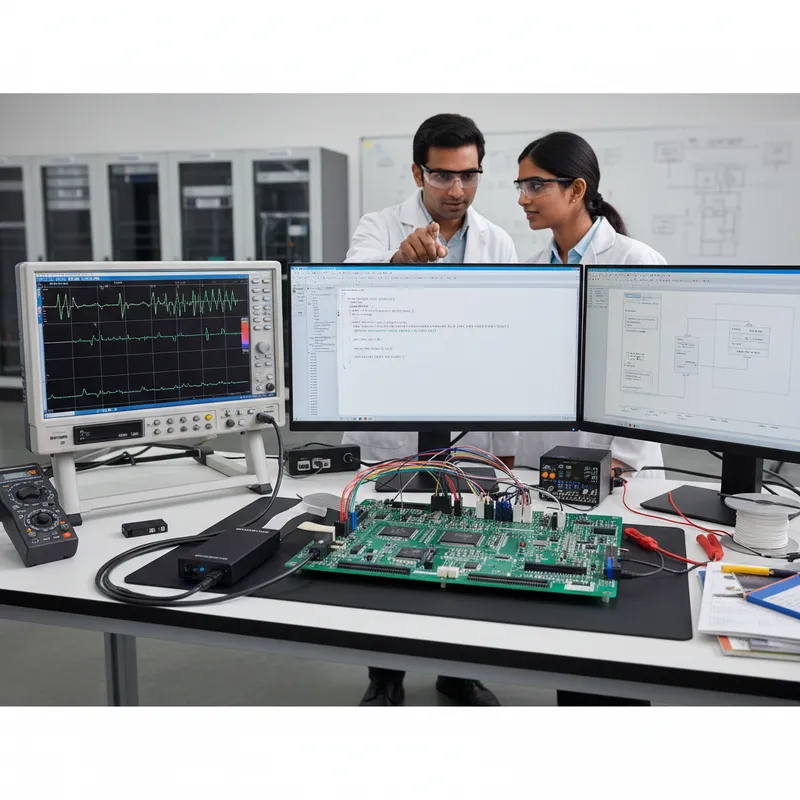
Indian Cortex-A, Cortex-R, and Cortex-M programmes eventually hit two questions that can derail a schedule if they are answered late: which Arm debug-and-trace probe is the right fit for the silicon on the bench, and which Arm reference subsystem should the architecture team anchor on before silicon exists. Both questions belong to the same engineering conversation, and both are where GSAS Micro Systems, Arm’s authorized partner in India for Arm Development Tools, spends the most time with customers. This guide walks Indian teams through the DSTREAM probe family (ST, PT, HT, XT) paired with Arm Development Studio, the Corstone reference subsystem family from Corstone-300 through Corstone-1000, and how the two converge into a single end-to-end workflow for Indian automotive, defence, telecom, and edge-AI product programmes.
The Arm DSTREAM Probe Family: What Each Variant Actually Does
The DSTREAM family is Arm’s production-grade debug-and-trace probe line for serious Cortex-A, Cortex-R, and Cortex-M work. Unlike a JTAG-only unit, a DSTREAM captures on-chip trace from the CoreSight debug infrastructure, ETM (Embedded Trace Macrocell), ITM (Instrumentation Trace Macrocell), PTM (Program Trace Macrocell where present), and the ETB/TMC (Embedded Trace Buffer and Trace Memory Controller), and streams it either to a host running Arm Development Studio or into an on-probe buffer for offline reconstruction. The probe reads what the SoC designer chose to expose, and per Arm’s DSTREAM product page the currently-marketed family has two variants, DSTREAM-ST and DSTREAM-PT, chosen by the target SoC’s trace topology rather than tiered by capability. They are complementary, not tiered.
- DSTREAM-ST is the current-generation streaming trace probe. It captures 4-bit TPIU trace and streams it continuously to the host at up to 2.4 Gbps so that Arm’s Streamline performance analyzer can reconstruct long-duration program flow across multiple cores. For most Indian Cortex-A/R/M debug programmes starting on new silicon today where the SoC exposes a 4-bit TPIU, DSTREAM-ST is the probe that lands on the bench first.
- DSTREAM-PT is the wide-parallel-trace variant with an on-probe buffer (up to 19.2 Gbps captured). It is the right answer when the SoC exposes trace over a wider parallel TPIU (8 / 16 / 32-bit) rather than the 4-bit streaming path that DSTREAM-ST reads. Whether a given silicon family speaks wide or narrow parallel trace is a design-time decision by the SoC architect, and the Indian team on the other end of the bring-up does not get to choose, they need the probe that matches the silicon’s topology.
For SoCs with very dense trace output that needs to move off-chip via High-Speed Serial Trace Port (HSSTP) or PCIe-based debug, generally application-class Cortex-A processors and Neoverse server platforms, Arm offers optional higher-bandwidth trace probes outside the ST/PT family. Talk to GSAS and we will route the conversation to Arm’s design-tools team.
The decision between ST and PT is almost entirely a function of the target SoC’s trace topology: 4-bit streaming versus wider parallel, the bandwidth the silicon emits at sustained load, and the buffer depth the debug session actually needs. This is precisely why Indian teams should talk to GSAS before committing to a specific DSTREAM variant, the wrong probe for the silicon is a multi-week integration loss that a ten-minute conversation could have prevented. GSAS runs the SoC’s trace topology against Arm’s compatibility matrix on day one, and the probe that arrives on the Indian engineering floor is the probe that will actually work.
DSTREAM Paired with Arm Development Studio and Streamline
A DSTREAM probe without the right host tooling is a very expensive pod. The complete bench is DSTREAM plus Arm Development Studio, the Gold edition for Cortex-A, Cortex-R, and Neoverse debug and trace work, or Gold FuSa where a safety-qualified toolchain is required, plus the Streamline performance analyzer that ships inside Development Studio. Streamline is the tool that turns a raw trace stream into a correlated, zoomable timeline across every core in the SoC.
For Indian engineering teams, the pairing matters because the problems that actually stall schedules are rarely single-core functional bugs. They are multi-core, multi-cluster interaction bugs that only become visible when you can see all of the CPUs, all of the DMA engines, and all of the interrupt controllers on a single timeline. That timeline is what Streamline produces from the CoreSight data that a DSTREAM probe captures, and the debug conversations that happen in front of that timeline are the ones that turn a two-week cache-coherence hunt into a two-hour root cause.
Indian Use Cases for the DSTREAM Family
The DSTREAM family turns up on four recurring kinds of Indian engineering floor.
Defence and rugged computing. Indian defence-programme and aerospace rugged-computing teams debugging Linux kernel boot and device-tree issues on a new Cortex-A53 or Cortex-A72 single-board computer need to see the full boot sequence across cores with timing intact. A DSTREAM-ST paired with Development Studio gives them the trace visibility to find the device-tree mismatch that a printk alone would never surface, and to do it inside an Indian facility under whatever controls the programme requires. This workflow connects closely to the themes in the Arm Development Studio guide for Cortex-A/R/Neoverse teams.
Automotive zonal ECUs. Indian Tier-1 automotive suppliers debugging a zonal ECU built on a heterogeneous SoC, typically Cortex-A application cores sitting alongside Cortex-R real-time cores and Cortex-M safety/management cores, need to walk context switches, interrupt latencies, and message-passing across clusters in a single debug session. A DSTREAM with Development Studio does exactly that. The Streamline timeline shows where in the multi-cluster interaction the priority inversion happened, which cluster was holding the shared resource, and which ISR took longer than the safety budget allowed. This is the kind of debug work that our automotive solutions page describes for Indian Tier-1 teams.
Telecom and networking silicon bring-up. Indian teams bringing up Neoverse-class infrastructure silicon for telecom, networking, and edge cloud use DSTREAM to trace packet-processing fast paths under load, correlate cache behaviour with interrupt delivery, and find the tail-latency outliers that ship features cannot tolerate.
Imaging and medical. Indian imaging and medical device teams working on multi-core Cortex-A silicon paired with Mali GPUs use DSTREAM to walk cache-coherence interactions between the CPU cluster and the GPU, correlate frame timing, and debug the stalls that turn a 60-fps pipeline into an uneven 45 fps.
In every one of these archetypes the probe is necessary but not sufficient. The team also needs Development Studio, the matching debug license, and someone who has walked through the CoreSight topology of that silicon family before. That is what the GSAS relationship with Arm exists to provide inside India.
Arm Corstone: Reference Subsystems, Not Silicon Parts
Corstone is the second half of the story. A Corstone subsystem is not a chip, it is a reference subsystem that Arm designs, validates, and licenses to silicon vendors. A Corstone subsystem bundles a CPU complex (typically one or more Cortex-M cores, sometimes with Cortex-A cores), a matching microNPU or accelerator where relevant, an interconnect, a security subsystem built around TrustZone and Arm’s Platform Security Architecture (PSA), a standard set of peripherals, and the memory topology that ties it all together. A silicon vendor licenses a Corstone subsystem, integrates it with their own peripherals and analog, and tapes out a product. The result is a commercial SoC that a product team can buy and design in.
For Indian engineers the important thing about a Corstone subsystem is that it is a known-good starting point with a fixed software path. Arm’s CMSIS, Trusted Firmware-M, CMSIS-NN, Arm NN, and the Vela compiler for the Ethos-U microNPU all target Corstone reference targets directly. Whatever silicon a product team ends up designing in, if that silicon is built on a Corstone subsystem, the software stack the team developed against the reference target mostly ports across with the peripheral layer as the only significant rework.
The Corstone subsystems Indian architects, product teams, and academic programmes should know are:
- Corstone-300: the Cortex-M55 plus Ethos-U55 reference subsystem, the entry point for Cortex-M edge-AI silicon targeting voice, sensor fusion, gesture, and simple vision workloads, with TrustZone for Armv8-M built in.
- Corstone-310: Cortex-M85 with Ethos-U55. Cortex-M85 adds Helium (the M-profile Vector Extension / MVE), which moves the DSP and ML throughput curve up for slightly larger models while keeping the same microNPU pairing.
- Corstone-315: Cortex-M85 paired with Ethos-U65, stepping the microNPU throughput up for edge-AI workloads that need more MAC capacity per cycle than the Ethos-U55 offers.
- Corstone-320: the newer subsystem pairing Cortex-M85 with the Ethos-U85 microNPU for the most demanding Cortex-M edge-AI workloads, including transformer and larger vision models that are only now becoming viable on MCU-class silicon.
- Corstone-1000: a Cortex-A35 plus Cortex-M reference subsystem for Linux-capable edge devices, with PSA-aligned secure boot and Arm TrustZone. This is the Cortex-A reference for small edge gateways rather than for application-class handhelds.
- Corstone-700: the earlier Cortex-A reference subsystem, still present in design conversations where a team is working with silicon from that generation.
For verified capability details on a specific Corstone variant, Indian teams should cross-check the official Arm developer pages rather than inferring from the subsystem name. Corstone families evolve, and the safest path is to read the subsystem page on developer.arm.com before committing architecture decisions.
Why Corstone Matters for Indian Silicon, Product, and Academic Programmes
Corstone matters inside India for three different audiences.
Indian silicon design programmes can evaluate and license Corstone subsystems as the starting point for their own SoCs. This is directly relevant to the IIT Madras SHAKTI programme, the C-DAC VEGA processor effort, and the growing set of Indian fabless design houses building edge-AI and secure-MCU silicon. Starting from a Corstone subsystem compresses the path from architectural idea to tapeout-ready design, the CPU complex, the interconnect, the security subsystem, and the validated software path are already there, and the Indian team gets to focus engineering effort on the peripherals, analog, and differentiators that actually distinguish their product.
Indian product teams buying commercial silicon built on a Corstone subsystem inherit a clear software path. A team designing around a Cortex-M55 plus Ethos-U55 commercial MCU that was built on Corstone-300 gets a CMSIS-Pack, Vela compiler flows, and a TFLite-Micro model path that all work the same way across every vendor’s Corstone-300-class silicon. That portability is what allows an Indian OEM to prototype on one vendor’s silicon and productise on another without throwing the codebase away.
Indian academic programmes teaching edge AI and embedded architecture can use Corstone reference targets via Arm Virtual Hardware (AVH) in the cloud or locally, without needing a classroom full of physical development boards. For a college running an edge-AI elective, this is the difference between equipping thirty students with physical hardware and giving thirty students a cloud target that matches what the industry is actually shipping on. Our edge AI blog post on Ethos-U microNPUs walks through the classroom-to-product path in more detail.
The Software Path: Keil MDK, Development Studio, AVH, and Vela
The software tooling around Corstone is mature and consistent. Keil MDK-Professional and Keil Studio Desktop both carry the CMSIS-Packs for Corstone-300, 310, 315, and 320 targets, which means an Indian Cortex-M developer can start a project against a Corstone reference target on day one and move to commercial silicon without changing the build system. For Cortex-A Corstone subsystems and for multi-core debug, Arm Development Studio is the tool, and the Keil MDK guide for Indian Cortex-M commercial development describes where the MDK line fits in that picture.
Arm Virtual Hardware provides cycle-approximate virtual models of the Corstone subsystems, which is what lets Indian product teams start firmware development months before the commercial silicon sample lands. The Vela compiler converts a quantised TFLite-Micro model into an executable schedule for the Ethos-U microNPU, so that the edge-AI portion of the workload is already running in the AVH simulation while the silicon is still a Gerber file.
Keil MDK and Arm Development Studio are distinct products with overlapping but separate audiences, MDK is the Cortex-M commercial-development tool, Development Studio is the Cortex-A/R/M debug-and-trace tool that pairs with DSTREAM. Indian teams doing pure Cortex-M edge AI will often live in Keil Studio Desktop for daily development. Indian teams bringing up multi-core silicon will live in Development Studio. Most Indian programmes that span both worlds end up owning both, and the GSAS engineering team helps size the license footprint accordingly.
End-to-End: A DSTREAM + Development Studio + Corstone Workflow for an Indian Programme
The practical combined workflow, end-to-end, looks like this:
- Pick a silicon family that is built on a Corstone reference subsystem, for example, a commercial Cortex-M55 plus Ethos-U55 MCU from a licensee vendor whose silicon is derived from Corstone-300.
- Start firmware and ML model development on Arm Virtual Hardware against the Corstone-300 reference target, months before the commercial silicon sample arrives.
- Build the application in Keil MDK-Professional or Keil Studio Desktop using the CMSIS-Pack for the Corstone target. Run the TFLite-Micro model through the Vela compiler so that the Ethos-U schedule is ready.
- Move to the silicon sample when it lands. Switch to Arm Development Studio for multi-core debug. Connect a DSTREAM-ST (or PT, or HT, or XT, whichever matches the silicon’s trace topology) and bring the board up.
- Profile with Streamline. Use the correlated timeline to see the Cortex-M core activity, the Ethos-U microNPU activity, the interrupt controller, and the DMA engines on a single axis. Find the contention, fix it, re-profile.
- Ship the product. Maintain it through its lifecycle with the same toolchain, the same probe, and the same CMSIS-Pack, so that five years from now the debug session for a field-reported issue takes hours rather than weeks.
The same workflow applies with minor variation to an Indian automotive zonal-ECU programme on heterogeneous Cortex-A/R/M silicon, a defence and aerospace rugged-computing programme on Cortex-A SBCs, or an Indian telecom infrastructure bring-up on Neoverse silicon. The probe, the tool, and the reference subsystem change; the disciplined end-to-end shape of the workflow does not.
Further Reading
External canonical references from Arm:
- Arm DSTREAM-ST on developer.arm.com
- Arm Corstone-300 on developer.arm.com
- Arm Corstone-310 on developer.arm.com
- Arm Corstone-1000 on developer.arm.com
GSAS internal cross-links for Indian engineering teams:
- Arm partner page
- Arm Development Studio
- Arm Keil MDK
- Arm Development Studio for Cortex-A/R/Neoverse Indian teams
- Ethos-U microNPU and Cortex-M edge AI for Indian products
- Automotive solutions at GSAS
GSAS Micro Systems is Arm’s authorized partner in India for Arm Development Tools, supporting Indian silicon, automotive, defence, telecom, and edge-AI teams across Bengaluru, Chennai, Hyderabad, Delhi NCR, Mumbai, and Pune. If your team is sizing a DSTREAM probe, a Development Studio license, or evaluating a Corstone reference subsystem for a new SoC or product programme, talk to GSAS before committing, the probe that matches the silicon, the license tier that matches the workflow, and the reference subsystem that matches the target market are the three decisions that make the difference between a programme that ships on time and one that loses weeks to avoidable integration friction.
Also appears in:
Interested in Arm tools?
Talk to our application engineers for personalized tool recommendations.
More from Arm
View all →
Meet the GSAS Team at electronica India 2026, Stall H3.I45
15 Sept · 3 min
Arm's Agentic AI Push: What Indian Embedded Teams Can Actually Use Today
13 Sept · 7 min
Arm User-Based Licensing in CI/CD: armlm, Proxy Activation and What Breaks
28 Jul · 11 min
Two Arm Keil MDK Webinars This Summer: DevOps and Edge AI for Indian Cortex-M Teams
17 Jun · 4 min

Emulating Processor Power for Thermal Testing: Why Constant Power
7 Oct · 7 min

CRPS and Rack Power Supply Testing: The Six Tests That Matter
7 Oct · 7 min