In short
GSAS's free webinar series Keil Studio for VS Code: Modern Embedded Development Workflows runs online on Wednesdays 25 November, 2, 9 and 16 December 2026, 3:30 to 4:30 PM IST. The four parts cover getting started, migrating µVision projects, debugging with trace, and the CMSIS Developer Assistant, each with a live Cortex-M demo. Each part has its own registration, and GSAS emails the slides and recording to everyone who registers.
Most software teams now work in VS Code with Git and CI pipelines. Arm has moved embedded development the same way: it now describes Keil µVision as its legacy IDE, and its newest MDK tooling ships in Keil Studio for VS Code. GSAS is running a free four-part series on the move, with a live demo on Cortex-M hardware in every session.
Register for Part 1, 25 November, or use the Register links in the schedule below for each session.
At a glance
| Item | Detail |
|---|---|
| Format | 4 live online sessions, 60 minutes each, with Q&A |
| Dates | Wednesdays, 25 November to 16 December 2026 |
| Time | 3:30 to 4:30 PM IST |
| Cost | Free for the four GSAS parts, registration required |
| Recordings | Slides and recording of each GSAS part emailed to all registrants |
| Kick-off | Arm’s own webinar, Thursday 19 November 2026, 9:30 PM IST |
The schedule
| Date | Time (IST) | Session | Speaker | Register |
|---|---|---|---|---|
| Thu 19 Nov | 9:30 to 10:00 PM | Kick-off by Arm: Getting Started with AI: A New Level of Productivity for Embedded Developers | Christopher Seidl, Arm | Register on Arm’s site |
| Wed 25 Nov | 3:30 to 4:30 PM | Part 1: Introduction to Keil Studio for VS Code | Soumyarani R Pise, GSAS | Register for Part 1 |
| Wed 2 Dec | 3:30 to 4:30 PM | Part 2: Migrating µVision Projects to Keil Studio | Geetha Sathyanarayana Nazre, GSAS | Register for Part 2 |
| Wed 9 Dec | 3:30 to 4:30 PM | Part 3: Advanced Debugging with the CMSIS Debugger | Geetha Sathyanarayana Nazre, GSAS | Register for Part 3 |
| Wed 16 Dec | 3:30 to 4:30 PM | Part 4: AI-Assisted Embedded Development with the CMSIS Developer Assistant | Geetha Sathyanarayana Nazre, GSAS | Register for Part 4 |
Each session has its own registration. Register for every part you want to attend; each sends its own confirmation email with the joining link.
Kick-off by Arm, Thursday 19 November
Christopher Seidl, Product Manager for Arm Keil MDK, shows how to get started with AI coding agents in Keil Studio using the CMSIS Developer Assistant, demonstrated on an Arm Cortex-M microcontroller. This is Arm’s own 30-minute webinar, in the Indian evening, and registration is on Arm’s site. Part 4 below covers the same assistant hands-on during India working hours.
Register for Arm’s webinar on Arm’s site · Event details
Part 1. Getting Started: From µVision to a VS Code Workflow
Your IDE shapes how your team builds, reviews and ships firmware. Part 1 shows how Keil Studio fits into VS Code, Git and CI, and takes a first CMSIS project from install to first build on real hardware.
What we’ll cover:
- Why the move from µVision matters, as Arm now describes µVision as its legacy IDE.
- How Keil Studio is built: VS Code extensions, CMSIS-Toolbox as the build system, and Arm Compiler 6 or another supported toolchain.
- A live install and a first CMSIS project on an STM32 Nucleo board.
- The MDK editions and how to choose one for your team.
Soumyarani R Pise presents; Geetha Sathyanarayana Nazre hosts. Wednesday 25 November, 3:30 PM IST.
From install to first build in one session.
Part 2. Migration: Bring Your µVision Projects Across
Most teams have years of µVision projects they cannot rewrite. Part 2 migrates a real one live and shows what stays the same: your source code, device and probes.
What we’ll cover:
- A live migration of a real µVision project: import, resolve packs, convert the linker setup, build and debug.
- What stays the same, including your compiler for projects already on Arm Compiler 6.
- Git-friendly project files and CI builds using the cbuild CLI.
Geetha Sathyanarayana Nazre leads; Soumyarani R Pise hosts. Wednesday 2 December, 3:30 PM IST.
From a µVision project to a CI build.
Part 3. Debugging: See What Your Firmware Does While It Runs
Breakpoints stop the system you are trying to observe. Part 3 uses SWO trace, trace capture and RTT/SystemView streaming to find timing issues and HardFaults while the code keeps running.
What we’ll cover:
- The latest CMSIS Debugger features in VS Code: SWO trace and the new trace views.
- Trace capture to CSV, and RTT/SystemView streaming.
- Tracking down timing issues and HardFaults that breakpoints alone will not catch.
Geetha Sathyanarayana Nazre leads; Soumyarani R Pise hosts. Wednesday 9 December, 3:30 PM IST.
From a crash report to its root cause.
Part 4. AI Assistance: An Agent That Knows Your Device
A general AI assistant guesses at register maps and pack versions. The CMSIS Developer Assistant connects the agent to device documentation, CMSIS-Packs, build tools and debugging, and you review every change it proposes.
What we’ll cover:
- Arm’s CMSIS Developer Assistant, which brings AI coding agents into Keil Studio.
- Asking your project questions in plain English, and extending an application with the agent.
- Letting the agent investigate a HardFault on real hardware.
- Staying in control: you review the changes the agent proposes. No prior AI coding agent experience is required.
Geetha Sathyanarayana Nazre leads; Soumyarani R Pise hosts. Wednesday 16 December, 3:30 PM IST.
From a question in plain English to a reviewed fix.
Who should attend
Firmware engineers, embedded software leads and architects working with Keil MDK today, and teams starting a new Cortex-M project.
Can’t make it live?
Register anyway. After each GSAS session we email the slides and the recording to everyone who registered, whether or not they attended.
Planning the move for your team?
GSAS Micro Systems is Arm’s authorized partner in India for Arm Development Tools. Talk to us about Keil MDK v6 licensing or an evaluation for your project, and about hands-on Keil training for your engineers. Talk to our team.
Related reading
Also appears in:
Interested in Arm tools?
Talk to our application engineers for personalized tool recommendations.
More from Arm
View all →
Meet the GSAS Team at electronica India 2026, Stall H3.I45
15 Sept · 3 min
Arm's Agentic AI Push: What Indian Embedded Teams Can Actually Use Today
13 Sept · 7 min
Arm User-Based Licensing in CI/CD: armlm, Proxy Activation and What Breaks
28 Jul · 11 min
Two Arm Keil MDK Webinars This Summer: DevOps and Edge AI for Indian Cortex-M Teams
17 Jun · 4 min
HyperLynx 2610: What's New for India's Signal and Power Integrity Teams
4 Nov · 6 min
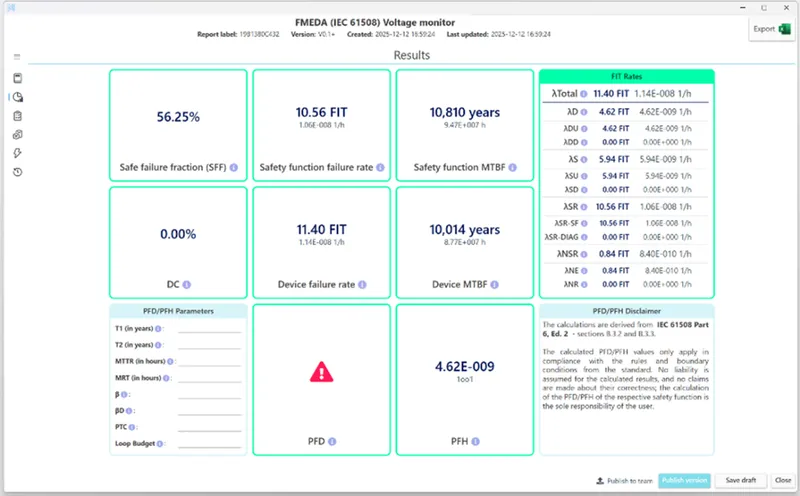
Simulation-Based FMEDA: HyperLynx AMS and Xpedition in the Functional Safety Workflow
4 Nov · 5 min