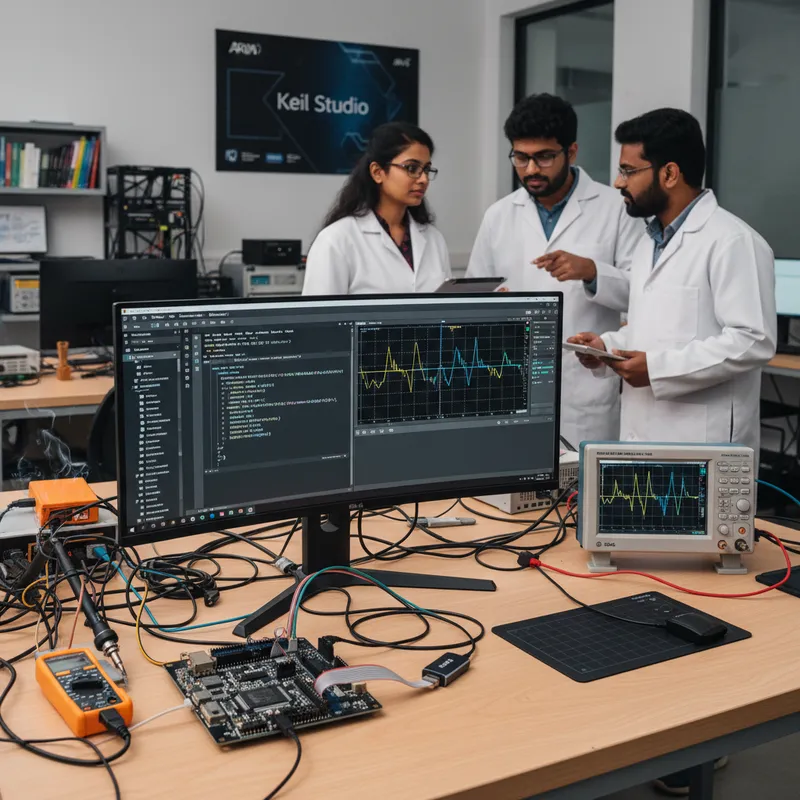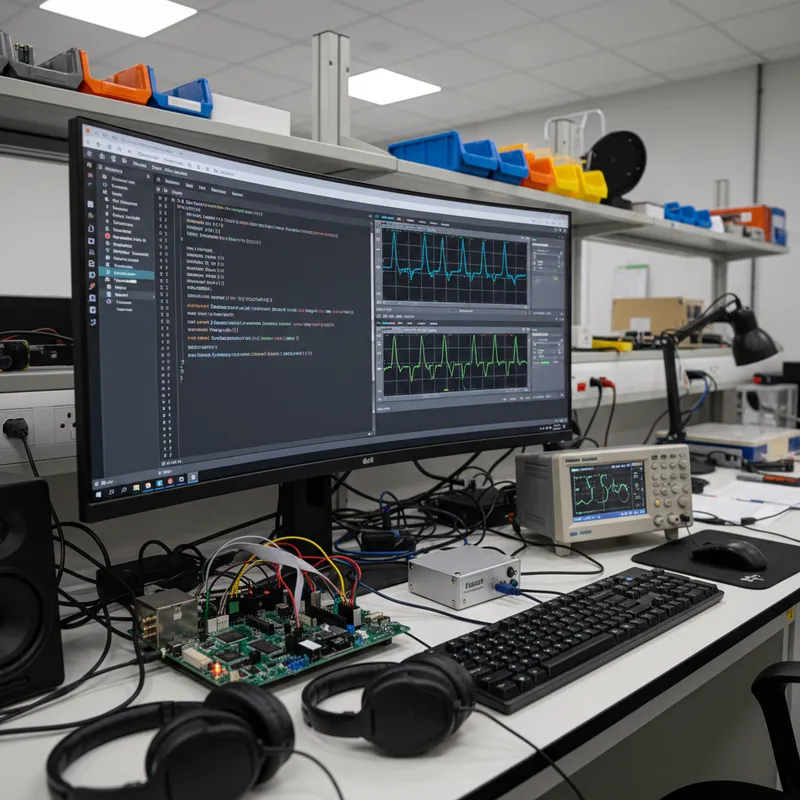
If you searched for “Keil Studio” from an Indian embedded bench this quarter, you are trying to answer three questions: what is Keil Studio, how does it differ from Keil µVision, and which path should a commercial Cortex-M team pick for a 2026 project. Keil Studio is Arm’s modern VS Code-based IDE for Cortex-M development, shipping in two flavours, Keil Studio Cloud in the browser and Keil Studio Desktop as a VS Code extension pack, both powered by the same Arm Keil MDK commercial toolchain Indian teams have standardised on. GSAS Micro Systems is Arm’s authorized partner in India for Arm Development Tools and handles commercial licensing across Bengaluru, Hyderabad, Chennai, Pune, Mumbai, and Delhi NCR.
What Is Keil Studio?
Keil Studio is Arm’s modern IDE family for Cortex-M microcontroller development. It is not a replacement for the Keil MDK toolchain, the compiler, debugger, middleware, and CMSIS-Pack ecosystem are all the same. It is a new IDE layer on top of VS Code, built by the same Arm team that maintains µVision. Keil Studio is the editor. Keil MDK is the toolchain and the license. You can run either IDE on the same project files, debug with the same ULINK probes, compile with the same Arm Compiler 6, and ship the same firmware image.
Keil Studio exists because the embedded workforce has changed. A developer who joined a Bengaluru firmware team in 2024 writes web and cloud code in VS Code, expects git in the editor, uses Copilot inline, and SSH’s into a build server. µVision is a Windows-only MDI-style IDE with a UI lineage going back to the 1990s. Keil Studio brings the Cortex-M toolchain into the editor the next generation of Indian embedded engineers is already fluent in. µVision is not going away, it remains actively supported, and for long-life product lines it is still the right answer.
Keil Studio ships in two flavours. Keil Studio Desktop is the commercial production path, a VS Code extension pack that runs a full commercial Cortex-M workflow on a local machine with a real debug probe. Keil Studio Cloud is the browser-based environment for evaluation, training, workshops, and early-stage prototyping. Indian teams almost always evaluate on Cloud and standardise on Desktop for day-to-day commercial work.
Keil Studio Desktop: The Commercial Production Path
Keil Studio Desktop is a VS Code extension pack. Installing it on Windows, Linux, or macOS gives VS Code the Arm Compiler for Embedded (armclang), the CMSIS-Pack manager, integrated debug adapter support for ULINKplus, ULINKpro, ULINKpro D, and SEGGER J-Link, the Event Recorder and Execution Profiler views, and the serial monitor. The result is a VS Code workspace that builds, flashes, debugs, traces, and profiles Cortex-M firmware exactly the way µVision does, same toolchain, same probes, same project semantics.
This is the flavour commercial Indian teams care about. It is covered by the Keil MDK license, it is where day-to-day production firmware gets built, and it hooks cleanly into CI, code review, and source control. A typical Pune-area automotive Tier-1 running Jenkins against a Linux build farm runs the same armclang invocation on the build server as an engineer runs inside Keil Studio Desktop on a laptop, reproducibility is the point.
The practical benefits appear in the first sprint. The file tree is a real VS Code file tree. Git integration is native. Remote/SSH development works, so a developer in Hyderabad can run Keil Studio Desktop against a project on a Bengaluru build server and debug a physical Cortex-M target on the local desk. Copilot and other VS Code AI assistants work against the Cortex-M source tree the same way they work against any other codebase. None of this is available in µVision, not because µVision is weak, but because VS Code is a fundamentally different editor architecture.
Keil Studio Cloud: For Evaluation, Training, and Prototyping
Keil Studio Cloud is the browser-based face of the same toolchain, effectively the Keil online compiler for Cortex-M teams. An engineer opens a URL, signs in with an Arm account, and gets a full Keil Studio workspace inside a browser tab. No local install, no toolchain paths, no drivers. It is excellent for evaluation, a prospective customer in Chennai can try a Cortex-M workflow without downloading anything, and for training and workshops, where a faculty member at an Indian engineering college can walk 30 students through a CMSIS-Pack build without installing software on 30 machines.
Keil Studio Cloud is explicitly not the commercial production path. Production firmware for an Indian medical device, automotive ECU, or industrial controller is built in Keil Studio Desktop or µVision on a machine the team controls, with a probe the team owns, and with an Arm Compiler version pinned for safety and reproducibility. Cloud is where a team tries the workflow. Desktop is where the team ships firmware.
The migration pattern we see most is a three-week evaluation. A lead engineer spins up a Keil Studio Cloud workspace, imports a representative project, and confirms the CMSIS-Pack for the target MCU installs cleanly. Once Cloud proves the toolchain, the engineer installs Keil Studio Desktop locally, re-opens the project, and runs a real debug session against a physical board with an ULINKpro or J-Link. Only after Desktop is proven does the team commit to rolling the IDE out.
Keil Studio vs µVision: The Head-to-Head
This is the single most-searched Keil Studio question in India. Both are actively supported Arm IDEs for Cortex-M development. They ship the same Arm Compiler 6 (armclang), drive the same ULINK and J-Link probes, consume the same CMSIS-Packs, and are covered by the same Keil MDK commercial license. The difference is the editor, the file-tree architecture, and the development environment integration.
µVision is a classic Windows MDI IDE with 20+ years of Cortex-M history. It is precise, mature, and battle-tested, the workhorse for teams maintaining long-life products, teams with heavy µVision project files, teams with 10-year-old debug scripts baked into a release pipeline, and teams where a toolchain configuration is locked to a specific µVision version for safety certification.
Keil Studio Desktop is VS Code-native. It is the forward path for greenfield Cortex-M projects, for teams that want modern git workflows in the editor, Copilot compatibility, cross-platform development on Linux or macOS, and remote development against a shared build server. A typical Bengaluru-area embedded startup writing its first product in 2026 should almost certainly pick it.
Most Indian commercial teams will run both for a few years, Keil Studio Desktop for new development, µVision for maintaining the 10-year-old product line that still ships, with the same Keil MDK license covering both. That is a supported configuration, not a workaround.
| Capability | Keil Studio Desktop | Keil Studio Cloud | Keil µVision |
|---|---|---|---|
| Editor base | VS Code (local install) | VS Code in browser | Native Windows IDE |
| Operating systems | Windows, Linux, macOS | Any browser | Windows only |
| Arm Compiler 6 (armclang) | Yes | Yes | Yes |
| CMSIS-Pack manager | Yes | Yes | Yes |
| Debug with ULINKplus / ULINKpro / ULINKpro D | Yes | Not for physical targets | Yes |
| Debug with SEGGER J-Link | Yes | Not for physical targets | Yes |
| Event Recorder and Execution Profiler | Yes | Limited | Yes |
| Serial monitor | Yes | Limited | Yes |
| Git integration in editor | Native | Native | External tooling |
| Remote / SSH development | Yes | N/A | Limited |
| Copilot compatibility | Yes | Yes | No |
| Commercial production firmware | Primary path | Not recommended | Primary path |
| Training, evaluation, prototyping | Yes | Primary path | Yes |
| Covered by Keil MDK commercial license | Yes | Free tier for evaluation | Yes |
Arm Compiler for Embedded (armclang)
Underneath both Keil Studio and µVision sits the Arm Compiler for Embedded, the commercially supported LLVM-based C and C++ compiler for Arm architectures. The current generation is Arm Compiler 6. Its C front end is armclang, its linker is armlink. This is the compiler that turns a Cortex-M codebase into the ELF image you flash. Switching from µVision to Keil Studio does not change the compiler, the optimisation pipeline, the ABI, or the output binary.
Arm Compiler 6 replaced the older Arm Compiler 5 (front end armcc) in 2020. Arm Compiler 5 is deprecated for new projects. Moving a brownfield project off armcc is a toolchain migration, not an IDE migration.
What Arm Compiler gives an Indian commercial team is threefold. It is LLVM-based, with modern C and C++ language support and a mature optimiser. It ships with a commercial support contract, a team can open a case against a specific compiler version and get engineering help from Arm. And it is MISRA C and CMSIS aware, which matters for industrial, automotive, or medical coding standards. GCC is a reasonable alternative in some environments, but it is not a drop-in commercial replacement for Arm Compiler when a project needs a support contract and a signed, versioned toolchain.
CMSIS-Pack in Keil Studio
The CMSIS-Pack ecosystem is the device support layer that makes Keil Studio and µVision practical. A CMSIS-Pack is a zip file with a standardised manifest describing a silicon vendor’s devices, startup code, linker scripts, debug configurations, middleware, and example projects. Arm maintains a public catalogue with support for more than 10,000 devices from more than 45 silicon vendors, STMicroelectronics STM32, NXP Kinetis/LPC/i.MX RT, Nordic nRF52/nRF53/nRF54, Renesas RA and RX, TI MSP432 and SimpleLink, Microchip SAM, Silicon Labs EFR32, Infineon PSOC and XMC, GigaDevice GD32, WCH CH32, and Espressif targets where a pack is available.
In Keil Studio Desktop, installing a pack is a few clicks in the Pack manager panel. The workflow: install the pack, create a solution, select the device variant, add the middleware (USB, File System, Network, RTOS, the list depends on the Keil MDK edition), and build. The same workflow applies in µVision with the same packs. For the middleware stack, see Arm MDK middleware and CMSIS for Indian industrial IoT.
The CMSIS-Pack ecosystem is why switching IDEs is safe. The pack owns the device description, the startup code, and the debug configuration. Moving a project from µVision to Keil Studio Desktop is a project import, not a port.
Debug Probes: ULINK vs J-Link
Keil Studio Desktop speaks to Cortex-M targets through the same debug adapter layer as µVision. The Arm-native probe family is the Keil ULINK line, ULINKplus, ULINKpro, and ULINKpro D, and Keil Studio Desktop supports all three out of the box. SEGGER J-Link probes are first-class citizens through the same debug adapter layer, using the SEGGER drivers Indian teams already run with µVision.
For an Indian commercial team, the probe decision is driven by the bench, not the IDE. Teams with an existing J-Link fleet standardised for cross-silicon reuse across Cortex-M, Cortex-A, and RISC-V continue on J-Link. Teams that want the tightest Arm Compiler integration and full ETM instruction trace pick ULINKpro or ULINKpro D. Teams that want Arm’s current probe with power measurement, protocol tracing, and full MDK integration pick ULINKplus. All three ULINK variants work with both Keil Studio Desktop and µVision; the IDE is not the constraint.
MDK Licensing Tiers and What Keil Studio Unlocks
Keil Studio inherits its license from Keil MDK. Installing Keil Studio Desktop or logging into Keil Studio Cloud does not entitle an Indian team to commercial middleware or unlimited code size, the entitlements come from the Keil MDK edition purchased from GSAS. The commercial tiers are MDK-Essential, MDK-Plus, and MDK-Professional.
MDK-Essential is the entry commercial tier. It provides the Arm Compiler for Embedded and full debug support for Cortex-M targets without a code-size limit, right for a team writing its own middleware with a commercial support contract. MDK-Plus adds the Keil File System, USB (device mode), IPv4 Network, and IoT middleware, right for a product needing a microSD mount, USB device interface, or TCP/IP stack. MDK-Professional is the top tier. It adds USB host, IPv6, TLS and mbedTLS, and the complete middleware bundle, right for an Indian IoT gateway needing full networking and USB host. For deeper tier guidance, see Arm Keil MDK Professional for Indian Cortex-M commercial development.
A free MDK edition exists for hobbyist and student use. GSAS does not promote it for commercial work. The same applies to Keil Studio Cloud, free access is designed for evaluation, workshops, and training, and a commercial team should purchase a Keil MDK license before the pilot turns into a shipping product.
How Indian Teams Adopt Keil Studio
A realistic adoption plan is a 90-day rollout in three phases. Month one is a pilot, one or two lead engineers install Keil Studio Desktop, open a representative project in both IDEs, build in both, and run the same debug session against the same physical target. The goal is to confirm nothing is broken, that the existing CI invocation still works (it will, because armclang is the same binary), and that Event Recorder and Execution Profiler views match µVision.
Month two is parallel-run. New features go into Keil Studio Desktop while maintenance fixes continue to ship from µVision. This surfaces small keyboard-shortcut or debug-view differences and builds confidence that the two IDEs produce identical release artefacts. Most teams stop the comparison after week six.
Month three is commitment. New development starts in Keil Studio Desktop by default. µVision project files stay buildable in the repository. Long-life maintenance on older products continues in µVision without disruption. CI release builds remain identical. For the hands-on migration story, see Arm Keil Studio in VS Code for Indian teams.
When to Stay on µVision
Sometimes the right answer is not to migrate. If a team is shipping a safety-certified product whose toolchain is locked to a specific µVision version under a QMS, keep that product on µVision until the next certification cycle. If a product is in deep maintenance with a small team doing occasional bug fixes, the cost of retraining outweighs the benefit. If a codebase has heavy µVision-specific scripts or ten-year-old target configurations expensive to port, leave it in µVision and start Keil Studio adoption on the next new project.
µVision is not a legacy IDE about to disappear, it is a currently-supported Arm commercial product. A Keil MDK license from GSAS entitles an Indian team to both µVision and Keil Studio Desktop under the same support contract. For most Indian greenfield Cortex-M projects in 2026, the forward IDE is Keil Studio Desktop. For mature long-life products, it is µVision.
How to Download Keil Studio
The Keil Studio download, both Keil Studio Desktop and Keil Studio Cloud, is available directly from Arm at keil.arm.com. Keil Studio Cloud opens in a browser, sign in with an Arm account and a workspace is live in minutes. Keil Studio Desktop installs via the installer or the VS Code marketplace extension pack, then points at the CMSIS-Pack repository and an installed Keil MDK commercial license. The download is free; what a commercial Indian team needs is the MDK license for production use, and that is what GSAS handles.
For evaluation, an Indian team can get moving in a single afternoon: install Keil Studio Desktop, install the CMSIS-Pack for a target MCU on the bench, attach a ULINK or J-Link probe, and run a hello-world debug session.
Buying Keil Studio in India
Keil Studio in India runs commercially through GSAS Micro Systems, Arm’s authorized partner in India for Arm Development Tools and the single point of contact for Keil Studio and Keil MDK licensing, renewal, and first-year Arm support. When an Indian team commits to Keil Studio Desktop, GSAS handles INR invoicing under GST, PO workflows, renewal tracking, and escalation into Arm’s engineering support queue. Licensing depends on the MDK tier (Essential, Plus, or Professional), the named seat count, and the contract term. An Indian buyer should start with a conversation about target MCUs, the middleware stack, the engineer count, and the existing probe fleet, that determines which MDK edition is right and how the rollout should be structured.
Teams that also run Arm Development Studio for Cortex-A or Cortex-R work, or standardise on SEGGER J-Link probes, can consolidate all three under a single commercial relationship with GSAS, one vendor contract, one renewal calendar, one support queue.
Further Reading
External canonical references for Keil Studio and Keil MDK, direct from Arm:
- Keil Studio official site:
https://www.keil.arm.com/ - Arm Keil MDK product page:
https://developer.arm.com/Tools%20and%20Software/Keil%20MDK
GSAS internal references for Indian Cortex-M teams:
- Arm partner page, the full Arm portfolio GSAS supports in India
- Arm Keil MDK product page, commercial licensing, editions, entitlements
- Arm Keil Studio in VS Code for Indian teams, hands-on migration story
- Arm Keil MDK Professional for Indian Cortex-M commercial development, top-tier edition deep dive
- Arm MDK middleware and CMSIS for Indian industrial IoT, the middleware stack inside Keil Studio
- SEGGER J-Link complete buyer’s guide for India, the debug probe side of the bench
Keil Studio Desktop is the commercial production path, Keil Studio Cloud is the evaluation and training path, and µVision remains the proven workhorse for long-life products. The compiler, the debugger, the ULINK probes, the CMSIS-Packs, and the Keil MDK license are the same across all three. GSAS Micro Systems is Arm’s authorized partner in India for Arm Development Tools and handles Keil MDK and Keil Studio commercial licensing, INR invoicing under GST, and first-year Arm support for Indian embedded teams in Bengaluru, Hyderabad, Chennai, Pune, Mumbai, and Delhi NCR. Talk to us before the pilot turns into a shipping product, getting the MDK tier right on day one saves a quarter of friction downstream.
Also appears in:
Interested in Arm tools?
Talk to our application engineers for personalized tool recommendations.
More from Arm
View all →
Meet the GSAS Team at electronica India 2026, Stall H3.I45
15 Sept · 3 min
Arm's Agentic AI Push: What Indian Embedded Teams Can Actually Use Today
13 Sept · 7 min
Arm User-Based Licensing in CI/CD: armlm, Proxy Activation and What Breaks
28 Jul · 11 min
Two Arm Keil MDK Webinars This Summer: DevOps and Edge AI for Indian Cortex-M Teams
17 Jun · 4 min

Emulating Processor Power for Thermal Testing: Why Constant Power
7 Oct · 7 min

CRPS and Rack Power Supply Testing: The Six Tests That Matter
7 Oct · 7 min