In short
DoIP routing activation fails when the entity rejects the tester's request, and the one-byte response code says why: 0x00 unknown source address, 0x01 all TCP_DATA sockets registered and active, 0x02 a different source address on an already activated socket, 0x03 that source address active on another socket, 0x04 missing authentication, 0x05 rejected confirmation, 0x06 unsupported activation type, 0x07 the route requires TLS. 0x10 is success and 0x11 means routing is pending a confirmation step, so it is not yet success.
A DoIP session that dies at routing activation gives you one byte of explanation, and that byte names the exact check that failed inside the entity. Not every tool stack surfaces it, and a generic error in its place is why engineers burn time on cabling and TCP before checking a configuration value.
This is the lookup table for that byte, plus what a table alone cannot give you: the order the entity applies its checks in. The order matters, because two misconfigurations can both be true and you only see the code from the first check that failed.
The protocol itself, the handshake sequence, UDP discovery and the eight-byte header, is covered in our DoIP explainer. This article assumes that ground.
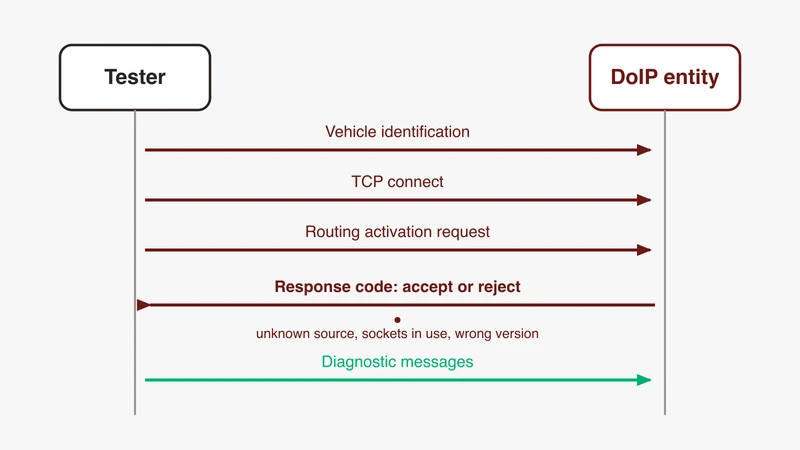
Where routing activation sits in the DoIP handshake
Discovery over UDP, TCP connect, routing activation, then diagnostic messages. The third step is the only one that can refuse you politely.
What the entity is deciding
Routing activation is an admission decision, not a connection check. The entity decides whether this tester source address, on this socket, asking for this activation type, may have diagnostic messages routed to the target addresses tied to that activation. The AUTOSAR Classic Platform specification of Diagnostic over IP is explicit about the yes case: the socket becomes Registered [Routing Active] for that source address, and diagnostic requests to the configured target addresses are routed from then on. Before that point, the same document says, any message other than a routing activation request, or one required for authentication or confirmation, is silently discarded.
Silently. That is the whole reason a failed activation looks like a dead vehicle rather than a refusal.
Logical addresses: tester, entity, gateway or node
Three address values are in play and they are not interchangeable.
The tester source address is yours, and goes in the request. python-doipclient documents the tester range as 0x0E00 to 0x0FFF and defaults client_logical_address to 0x0E00; the Scapy DoIP socket defaults source_address to 0xe80. Two open-source clients, two different defaults, and neither is necessarily what your vehicle expects.
The entity logical address is the vehicle side’s, returned in the response: AUTOSAR sets that field to the entity’s configured DoIPLogicalAddress. Take it from discovery or from the response, not a spreadsheet. The target address is a third thing, used in diagnostic messages after activation, and reachable only if your activation enabled it.
Gateway or node changes what sits behind all of this, a decision taken long before your bench existed, as our notes on the vehicle communication architecture and domain and zone controller hardware describe. python-doipclient’s entity status response exposes node_type, 0x00 for a gateway and 0x01 for a node, alongside max_concurrent_sockets and currently_open_sockets. Read those before arguing about socket exhaustion.
Why it surfaces as a tool error string
The response code is one byte inside payload type 0x0006, and a tool has to choose to surface it. Some do not, and report a numbered internal error instead.
That gap is visible in a public forum thread on a tool vendor’s community site. Discovery worked, the correct IP address and VIN came back, and the session failed at activate routing with an undefined error number. The checks suggested ran from entity settings through protocol version, source and target addresses, to a newer driver release, with a Wireshark capture on the doip filter as the tie-breaker. The outcome is the part worth carrying: the capture resolved it, and the cause was a bug in the ECU, not the tester configuration. Start with the tester-side checklist, and do not assume it ends there.
The response code table
How this table was built
Every denial and success code below appears in at least three of these four independent public sources: the AUTOSAR Classic Platform specification of Diagnostic over IP (R24-11, AUTOSAR_CP_SWS_DiagnosticOverIP), the Wireshark DoIP dissector value strings in packet-doip.c, and the response code enumerations in python-doipclient and Scapy. The one exception, the reserved range, is flagged in its own row. Where they disagree, the disagreement is flagged in the row rather than resolved silently. ISO 13400 itself is paid, so it is named and never quoted.
Code, meaning, first thing to change
| Code | Meaning (Wireshark wording, shortened) | What it means in practice | First thing to change |
|---|---|---|---|
| 0x00 | Denied due to unknown source address | Your tester source address is not in the entity’s configured list. AUTOSAR specifies this code when it does not match a configured DoIPTesterSA, then a socket close | The source address in your client, from the OEM diagnostic specification. Not a guess |
| 0x01 | Denied because all concurrently supported TCP_DATA sockets are registered and active | The entity is at its configured maximum tester connections and every existing tester answered an alive check | Close the other session. Read currently_open_sockets and max_concurrent_sockets from an entity status request |
| 0x02 | Denied because an SA different from the table connection entry was received on the already activated TCP_DATA socket | You activated on this socket with one source address, then sent a second activation with a different one | One source address per socket, or open a new connection |
| 0x03 | Denied because the SA is already registered and active on a different TCP_DATA socket | The same tester address is live on another socket, and that socket answered the alive check | Find and close the other session. Check your own duplicate clients before blaming a colleague’s |
| 0x04 | Denied due to missing authentication | An authentication callback returned a failure. AUTOSAR notes the connection stays registered to your source address with routing not enabled | The OEM-specific bytes, and whether you are entitled to this activation |
| 0x05 | Denied due to rejected confirmation | A confirmation step returned a failure, and the socket is closed | Rarely a tester-side fix. Ask what the confirmation checks |
| 0x06 | Denied due to unsupported routing activation type | The activation type byte matches no activation number configured for your source address | The activation type. Try the default first |
| 0x07 | Denied due to request for encrypted connection via TLS | This route requires the secured connection. Scapy words it as the activation type requiring a secure TLS TCP_DATA socket | Move to the TLS port with a proper context. A different source address will not help |
| 0x08 to 0x0F | Reserved by ISO 13400 | Reserved in the Wireshark dissector and in Scapy; python-doipclient’s enumeration omits them entirely and AUTOSAR does not define them. This row is the one place the sources do not agree | Nothing. Treat one as an entity defect and capture it |
| 0x10 | Routing successfully activated | Routing is enabled for the target addresses tied to this activation | Nothing |
| 0x11 | Routing will be activated, confirmation required | Not success. AUTOSAR puts the connection in Registered [Pending for Confirmation] | Handle the confirmation exchange. python-doipclient raises on this code at construction because it is not Success; request_activation() called later returns the response for you to handle |
Reading it at a glance
Two codes are not denials, 0x10 and 0x11, and only one is success. python-doipclient raises ConnectionRefusedError if the activation it performs at construction returns anything other than Success, so 0x11 reaches your program as a refusal. Scapy raises on anything other than 0x10 too, except 0x07, which it treats as an instruction to re-activate on the TLS port.
Everything from 0x00 to 0x07 is a denial: 0x00, 0x02 and 0x03 are address problems, 0x01 is capacity, 0x06 is activation type, and 0x04, 0x05 and 0x07 are policy problems no tester setting will clear.
OEM-assigned activation types
The activation type is a single byte in the current protocol versions, and its meaning is assigned per vehicle programme. AUTOSAR models it as DoIPRoutingActivationNumber, an integer from 0 to 255 configured per routing activation container, and accepts your request only if the byte matches an activation number configured for your source address. Anything else yields 0x06.
Only a few values appear in public sources, and they do not fully agree:
| Value | Wireshark | python-doipclient | Scapy |
|---|---|---|---|
| 0x00 | Default | Default | Default |
| 0x01 | WWH-OBD | DiagnosticRequiredByRegulation | WWH-OBD |
| 0xE0 | Central security | not present | Central security |
| 0xE1 | not present | CentralSecurity | not present |
Take 0x00 and 0x01 as safe: all three carry them and the names describe the same thing. 0xE0 is the better bet: AUTOSAR R24-11 keys its central security signalling on DoIPRoutingActivationNumber 0xE0, and Wireshark and Scapy both name 0xE0. python-doipclient is alone at 0xE1. Still do not hard-code either; the value your programme uses comes from the OEM specification. Scapy’s enumeration also duplicates “Default” at 0x16 and contains entries wider than the one-byte field it decorates (0x116, 0xe016), which cannot match on the wire, so read it as a convenience list rather than a specification.
Everything else is OEM-assigned. There is no published master list and this article will not invent one: the value your programme uses comes from your OEM or supplier diagnostic specification.
The order the entity checks in
This is what turns a code into a diagnosis. The AUTOSAR requirements chain in a fixed order, and the first failing check wins:
- Header and payload length. The expected payload length for a routing activation request is exactly 7 or 11 bytes. A wrong length gets NACK code 0x04 in a generic header negative acknowledgement, payload type 0x0000, not an activation response at all. For this payload type that NACK is sent in any connection state.
- Source address against the configured tester list. No match, 0x00, socket closed.
- Is this socket already activated to a different source address? Yes, 0x02, socket closed.
- Is this source address already registered on another connection? If so the entity alive-checks that connection. If the other tester answers, you get 0x03. If it times out, processing continues.
- Is the entity at its maximum tester connections? If so it alive-checks all of them. If every one answers, you get 0x01. If any times out, that connection is closed and processing continues.
- Activation type against the activation numbers configured for your source address. No match, 0x06, socket closed.
- Authentication callback, if configured. Failure gives 0x04.
- Confirmation callback, if configured. Pending gives 0x11, failure gives 0x05.
- Nothing refused it: 0x10, and the socket becomes Registered [Routing Active].
Two consequences worth internalising. You cannot see a 0x06 until your source address has been accepted, so a 0x06 is quiet good news about step 2. And 0x01 and 0x03 both depend on another tester answering an alive check, which is why the same setup can be admitted on one attempt and refused on the next.
Do not use the state of the TCP socket as evidence either way. Most denial paths in AUTOSAR are followed by a socket close, but 0x04 explicitly leaves the connection registered to your source address with routing disabled, and what your client library reports about the socket is a separate question from what the entity did.
The five failures behind most tickets
Tester source address not on the entity’s expected list
The failure with no discovery path: nothing in the vehicle identification response tells you which tester addresses the entity will accept, so this one is invisible until you send the request. Code 0x00.
Wrong target address, or a node behind a gateway addressed directly
This does not fail activation at all. It fails afterwards, as a diagnostic message negative acknowledgement: 0x03 for a target not connected by configuration to your activated source address, 0x06 for a target this activation did not enable.
Protocol version and inverse version byte mismatch
Byte 0 is the version, byte 1 its bitwise inverse, and a bad pair gets NACK code 0x00 with the socket closed before any activation logic runs. The version also changes the layout: the Wireshark dissector reads the activation type as two bytes for 2010 and one byte for 2012 and 2019.
Sockets already registered, or a stale connection
Codes 0x01 and 0x03, both mediated by alive checks. An entity status request gives you the numbers before you start guessing.
Activation type mismatch, including the OEM payload
Code 0x06, including the case where the OEM-specific bytes the entity expects are missing because your client sent the 7-byte form.
Ordered diagnosis, discovery to a live session
Reaching this handshake from outside the vehicle, over a telematics path rather than a bench cable, changes the failure modes again, a case worked through in our telematics unit deep dive.
Step 1: does vehicle identification answer, and on which interface. Broadcast, capture, confirm which local interface the request left on. A laptop with a dock, a virtual adapter and a test NIC will send it out the wrong one and report silence. python-doipclient exposes client_ip_address so you can bind explicitly. No answer here means you never reached activation: check the interface, the link, and whether the entity’s external interface came up at all.
Step 2: does TCP connect and stay up. Connect to port 13400, or 3496 for the secured variant, and watch it. A socket that opens and closes about two seconds later with nothing sent is the initial inactivity timer: AUTOSAR resets a socket on which no routing activation request arrived within the configured initial inactivity time.
Step 3: read your own request, byte for byte. Before blaming the vehicle, decode what you sent. A default activation from tester 0x0E00 on protocol version 0x02, 11-byte form:
02 FD 00 05 00 00 00 0B 0E 00 00 00 00 00 00 00 00 00 00
|  |  |     |           |     |  |           |
|  |  |     |           |     |  |           OEM specific, 4 bytes
|  |  |     |           |     |  Reserved by ISO, 4 bytes
|  |  |     |           |     Activation type 0x00, default
|  |  |     |           Source address 0x0E00, the tester
|  |  |     Payload length 0x0000000B
|  |  Payload type 0x0005
|  Inverse protocol version 0xFD
Protocol version 0x02
The 7-byte form is the same without the trailing OEM field, length 0x00000007. Confirm the length field matches the bytes you actually sent: a mismatch is answered by a header NACK rather than an activation response, and the two look nothing alike in a capture.
Step 4: read the response code and jump to the matching row. Filter on doip.type == 0x0006 and read doip.response_code.
Step 5: confirm the session holds. An alive check response is legal to send unprompted and resets the entity’s inactivity timer, which makes it a cheap keepalive during a long sequence. Then send a real UDS request and confirm you get a response rather than a 0x8003.
Step 6: keep the evidence. Save the capture from identification through to the first successful diagnostic response. It is your reference trace for every later failure on that bench, and what a supplier will ask for when the answer is in the entity.
Traps on the tooling side
Library defaults that are not your vehicle’s values. python-doipclient defaults client_logical_address to 0x0E00, protocol_version to 0x02 while documenting that the implementation targets 0x03, and activation_type to Default. Scapy’s socket defaults source_address to 0xe80, doip_version to 2 and activation_type to 0, and auto-populates the target address from the entity logical address in a successful activation response, which is convenient until it sends requests somewhere you did not intend.
Functional addressing and naive response matching. Responses arrive from each ECU’s own address, and a client matching on the address pair drops them all.
Timeouts shorter than the vehicle’s. python-doipclient waits A_PROCESSING_TIME, 2 seconds, for the activation response. An entity running an authentication or confirmation callback can take longer than that.
Secured DoIP. 0x07 means the route requires TLS, and the secured port is 3496 in both python-doipclient and the Wireshark dissector. Note that AUTOSAR specifies 0x06, not 0x07, when a routing activation request on protocol version 0x02 arrives on an unsecured connection to activate a secured route, so the same misconfiguration can present as either code.
Firmware. Sometimes the answer is the ECU build, as the forum thread above showed. Reach that conclusion by elimination and with a capture in hand, not by assumption.
Tool error string to cause lookup
| What the tool says | Underlying condition | Where to look |
|---|---|---|
| Numbered internal error after activate routing | The activation response was a denial, or malformed | The response code byte in the capture |
| Connection refused during client construction | The library activated at construction and got anything other than 0x10, including 0x11 | The exception text, then the capture |
| Timed out waiting for routing activation response | No response inside the client’s processing time, or a callback is running | Whether a 0x0006 exists in the capture |
| Connection reset shortly after connect | Initial inactivity timer, or a denial with the socket closed | Whether an activation request was sent, and whether a 0x0006 came back |
| No answers to a functionally addressed request | Responses arrived from physical source addresses and were filtered | Raw capture, not library output |
| Malformed or undissected DoIP frames | Version or port mismatch in the dissector | Header version byte, and Decode As for a non-default port |
A healthy exchange, for comparison: an identification response, a TCP handshake, one 0x0005 request, one 0x0006 carrying 0x10, then 0x8001 traffic in both directions. Anything else is a story.
When activation succeeds and diagnostics still fail, check the diagnostic message acknowledgement next, then the UDS negative response, catalogued in our NRC table. Getting the layer right first is most of the work, and the boundaries are drawn in OBD2 vs DoIP vs UDS and the UDS explainer.
Where GSAS fits
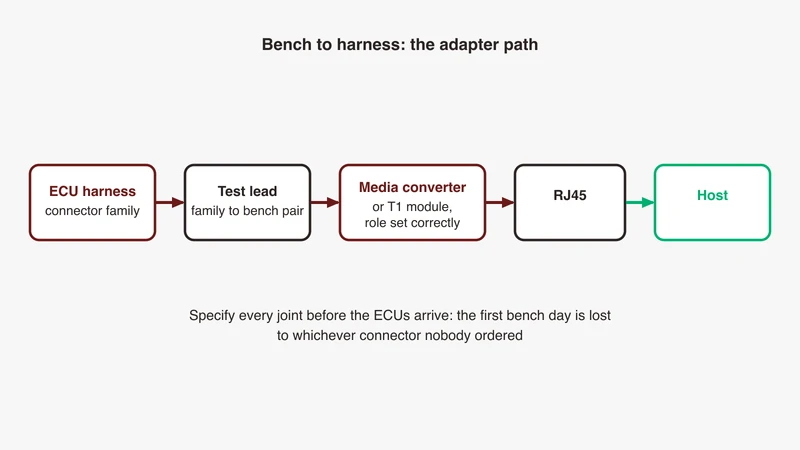
Many routing activation tickets are configuration questions wearing a network problem’s clothes, and they resolve quickly once someone reads the response code and works backwards through the check order. The harder ones are the bench itself: which interface to connect to, whether the entity’s external interface has come up, which tester address the programme allows, and whether the capture decodes.
GSAS Micro Systems works as an engineering partner to diagnostics, HIL and validation teams across India, with applications engineers in Bengaluru, Pune, Chennai and Hyderabad who have worked through these benches. We would rather review a capture with you than hand you a checklist.
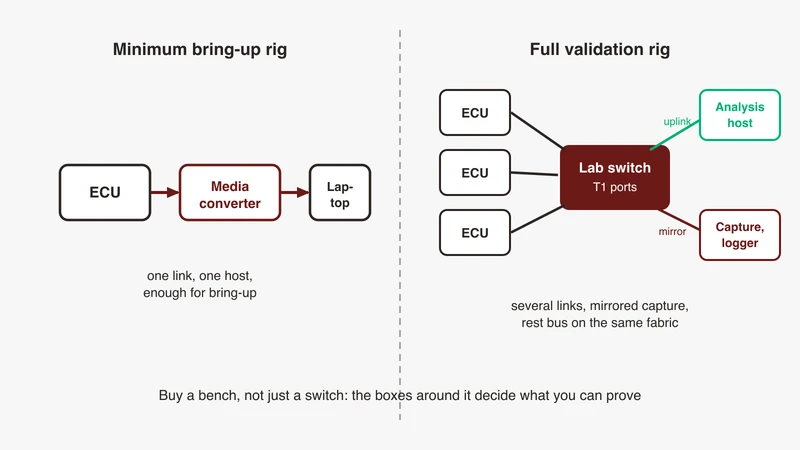
If you are specifying a diagnostics bench, or stuck on a session that stops at activation, see our automotive Ethernet capabilities or request a consultation.
References
- AUTOSAR Classic Platform R24-11, Specification of Diagnostic over IP (AUTOSAR_CP_SWS_DiagnosticOverIP): payload layouts, the ordered checks and their codes, socket close behaviour, inactivity timers, DoIPRoutingActivationNumber, diagnostic message negative acknowledgement codes. autosar.org/standards/classic-platform
- Wireshark DoIP dissector source
packet-doip.c: response code and activation type value strings, payload type and header version lists, filter field names. gitlab.com/wireshark/wireshark - python-doipclient documentation and source: enumerations, address ranges, defaults, entity status fields, timing constants. python-doipclient.readthedocs.io, github.com/jacobschaer/python-doipclient
- Scapy automotive DoIP contrib module: an independent copy of the same value maps, its socket defaults, its TLS fallback on 0x07. github.com/secdev/scapy
- Scapy issue 4547: functionally addressed responses arriving from physical source addresses and being filtered out. github.com/secdev/scapy/issues/4547
- Wireshark User’s Guide, Decode As, for DoIP on a non-default port. wireshark.org
- Public forum thread on a tool vendor’s community site, “DoIP Undefined Error -8305 Activate Routing”: the generic-error symptom, the tester-side checks suggested, and the reporter’s closing note that a Wireshark trace resolved it and the cause was a bug in the ECU. forums.ni.com
Also appears in:
Building for Automotive & Mobility?
Talk to our application engineers for personalized tool recommendations.