
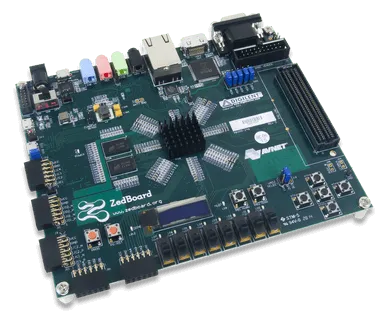
 Digilent
 ZedBoard
FPGA DevelopmentZedBoard Zynq-7000 development board (XC7Z020-CLG484-1, dual-core Arm Cortex-A9 at 667 MHz, 512 MB DDR3, FMC LPC, HDMI, 12-bit VGA, ADAU1761 audio). Buy in India from GSAS Micro Systems, an authorized Digilent engineering partner, with Vivado, Vitis and MATLAB FPGA-in-the-Loop bring-up support.
Device
AMD Zynq-7000 XC7Z020-CLG484-1
Processor
Dual-core Arm Cortex-A9, 667 MHz max
Programmable Logic
85K logic cells, 53,200 LUTs, 220 DSP slices
Memory
512 MB DDR3, 256 Mbit (32 MB) QSPI flash
Video
HDMI 1080p60 (ADV7511), 12-bit VGA, 128x32 OLED
Audio
Analog Devices ADAU1761 SigmaDSP codec
Expansion
FMC LPC (68 I/O), 5 Pmod, XADC/AMS header
Toolchain
Vivado, Vitis Unified, PetaLinux
Overview
About ZedBoard
The ZedBoard is a Zynq-7000 development board built around the AMD (formerly Xilinx) Zynq-7000 XC7Z020-CLG484-1 All Programmable SoC, which pairs a dual-core Arm Cortex-A9 running at up to 667 MHz with 85K logic cells of Artix-7 class programmable logic on one device. Around that it puts 512 MB DDR3, an FMC LPC expansion slot, 1080p60 HDMI, 12-bit VGA, an Analog Devices ADAU1761 audio codec, Gigabit Ethernet and five Pmod headers. It is sold today as Digilent SKU 410-248.
ZedBoard price in India: Rs 53,600 plus GST
GSAS list price for India · Digilent SKU 410-248
Rs 53,600
plus GST, per board, complete kit
Supplied domestically against a GST-compliant Indian tax invoice in INR, so the import and customs handling sits with GSAS rather than your team. Academic, institutional and volume pricing on request. Prices are subject to change, confirm on quotation.
Indian ZedBoard listings are hard to compare because they are quoted on different bases: some ex-tax, some GST-inclusive, and some placed with overseas warehouses on delivered-duty-unpaid terms, where import duty and clearance are settled at delivery rather than included in the quoted figure. The figure above is our authorized-partner list price for domestic supply against the live Digilent SKU, quoted the way Indian B2B procurement expects it, exclusive of GST.
ZedBoard specifications: XC7Z020, 512 MB DDR3, FMC LPC
The specification below is drawn from the ZedBoard Hardware User’s Guide and the AMD Zynq-7000 device documentation, not from catalogue copy. Two figures are worth flagging because several distributor listings print them incorrectly: the quad-SPI flash is 256 megabit (32 MB), not 256 MB, and the VGA output is 12-bit colour, not 8-bit.
| Feature | Specification |
|---|---|
| Device | AMD Zynq-7000 XC7Z020-CLG484-1 (speed grade -1, commercial) |
| Processor | Dual-core Arm Cortex-A9 MPCore with CoreSight, 667 MHz max on -1 |
| Cache | 32 KB instruction + 32 KB data L1 per core, 512 KB shared L2 |
| On-chip memory | 256 KB |
| Programmable logic | Artix-7 equivalent, 85K logic cells, 53,200 LUTs, 106,400 flip-flops |
| DSP | 220 DSP slices (18x25 MACC) |
| Block RAM | 4.9 Mb in 140 blocks of 36 Kb |
| DDR3 | 512 MB, 128M x 32, up to 1066 Mb/s |
| Flash | 256 Mbit (32 MB) quad-SPI, Spansion S25FL256S |
| SD card | Standard SD slot, factory-default boot device |
| HDMI | Analog Devices ADV7511, HDMI 1.4 and DVI 1.0 compatible, 1080p60 |
| VGA | 12-bit colour (4 bits per channel), DB15 connector |
| OLED | 128 x 32 monochrome, WiseChip UG-2832HSWEG04 |
| Audio | Analog Devices ADAU1761 SigmaDSP codec, mic in, line in, line out, headphone |
| Ethernet | 10/100/1000 Mb/s, Marvell 88E1518 PHY over RGMII |
| USB | USB 2.0 OTG, USB-UART bridge, on-board USB-JTAG |
| FMC | 1x LPC connector, 68 single-ended I/O (34 differential pairs), no gigabit transceivers |
| Pmod | 5 headers: 4 programmable-logic side, 1 Processing System side |
| Analog | XADC/AMS header with VP/VN, VAUX0, VAUX8, thermal diode |
| User I/O | 9 LEDs (8 PL, 1 PS), 8 slide switches, 7 push buttons, 2 reset buttons |
| Clocks | 100 MHz programmable-logic oscillator, 33.333 MHz Processing System oscillator |
| Boot modes | SD card (default), quad-SPI flash, JTAG, jumper selected |
| Power | 12 V DC barrel jack, 2.5 mm x 5.5 mm, centre positive |
| Dimensions | 160 mm x 160 mm (6.3 in x 6.3 in) |
| Toolchain | Vivado, Vitis Unified, PetaLinux |
Specification verified against the ZedBoard Hardware User’s Guide and AMD Zynq-7000 device documentation, August 2026.
ZedBoard board layout: Pmod, FMC LPC and the VADJ jumper
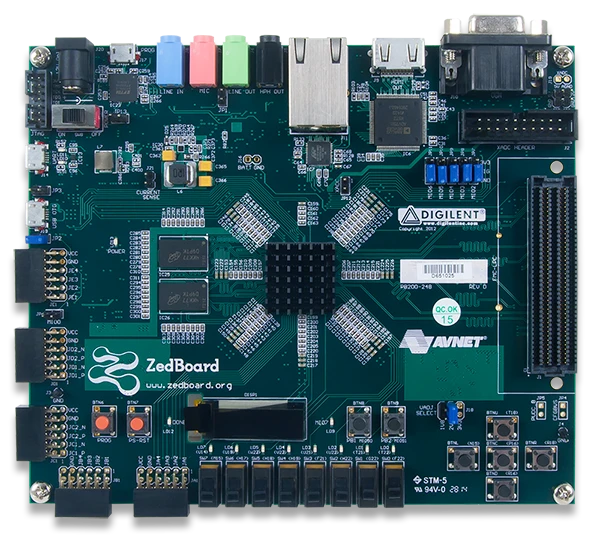
The board splits cleanly along the Zynq’s own architecture. The Processing System side owns the DDR3, the Gigabit Ethernet PHY, the USB OTG port, the USB-UART bridge, the SD card slot and one Pmod header (JE1), all through hardened MIO peripherals. The programmable logic side owns the four remaining Pmod headers, the FMC LPC slot, the HDMI transmitter, the VGA resistor ladder, the OLED, the eight user LEDs, eight slide switches and five push buttons. That split is exactly what makes the board a good teaching platform: a student can see, physically, which peripherals the Arm cores reach directly and which ones require logic they design themselves.
Two details matter when you plan a project. JC1 and JD1 are routed as differential pairs, so they support LVDS signalling at up to 525 Mb/s where the other Pmod headers do not. And the FMC bank voltage is set by the VADJ jumper (J18), so an FMC mezzanine card that expects a bank voltage the board is not set to will not work until the jumper is moved. The 3.3 V position is deliberately unpopulated to protect cards rated for 1.8 V or 2.5 V only.
What is in the ZedBoard box: Digilent 410-248 kit contents
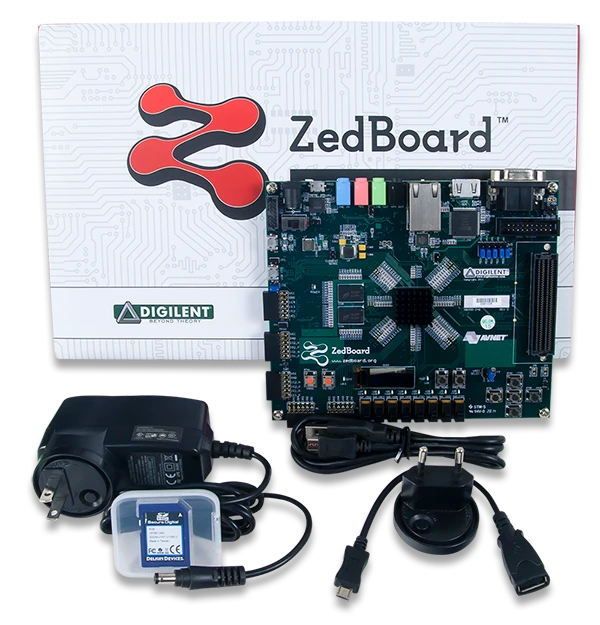
The Digilent ZedBoard kit ships with the board in protective packaging, a 12 V AC/DC power supply with international plug adapters, an SD card, a USB A to micro-B cable, and a USB adapter (male micro-B to female standard-A) so you can use the USB OTG port in host mode. Older listings occasionally still advertise an ISE WebPACK or ChipScope Pro licence voucher; those are legacy and are not part of the current kit. They are also no longer needed, because Vivado’s free Basic tier covers the XC7Z020.
ZedBoard for FPGA-in-the-Loop (FIL) verification with MATLAB and Simulink
FPGA-in-the-Loop is provided by HDL Verifier, not by HDL Coder. That distinction decides what you have to buy.
FIL runs a MATLAB or Simulink simulation with the real FPGA in the loop, synchronised with the software. HDL Verifier takes your device-under-test HDL, wraps it in generated communication logic, runs synthesis, place and route and bitstream generation, programs the board, and then, in the default lockstep mode, gates the FPGA clock so the design advances exactly one step per simulation step. That synchronisation is why lockstep FIL is cycle-accurate rather than real-time, and why it is a verification tool rather than a deployment tool. HDL Verifier also offers a free-running mode in which the hardware clock runs continuously inside the FPGA, which the ZedBoard supports over its Ethernet interfaces.
Which MathWorks products you actually need:
| Product | What it does in a ZedBoard flow | Required for FIL? |
|---|---|---|
| HDL Verifier | FPGA-in-the-Loop, FPGA Data Capture, AXI Manager over the physical board | Yes, this is the FIL product |
| HDL Coder | Generates VHDL/Verilog and IP cores from MATLAB/Simulink; hosts HDL Workflow Advisor | Only if you are not supplying your own HDL |
| SoC Blockset | Models DDR memory, AXI traffic and DMA between logic and the Arm cores; SoC Builder automates build and deploy | No, separate co-design workflow |
| Embedded Coder | Generates C/C++ for the Zynq Processing System (Arm cores) | No, needed for the software side |
Alongside these you need Fixed-Point Designer, and the HDL Verifier Support Package for AMD FPGA and SoC Devices, which is the add-on that carries the ZedBoard board definition.
Is the ZedBoard supported? Yes. It appears by name in the MathWorks supported-hardware table for FPGA verification in the current release (R2026a), with the note that the USB port marked PROG is used for programming and that the board supports Processing System Ethernet. You do not need the New FPGA Board Wizard custom-board route, that exists for boards MathWorks does not support out of the box.
JTAG or Ethernet? Both work. JTAG is the low-setup path: board, the bundled micro-USB cable into the PROG port, Vivado, factory-default jumpers, and nothing else. Ethernet is materially faster, but on a Zynq device the Ethernet port is reachable only through the Processing System, so it needs software running on the Arm cores, a MathWorks-supplied SD card image and a dedicated Gigabit adapter on the host. Start on JTAG, move to Ethernet once the design is proven.
There are two ways to launch a run: the FIL Wizard (filWizard) if you already have hand-written HDL, or the HDL Workflow Advisor in HDL Coder if you are generating HDL from a model.
The full workflow, including the JTAG versus Ethernet trade-off in detail, both launch routes step by step, and the setup failures our engineers see most, is in ZedBoard FPGA-in-the-Loop: HDL Verifier vs HDL Coder.

FPGA, ASIC and SoC development with MATLAB and Simulink (MathWorks)
ZedBoard with SoC Blockset: hardware-software co-design on Zynq-7000
FIL verifies a block of logic. SoC Blockset addresses the next problem: what happens when the programmable logic and the Arm cores have to share memory and move real data between them. It models DDR memory and the shared-memory transactions between fabric and processor, lets you configure DMA controllers and arbitrate memory traffic, and provides performance diagnostics so you can find the bottleneck before you commit to hardware. Its SoC Builder app then automates deployment, building the IP cores and the software, driving Vivado, and programming the board, working with HDL Coder and Embedded Coder.
The ZedBoard is a supported SoC Blockset board for Zynq-7000, covered by the Default System reference design alongside the ZC706 and the UltraScale+ ZCU102 and ZCU106 kits. Supported add-on cards include the FMCOMMS2, FMCOMMS3 and FMCOMMS4 RF cards and the FMC-HDMI-CAM.

Designing a Datapath from an FPGA to a Processor with SoC Blockset: Xilinx Deployment (MathWorks)
For teams doing vision work on Zynq, the two-part MathWorks lane-detection sequence is the clearest walkthrough of the same toolchain applied end to end, HDL Coder IP core generation first, then hardware-software prototyping with HDMI video in external mode.

Vision processing for FPGA part 4: targeting a lane detection design to a Zynq device (MathWorks)

Vision processing for FPGA part 5: hardware-software prototyping of a lane detection design (MathWorks)
Getting started with the ZedBoard in Vivado and Vitis Unified
The tooling story around Zynq-7000 changed materially in the 2025 releases, and it is the single biggest source of wasted time for teams picking the ZedBoard up today. Summarised, and then the practical route:
AMD removed the Classic Vitis IDE in the 2025.1 release. Tutorials written against Vitis Classic, and AMD’s own Zynq-7000 Software Developers Guide (UG821), which has not been revised since 2023, describe an IDE that is no longer shipped. The hardware steps still hold, the ZedBoard has not changed, but every software project creation step has to be redone in the Vitis Unified IDE. Migration is manual: the XSA is regenerated and the platform and application projects are recreated.
A practical order of work for a new ZedBoard user:
- Install Vivado and Vitis Unified, then add the Digilent board files. Board files are what make the ZedBoard appear as a selectable target so the Zynq Processing System block is pre-configured with the right DDR3, clock and MIO settings. Without them you are configuring the Processing System by hand against the hardware user’s guide.
- Build a base hardware design in Vivado. Instantiate the Zynq Processing System, apply the board preset, add whatever programmable-logic IP your design needs, connect it over AXI, then generate the bitstream and export the hardware handoff (XSA).
- Create the software application in Vitis Unified. Build a platform from the XSA, then an application on top of it. For a first run, a bare-metal “hello world” over the USB-UART bridge proves the whole chain end to end before you add complexity.
- Move to flash or SD boot when the design is stable. During development you load over JTAG. For a standalone board you create a boot image and write it to the quad-SPI flash or the SD card, and set the JP8/JP9/JP10 jumpers accordingly.
- Add Linux only when you need it. PetaLinux builds a kernel, device tree and root filesystem for the Processing System. See the note below on its deprecation before you commit a long-lived project to it.

Creating a base Vivado project for a Zynq-7000 board (Digilent; Arty Z7 shown, same PS/PL flow)
Digilent maintains the current step-by-step versions of all of these on its ZedBoard resource centre, covering installation with board files, hardware design in Vivado, creating an embedded software application for Zynq in Vitis Unified, and booting a Digilent Zynq board from flash. GSAS application engineers in India work through these with customer teams directly, and our Vivado getting-started guide covers the ground before the board-specific steps.
Booting Linux on the ZedBoard, and the PetaLinux deprecation
The ZedBoard ships set to boot from the SD card. Boot device selection is by jumpers JP8, JP9 and JP10, which map to the Zynq boot-mode pins: SD card is the factory default, with quad-SPI flash and JTAG as the alternatives.
For a full embedded Linux image, the long-standing route is AMD PetaLinux, which wraps Yocto to build a kernel, device tree, root filesystem and boot image targeted at the Zynq Processing System. One thing to plan around: AMD has scheduled PetaLinux for deprecation in the 2026.2 release, and directs users to the Yocto-based AMD Embedded Development Framework (EDF) instead. AMD maintains EDF as its own documentation set, whose board walkthroughs and prebuilt Yocto machine definitions currently cover Zynq UltraScale+ MPSOC and Versal boards, with no Zynq-7000 board listed. So if you are starting a long-lived Zynq-7000 Linux project, confirm the EDF path for your device with AMD or with us before committing. For an academic lab running fixed course material on a pinned tool version, PetaLinux remains perfectly serviceable.
ZedBoard example projects and demos
Digilent publishes three reference demos specific to this board, plus a fourth introductory one. They are the fastest way to prove a new board works and to see the peripheral drivers in context.
- OLED demo. A Verilog design running entirely in the programmable logic that drives the on-board 128x32 OLED alongside the user LEDs and push buttons. Because it needs no software on the Arm cores at all, it is a clean way to prove the PL half of the board and the Vivado flow before you involve the Processing System.
- DMA audio demo. Records a short audio sample from the on-board microphone or line-in and plays it back on headphone-out or line-out, moving the samples through DMA rather than the processor. This is the demo that shows what the ADAU1761 codec and the AXI DMA path are actually for, and it is the starting point for most audio DSP coursework on this board.
- FMC Pcam adapter demo. Brings a Pcam camera module onto the ZedBoard through the FMC Pcam adapter, giving a MIPI CSI-2 video source the board does not otherwise have. This is the most direct route to camera-based vision work on a ZedBoard.
- LED demo. A custom-IP tutorial rather than a minimal blink: it builds a DigiLEDs IP block and drives addressable WS2812 LED strips from Pmod JB1, so it needs external LED hardware. Useful as a first look at packaging your own IP and driving it from software.
Digilent also indexes a body of community ZedBoard projects from the resource centre linked below, covering HDMI output through the on-board ADV7511, Sobel edge detection on the FMC-HDMI module with the filter written in Vivado HLS, the AMD Video Mixer IP, stereo-vision depth with full RTL, Ethernet packet inspection accelerated in the fabric, XADC precision analog measurement, a MicroBlaze-V RISC-V core alongside the Zynq Processing System, and AXI4-Lite custom RTL driven from the Arm cores.
ZedBoard datasheet, schematic, user guide and XDC constraints
The documents below are the ones a ZedBoard project actually depends on. We link the first-party sources on AMD’s documentation portal and Digilent’s own repositories, and note what each one is for.
| Document | What you need it for |
|---|---|
| Zynq-7000 SoC Technical Reference Manual (UG585) | The register-level reference for the Processing System: MIO routing, DDR controller, peripherals, boot. The document you will spend the most time in. |
| Zynq-7000 SoC Data Sheet: Overview (DS190) | Device-family capacities: logic cells, DSP slices, block RAM, package I/O counts. Confirms the XC7Z020’s 85K logic cells and 220 DSP slices. |
| Zynq-7000 DC and AC Switching Characteristics (DS187) | Electrical and timing specifications for the XC7Z020, including the 667 MHz ceiling on the -1 speed grade the ZedBoard uses. |
| Zynq-7000 Packaging and Pinout (UG865) | CLG484 package pinout, bank organisation, and confirmation that this package carries no gigabit transceivers. |
| Zynq-7000 Embedded Design Tutorial (UG1165) | AMD’s own maintained tutorial, tracked against each tool release. The right starting point on a current toolchain. |
| Vitis Embedded Software Development (UG1400) | Platform creation, application development and debug in Vitis Unified, plus the Classic-to-Unified migration guidance. |
| Vivado Design Suite: Getting Started (UG910) | Install, licensing and first-project entry point for Vivado. |
| PetaLinux Tools Reference Guide (UG1144) | Building a Linux image for the Zynq Processing System, and the deprecation notice discussed above. |
| Zynq-7000 Software Developers Guide (UG821) | Boot flow and FSBL reference. Authoritative on boot; its IDE chapters predate Vitis Unified. |
| ZedBoard master XDC constraints file | The pin constraints for every ZedBoard I/O. Zedboard-Master.xdc in Digilent’s repository, ready to uncomment and drop into a Vivado project. |
| ZedBoard resource centre (Digilent) | Digilent’s hub for this board: hardware user’s guide, schematics for revisions D.2, E.1 and F.1, mechanical drawings, FMC pin mapping, out-of-box design, Linux design archives, EMC disclaimer and REACH certificate. |
ZedBoard vs Zybo Z7-20, Arty Z7 and PYNQ-Z1
If you are deciding rather than replacing, the practical comparison is against the rest of the Zynq-7000 family GSAS supplies. All of these use the same 85K-logic-cell XC7Z020 except where noted, so the decision is almost never about fabric capacity.
| Board | DDR | Distinguishing capability | Choose it when |
|---|---|---|---|
| ZedBoard | 512 MB DDR3 | FMC LPC slot, ADAU1761 audio codec, 12-bit VGA, OLED, XADC/AMS header | You need FMC mezzanine expansion, analog or audio work, or curriculum alignment with existing ZedBoard course material |
| Zybo Z7-20 | 1 GB DDR3L | HDMI in and out, Pcam MIPI CSI-2 camera port, 6 Pmod | You need more memory or camera input and do not need FMC |
| Arty Z7-20 | 512 MB DDR3 | Arduino shield headers alongside Pmod | You want shield compatibility and a lower entry point |
| PYNQ-Z1 | 512 MB DDR3 | PYNQ framework: Python and Jupyter over FPGA overlays | Your team is software-led and wants FPGA acceleration without writing HDL |
| Eclypse Z7 | 1 GB DDR3L | SYZYGY Zmod ports for modular high-speed analog | You need instrumentation-grade ADC/DAC front-ends |
| Genesys ZU | 4 GB DDR4 | Zynq UltraScale+ MPSOC: quad Cortex-A53, dual Cortex-R5; hard H.264/H.265 codec on the 5EV variant only | You have outgrown Zynq-7000 and need real-time cores, or the hard video codec (order the 5EV) |
The FMC LPC connector is the ZedBoard’s real differentiator. It opens the VITA 57.1 mezzanine ecosystem for data acquisition, RF and instrumentation front-ends that none of the Pmod-only boards can reach. Note the constraint discussed above: the connector carries no gigabit transceiver lanes, and mezzanine bank voltage is jumper-set.
ZedBoard applications: teaching labs, model-based design, DSP and vision
University and institutional teaching labs choose it for the peripheral set rather than the silicon. A single board covers digital design, embedded Linux, hardware/software partitioning, video, audio DSP and analog acquisition, so one purchase serves several courses, and there is a large body of published ZedBoard course material to build a lab manual from.
Model-based design teams in automotive, aerospace and defence and industrial automation use it as the FIL target described above: algorithm developed in Simulink, HDL generated with HDL Coder, verified against the real fabric with HDL Verifier before any custom board exists.
Signal processing and instrumentation groups use the FMC slot to attach acquisition front-ends and the XADC/AMS header for lower-rate analog, with the 220 DSP slices carrying filter and transform work that a processor alone cannot sustain.
Vision prototyping teams pair it with the FMC Pcam adapter or an FMC HDMI module, moving pixel-rate processing into the fabric while the Arm cores handle control and networking.
Semiconductor design and IP verification groups use it to prototype IP blocks in real silicon before committing to an ASIC flow, with the Processing System providing the software environment to drive stimulus and collect results.
Buying the ZedBoard in India from GSAS
GSAS Micro Systems is an authorized Digilent engineering partner in India, and the ZedBoard is supplied at Rs 53,600 plus GST against Digilent SKU 410-248 with a GST-compliant Indian tax invoice in INR, so the import and customs handling sits with GSAS rather than your team and your purchase order is denominated in rupees. Prices are subject to change, confirm on quotation.
Our application engineers work with Indian teams on Vivado and Vitis Unified setup including the Digilent board files, the Vitis Classic to Unified migration if you are carrying an older project, FMC mezzanine selection and VADJ jumper verification before you order a card that will not mate, PetaLinux bring-up and the EDF transition question, and MATLAB FPGA-in-the-Loop configuration over JTAG or Ethernet.
Support is delivered from Bengaluru, Hyderabad, Chennai, Pune, Mumbai, Delhi NCR, Vadodara and Visakhapatnam. GSAS is registered on GeM and supports SAP Ariba, Coupa and TReDS, which covers most university, public-sector and enterprise procurement routes. For academic departments equipping a lab, ask about institutional pricing and the FPGA teaching lab guide our engineering team wrote for Indian universities.
Request a quote with your quantity and any FMC or Pmod accessories, or book time with an application engineer if you want the toolchain and FIL flow walked through against your actual project before you buy.
Blog
Digilent Insights

ZedBoard FPGA-in-the-Loop: HDL Verifier vs HDL Coder
Teams asking for FPGA-in-the-Loop on a ZedBoard usually name HDL Coder and SoC Blockset. FIL is actually HDL Verifier. Here is the correct product split, the JTAG versus Ethernet decision, and the 2015-era advice that is still sending Indian teams down the wrong path.
Real-World SDR Applications: 5G Research, Satellites, IoT and ADS-B
Where software defined radio actually earns its place: 5G and 6G waveform research, spectrum monitoring, weather satellite reception, GNSS work, LoRaWAN debugging, aircraft tracking over 1090 MHz, and reconfigurable instrument prototyping. A practical map from GSAS Micro Systems, an authorized Digilent engineering partner in India, with a framework for matching a USRP platform to the job.
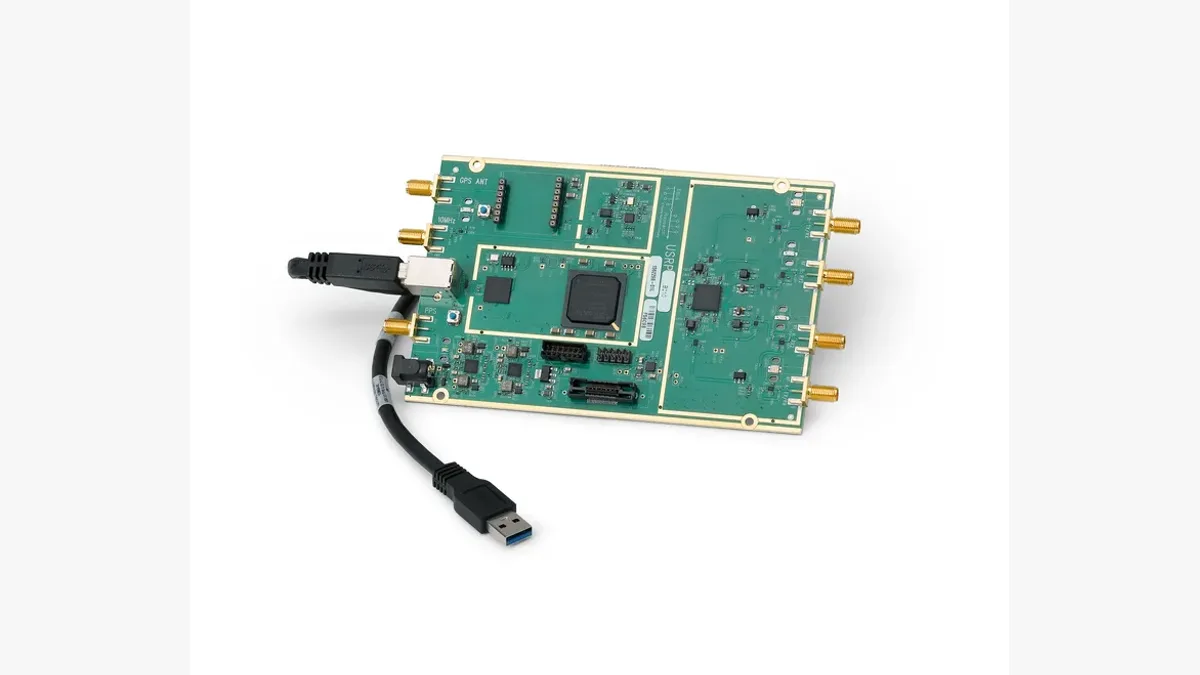
What Is Software Defined Radio (SDR)? A Practical Explainer for Indian Engineering Teams
Software defined radio moves the work of filtering, modulation and demodulation out of fixed hardware and into software running on processors and FPGAs. This explainer from GSAS Micro Systems covers what SDR is, how it differs from a traditional radio, what the signal chain looks like, why the FPGA matters, and how to pick a USRP radio in India.
Related products
More from Digilent
All Digilent products →
Arty A7
Xilinx Artix-7 FPGA development board with Arduino shield compatibility, RISC-V soft processor support, and Vivado integration. Authorized India partner, GSAS Micro Systems.
View Arty A7 →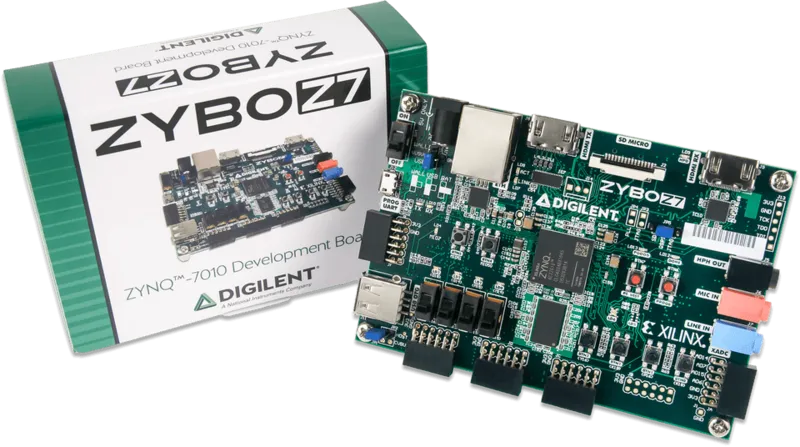
Zybo Z7
Zynq-7020 SoC development board with dual-core Cortex-A9, FPGA fabric, HDMI I/O, audio codec, and Pmod expansion. Available in India from GSAS with hands-on application engineering and local support.
View Zybo Z7 →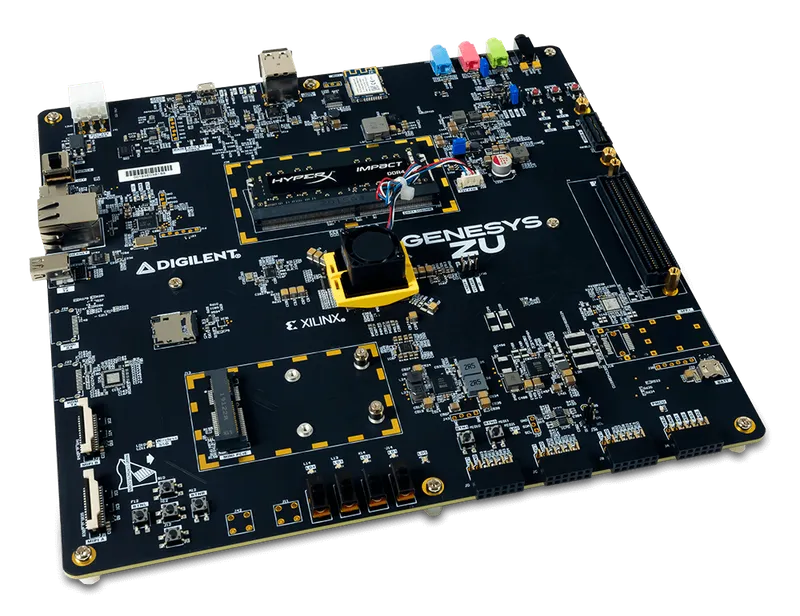
Genesys ZU
Zynq UltraScale+ MPSOC development board with quad-core Cortex-A53, dual Cortex-R5, video codec, and extensive high-speed connectivity. Buy in India from GSAS with local support.
View Genesys ZU →FAQ
Common questions about ZedBoard
What is the ZedBoard used for?
Why do ZedBoard prices in India vary so much between sellers?
What is the ZedBoard price in India?
Do I need to buy a Vivado license to use the ZedBoard?
Can Indian users download AMD Vivado and Vitis for the ZedBoard?
Does the ZedBoard support FPGA-in-the-Loop with MATLAB and Simulink?
What is the difference between the ZedBoard and the Zybo Z7-20?
Does the ZedBoard FMC connector support high-speed serial FMC cards?
How much flash memory does the ZedBoard have?
How do I boot Linux on the ZedBoard?
Do older ZedBoard Vitis tutorials still work after AMD removed Vitis Classic?
Where can I buy the ZedBoard in India with GST invoicing?
Interested in ZedBoard?
Get pricing, an evaluation unit, or a technical consultation from our application engineers.