
 Siemens EDA
 CAM350
DFM & ManufacturingCAM350 is Siemens EDA's PCB manufacturing data prep software: import, edit, and verify Gerber, ODB++, and IPC-2581 data, run DFM and rigid-flex checks, and prepare NC, panel, and test output for fabrication. Buy in India from GSAS.
Purpose
PCB manufacturing data prep, CAM editing, and DFM analysis
Import Formats
ODB++, IPC-2581, Gerber, Excellon, GenCAD, DXF, HPGL
DFM Checks
Acid traps, copper/mask slivers, solder bridging, rigid-flex analysis
Netlist Compare
IPC-D-356 verification, Gerber reverse engineering
Stackup Tools
Tabular, cross-section, 3D visualization, 3D PDF export
Automation
COM-based API, record/playback, C/C++ custom apps
Output Formats
Gerber, ODB++, IPC-2581, NC Drill and Mill, DXF
Overview
About CAM350
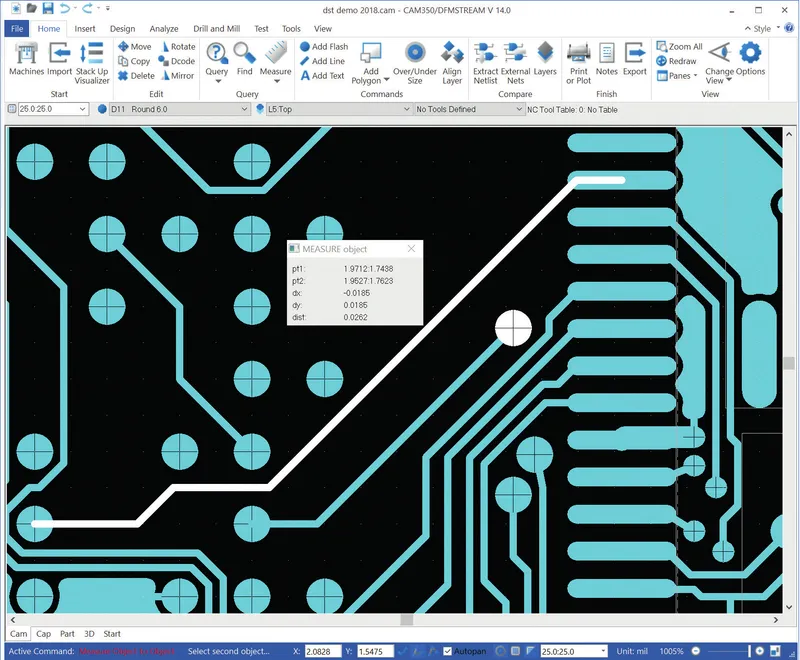
CAM350 is Siemens EDA’s PCB manufacturing data preparation software: it imports, edits, optimizes, and analyzes PCB design data before fabrication, so designers and manufacturers work from a single verified dataset instead of guessing at what the Gerber files actually contain. Siemens EDA describes CAM350 as delivering “uncompromised PCB design processing and analysis” (Siemens EDA, CAM350 Fact Sheet), covering CAM editing, DFM analysis, netlist compare, reverse engineering, panel design, stackup visualization, NC editing, test preparation, and automation in one manufacturing data prep tool.
What CAM350 Does: PCB Manufacturing Data Preparation
CAM350 from Siemens EDA, formerly Mentor Graphics, sits between PCB design and the fabrication floor. Fabricators, contract manufacturers, and design teams use it to open incoming manufacturing data, check it against the target process, fix what is wrong, and generate clean output for the fab and assembly lines, without routing every correction back through the original PCB CAD tool.
Import and Export Formats
CAM350 imports ODB++, IPC-2581, Gerber, Excellon, Sieb & Meyer, PADS STD ASCII, GenCAD, DXF, and HPGL, covering the manufacturing formats used across PCB design tools and fabrication houses. Verified, edited data exports back out as ODB++, IPC-2581, Gerber, Excellon, NC Drill and Mill, DXF, and other manufacturing formats for handoff to the fabricator or assembler.
CAM Editing and Data Optimization
Direct CAM editing covers cut, copy, move, rotate, and mirror operations on flashes, draws, lines, polygons, and teardrops, plus custom aperture editing for both positive and negative shapes. Data conversion and optimization functions convert draws to flashes, rasterize polygons, remove redundant or covered pads, oversize mask pads, undersize paste pads, and clip silkscreen, cleaning up manufacturing data before it reaches the fab.
NC Editing for Drill, Slot, and Mill Data
CAM350 edits drills, slots, mill paths, and mill tabs directly, and generates custom NC drill files. Data converts from Gerber to NC and back, so drill and rout information stays consistent with the copper and mask layers through edits.
Design for Manufacturability (DFM) Analysis
CAM350’s DFM analysis checks for acid traps, copper slivers, mask slivers, solder bridging, antennas, pin holes, and thermal relief errors. Advanced analysis on intelligent data extends this to plated and unplated holes, blind and buried vias, back drills, and flex and rigid-flex constructions, catching defects that plain geometry checks on raw Gerber data would miss.
Rigid-Flex DFM Checks
Rigid-flex boards carry failure modes that rigid-only DFM does not catch. CAM350 checks for trace fracture potential at corners, in solid copper areas, and at width transitions inside bend regions, along with coverlay anomalies: button-plating exposures, coverlay minimum spacing, and inter-layer dependencies specific to flex and rigid-flex construction.
Netlist Compare and Reverse Engineering
Comparing Netlists Against IPC-D-356
CAM350 compares the manufacturing data’s netlist against IPC-D-356, confirming that what is about to be fabricated actually matches the intended connectivity before the board is built.
Reverse Engineering Gerber to Intelligent CAD
When only Gerber data is available, CAM350’s reverse engineering function recovers an intelligent CAD design, complete with parts, padstacks, and nets, from the raw manufacturing files. Part editing on the recovered design lets teams correct or extend a board when the original CAD source is missing or out of date.
Panel Editor for Manufacturing Panelization
The panel editor places test coupons, pinning holes, fiducials, robber bars, venting, and mill paths and tabs, with an auto panel wizard that arranges multiple boards to minimize material waste. Finished panels export as Gerber, DXF, Mill and Drill, IPC-2581, or ODB++ for the fabricator.
Stackup Visualizer and 3D PCB Visualization
The Stackup Visualizer presents the board build in tabular, cross-section, and 3D views, covering materials, thickness, and dielectric properties, along with via spans including backdrills, for exchange with the manufacturer. CAM350 also renders a 3D visualization of the finished PCB, including the structure between layers.
3D PDF Export
Stackup and board views print to 3D PDF, viewable and interactive inside Adobe’s PDF viewers, so a design review does not require the reviewer to have CAM350 installed.
Design Analyzer: Matching Designs to Fabricator Capability
The Design Analyzer correlates trace width and spacing, layer count, board size, and drill and via technology against a fabricator’s stated capabilities, producing a report that supports cost and delivery quotes before the board is committed to production.
Test Preparation: Flying Probe, Bed of Nails, and Stencil Design
Flying Probe and Bed-of-Nails Editing
CAM350 supports flying probe editing with export to TTI, Circuit-Line, IPC-D-356/356A, and generic formats, plus bed-of-nails editing for single and double-sided clamshell fixtures, with output for Probot, ATG, Integri-test, PROBOTECH, Microcraft, and IPC-D-356 test systems.
Stencil Designer
The stencil designer builds paste stencils directly from Gerber data, footprints, or a library, supporting homeplate, bullet, DPack, and snubnose aperture shapes for fine-pitch and mixed-technology assemblies.
Automation API for Custom CAM Workflows
CAM350 exposes a COM-based automation API with record and playback and an embedded VB editor for building repeatable CAM workflows, and supports custom C/C++ applications for teams that need to script or extend CAM350 beyond its built-in commands.
Cross-Probing with Xpedition and Other PCB CAD Tools
CAM350 cross-probes with leading PCB CAD tools such as Xpedition: selecting an object in one tool highlights it in the other, so a DFM violation flagged in CAM350 can be traced straight back to its location in the source design.
CAM350 and Valor NPI: Manufacturing Data Prep Alongside DFM/DFA Verification
CAM350 and Valor NPI cover adjacent parts of the same manufacturing handoff. CAM350 focuses on the manufacturing data itself: importing, editing, optimizing, and analyzing Gerber, ODB++, and IPC-2581 data, reverse engineering designs, and preparing panels, NC output, and test fixtures. Valor NPI runs DFM and DFA verification earlier in the design cycle, against supplier-specific manufacturing profiles. Teams evaluating both tools from Siemens EDA can see how manufacturing data prep and design-stage DFM fit together across a PCB programme.
GSAS also highlights live Siemens EDA training relevant to PCB design and manufacturing workflows, including the EBS Expert Series webinars running July and August 2026.
Why GSAS for CAM350 in India
GSAS Micro Systems, an authorized Siemens EDA engineering partner, supplies CAM350 with local FAE support and GST-compliant INR invoicing for teams across India. Fabricators, contract manufacturers, and design teams in Bengaluru, Hyderabad, Chennai, Pune, Mumbai, and Delhi NCR use CAM350 to prepare, verify, and hand off manufacturing data without routing every correction back through the original PCB CAD tool.
Contact sales@gsasindia.com or call +91 80 6590 1783 for evaluation licenses and demonstrations.
Blog
Siemens EDA Insights
HyperLynx 2610: What's New for India's Signal and Power Integrity Teams
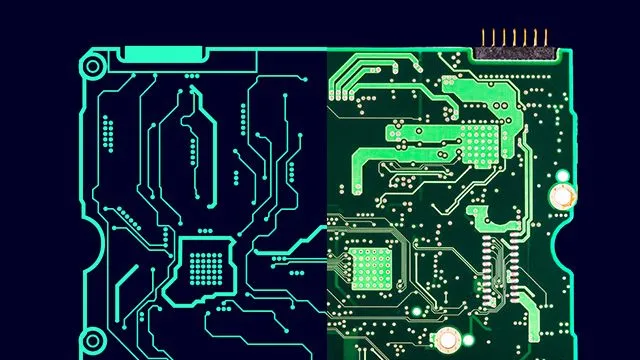
HyperLynx 2610 brings Schematic Analysis into Xpedition EDM, DC Shared Return Analysis and a DC Metrics Viewer for power integrity, CUDIMM and CEI-112G-LINEAR-PAM4 support for SI, Questa Sim support in AMS, and a Product Support Copilot. What changed, product line by product line.
Simulation-Based FMEDA: HyperLynx AMS and Xpedition in the Functional Safety Workflow
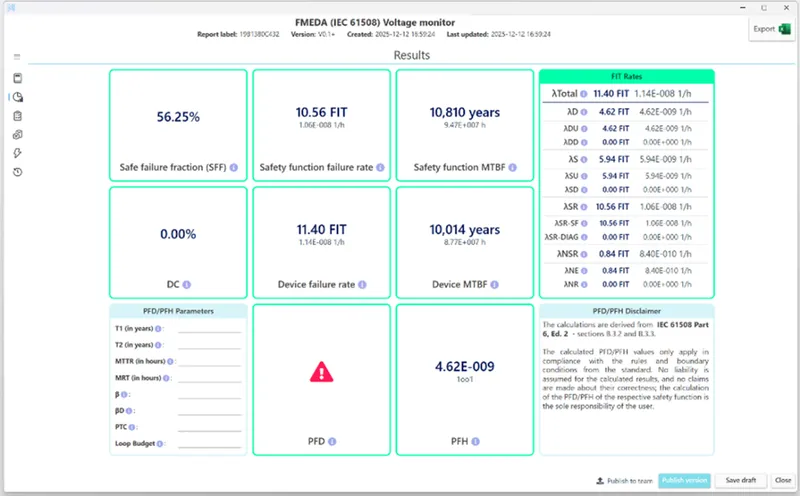
FMEDA is usually manual, subjective and late. Siemens EDA and Modelwise describe a flow where failure modes are injected into a HyperLynx AMS simulation of the Xpedition schematic and an IEC 61508 safety report is generated automatically. What that changes for Indian safety teams.
FMI Co-Simulation in HyperLynx AMS and PartQuest Explore: Electrical, Mechanical and Thermal Models in One Run
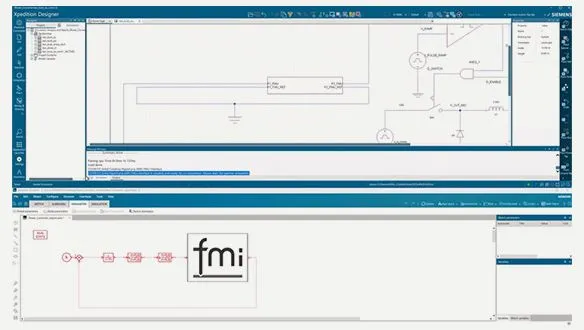
Since the 2510 release, HyperLynx AMS exports and imports FMI Functional Mock-up Units, so a schematic-driven circuit model can co-simulate with models from other FMI-compatible tools, such as a Simcenter Amesim mechanical model. What the two FMU types mean and where it pays off for Indian hardware teams.

FAQ
Common questions about CAM350
What is CAM350 used for?
What file formats does CAM350 import?
Does CAM350 check rigid-flex boards for DFM issues?
Can CAM350 reverse-engineer a Gerber file into a CAD design?
How do I buy CAM350 in India through GSAS?
Interested in CAM350?
Get pricing, an evaluation unit, or a technical consultation from our application engineers.