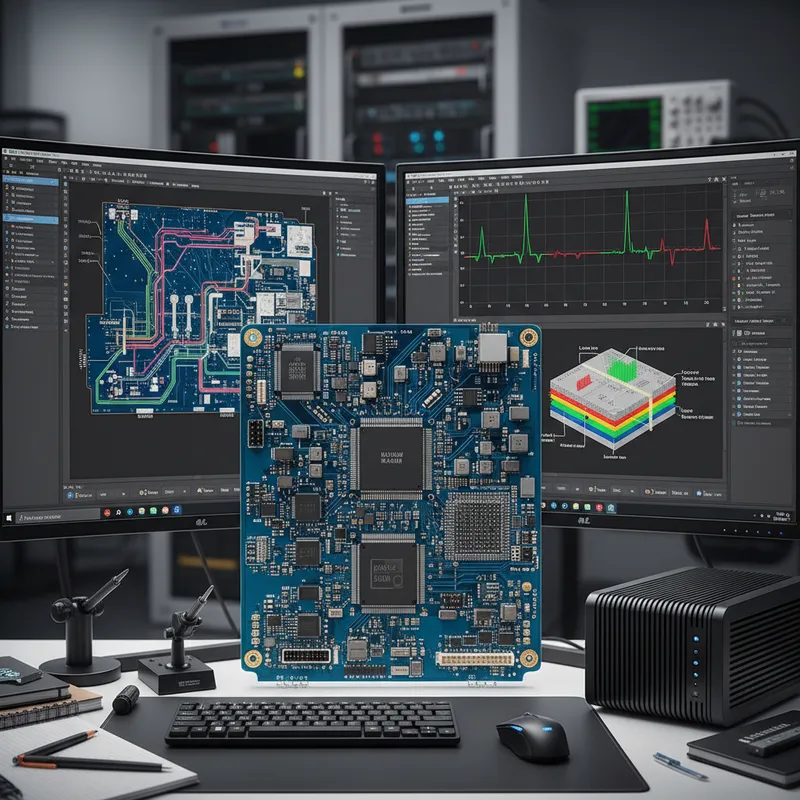
With every release of Altium Designer, we present to you all of the significant new capabilities available to enhance your design work experience. These major new capabilities often overshadow some lesser-known features that do not get the spotlight they deserve. We want to showcase some of these in this webinar.
Many of these Hidden Secrets are not toolbar driven but reside behind hot-keys, right mouse clicks, or preference settings! In this webinar, we will share with you what you may be missing out on and make your productivity and design experience even richer in Altium Designer.
Join us during this Live Webinar to experience the following:
- Serpentine Length Matching
- Generic Components
- New HotKeys for better 3D Scene Control
- Embedded Board Arrays – Place at Any Angle
- Component Pin to Multiple Pad Mapping
- Contour Selection
- Text String Alignment
- Component & Polygon Area Calculation
Timing:
Thursday, 4th February 2021 | 02:30 PM to 03:30 PM
Event Completed
What “hidden features” looks like across the Siemens Xpedition flow
Altium’s hidden-features list, serpentine length matching, hotkey 3D scene control, contour selection, polygon area calculation, are productivity touches a senior designer accumulates over years. Siemens Xpedition has its own equivalent set, and the most consequential ones for Indian PCB teams running large boards are:
- AI command prediction (Xpedition Standard): context-aware command suggestion that learns the designer’s pattern. Practical impact: fewer hotkey misses on day-to-day routing and edit operations.
- Sketch routing: draw the rough route intent, the autorouter snaps to constraint-compliant routing under cursor guidance. Faster than fully manual routing on dense regions.
- Smart Datasheets and supplier-pricing panels: live component data inside the schematic capture window, similar to Altium 365 but tied to Siemens’ supplier integration backend.
- Token-based add-ons: pay only for the advanced capability you need (rigid-flex, signal integrity, advanced packaging), turning the toolchain price into something proportional to the project.
- Cloud DFM with Valor: 12 cloud DFM runs per year included with Xpedition Standard. Fabricator feedback before the design hits an actual fab queue.
GSAS Micro Systems is an authorized engineering partner in India. We can run a side-by-side demonstration on your team’s actual board for a clean apples-to-apples evaluation. For the canonical comparison, see Altium Designer vs Siemens Xpedition Standard for Indian PCB teams.
Compare with Xpedition Standard → | Talk to GSAS about an evaluation
Also appears in:
Need embedded development tools?
Talk to our application engineers for personalized tool recommendations.