Why Edge Computing in a Vehicle
A vehicle telematics gateway connected to a CAN bus generates data at high rates. A dual CAN-FD bus running at 5 Mbps can produce thousands of frames per second. Even a standard CAN bus at 500 kbps with 50 active CAN IDs at 10 ms cycle time produces 5,000 frames per second, each containing 8 bytes of payload data.
Transmitting all this raw data over cellular is impractical for most Indian fleet deployments. 4G LTE data costs, while declining, accumulate quickly across hundreds of vehicles transmitting continuously. Bandwidth limitations in areas with congested cellular networks (urban Bengaluru, Mumbai, Delhi NCR during peak hours) add latency and packet loss.
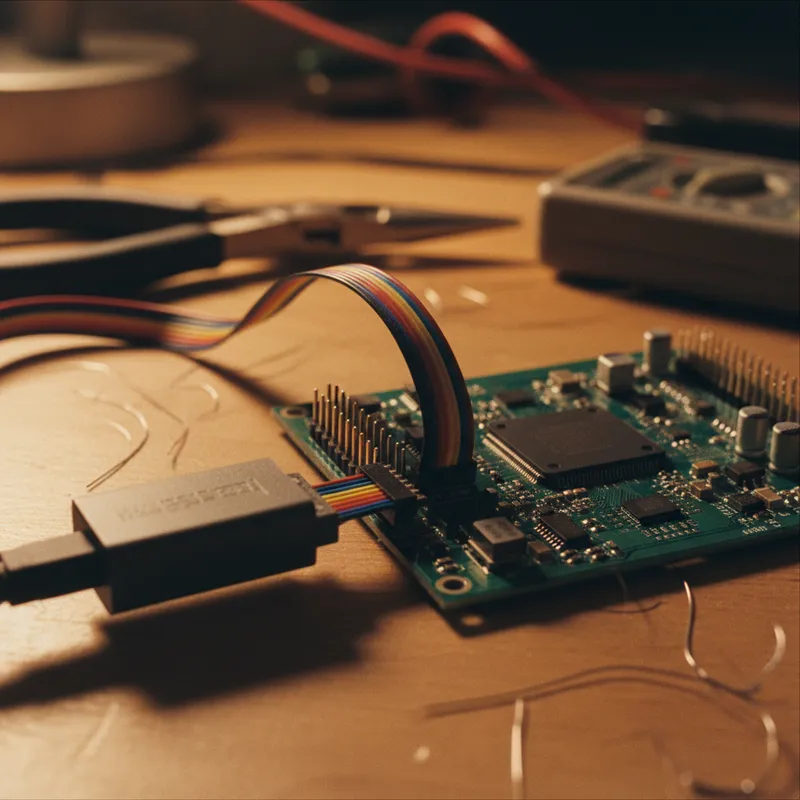
Edge computing solves this by processing data on the vehicle itself, filtering irrelevant frames, aggregating high-frequency signals into periodic summaries, detecting anomalies locally, and transmitting only actionable results to the cloud. The AutoPi TMU CM4 and CAN-FD Pro support this through their Docker runtime, which enables deploying containerised applications directly on the telematics gateway.
Docker on the AutoPi TMU CM4
The TMU CM4’s Broadcom BCM2711 quad-core Cortex-A72 processor running Debian Linux supports Docker natively. The Docker daemon runs as a system service, and containers deploy either locally (via SSH) or remotely (via AutoPi Cloud OTA).
The ARM64 architecture means you build containers using standard Dockerfile syntax with ARM64 base images. Most popular base images, python:3.11-slim, node:20-slim, alpine:3.19, have official ARM64 variants that work directly.
FROM python:3.11-slim

RUN pip install python-can cantools requests

COPY app/ /app/
WORKDIR /app

CMD ["python", "main.py"]
Build for ARM64 on your development workstation using Docker buildx:
docker buildx build --platform linux/arm64 -t myapp:latest .Tutorial: CAN Signal Aggregator
This tutorial walks through building a Docker container that reads CAN frames via SocketCAN, decodes signals using a DBC file, aggregates values over a configurable time window, and pushes summaries to a cloud endpoint.
Step 1: CAN Reader Module
## can_reader.py
import can
import cantools
import time
from collections import defaultdict

class CANAggregator:
    def __init__(self, channel='can0', dbc_path='vehicle.dbc', window_sec=60):
        self.bus = can.Bus(interface='socketcan', channel=channel)
        self.db = cantools.database.load_file(dbc_path)
        self.window = window_sec
        self.buffers = defaultdict(list)

    def collect_window(self):
        """Collect decoded signals for one time window."""
        self.buffers.clear()
        end_time = time.time() + self.window

        while time.time() < end_time:
            msg = self.bus.recv(timeout=1.0)
            if msg is None:
                continue
            try:
                decoded = self.db.decode_message(msg.arbitration_id, msg.data)
                for signal_name, value in decoded.items():
                    self.buffers[signal_name].append(value)
            except (KeyError, cantools.database.DecodeError):
                pass

        return self._compute_summary()

    def _compute_summary(self):
        """Compute min, max, mean for each signal."""
        summary = {}
        for signal, values in self.buffers.items():
            if values:
                summary[signal] = {
                    'min': min(values),
                    'max': max(values),
                    'mean': sum(values) / len(values),
                    'count': len(values)
                }
        return summary
Step 2: Cloud Publisher
## publisher.py
import requests
import json
import time

class CloudPublisher:
    def __init__(self, endpoint_url, device_id):
        self.url = endpoint_url
        self.device_id = device_id

    def publish(self, summary):
        payload = {
            'device_id': self.device_id,
            'timestamp': time.time(),
            'signals': summary
        }
        try:
            resp = requests.post(self.url, json=payload, timeout=10)
            return resp.status_code == 200
        except requests.RequestException:
            return False
Step 3: Main Loop
## main.py
from can_reader import CANAggregator
from publisher import CloudPublisher
import os

aggregator = CANAggregator(
    channel=os.getenv('CAN_CHANNEL', 'can0'),
    dbc_path=os.getenv('DBC_PATH', '/data/vehicle.dbc'),
    window_sec=int(os.getenv('WINDOW_SEC', '60'))
)

publisher = CloudPublisher(
    endpoint_url=os.getenv('CLOUD_ENDPOINT'),
    device_id=os.getenv('DEVICE_ID')
)

while True:
    summary = aggregator.collect_window()
    if summary:
        success = publisher.publish(summary)
        if not success:
            # Store locally for retry
            with open('/data/buffer.jsonl', 'a') as f:
                f.write(json.dumps(summary) + '\n')
Step 4: Docker Compose
version: '3'
services:
  can-aggregator:
    build: .
    network_mode: host  # Required for SocketCAN access
    volumes:
      - ./data:/data
    environment:
      - CAN_CHANNEL=can0
      - DBC_PATH=/data/vehicle.dbc
      - WINDOW_SEC=60
      - CLOUD_ENDPOINT=https://api.example.com/telemetry
      - DEVICE_ID=autopi-001
    restart: unless-stopped
The network_mode: host is required for SocketCAN access, as the CAN interfaces are network interfaces in the Linux kernel and must be accessible from the container’s network namespace.
Common Edge Computing Patterns
Anomaly Detection
Monitor CAN signals against expected ranges and generate alerts when values fall outside bounds:
THRESHOLDS = {
    'CoolantTemp': {'max': 105},  # degrees C
    'OilPressure': {'min': 1.5},   # bar
    'BatteryVoltage': {'min': 12.4}  # V, engine running
}
Event-Triggered Logging
Switch between low-resolution periodic logging and high-resolution burst capture based on detected events:
- Normal: 1 sample/sec to cloud
- Triggered (hard braking, DTC, geofence entry): full CAN dump to local storage + immediate alert to cloud
GPS-Correlated Data
Merge CAN signal data with GPS coordinates for route-level analysis. Tag each data window with the GPS position at the start and end of the window, enabling map-based visualisation of vehicle behaviour across specific road segments.
OTA Deployment via AutoPi Cloud
AutoPi Cloud supports OTA deployment of Docker containers to individual devices or device groups. This enables:
- Deploy a new edge application to the entire fleet simultaneously
- Roll out updates progressively, deploy to a test group first, validate, then expand
- Roll back failed deployments to the previous container version
For fleet deployments across Bengaluru, Hyderabad, Chennai, Pune, Mumbai, and Delhi NCR, OTA management eliminates the need to physically access each vehicle for software updates.
Why Buy from GSAS
GSAS Micro Systems provides AutoPi telematics hardware with local stock, INR invoicing, Docker edge computing development support, and deployment assistance. Engineering teams in Bengaluru, Hyderabad, Chennai, Pune, Mumbai, Delhi NCR, and Visakhapatnam help with container development, SocketCAN integration, and AutoPi Cloud configuration.
Explore the AutoPi TMU CM4 or CAN-FD Pro for edge computing on the vehicle. Contact us for evaluation units.
Also appears in:
Interested in AutoPi tools?
Talk to our application engineers for personalized tool recommendations.
More from AutoPi
View all →
Automotive IoT Gateways: Why Indian OEMs Are Moving to Open Platforms
5 Apr · 7 min

AutoPi CAN-FD Pro: High-Speed CAN-FD Data Logging for ADAS and EV Development
5 Apr · 7 min
Driver Behaviour Scoring for Fleet Safety: Using AutoPi Telematics in India
5 Apr · 7 min

Geofencing and Route Compliance for Indian Fleets: AutoPi Telematics
5 Apr · 6 min

HyperLynx 2610: What's New for India's Signal and Power Integrity Teams
4 Nov · 6 min
Simulation-Based FMEDA: HyperLynx AMS and Xpedition in the Functional Safety Workflow
4 Nov · 5 min