In short
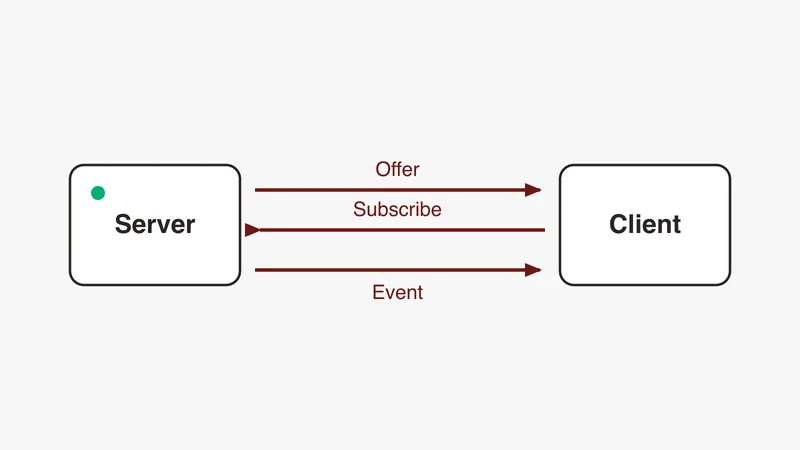
SOME/IP is an automotive service oriented middleware that carries method calls, events and fields over UDP or TCP using a 16 byte header. A companion protocol, SOME/IP-SD, announces and subscribes to services using entries carried in the same header format, on UDP port 30490 by default.
If you have opened a capture from an automotive Ethernet bench and found a wall of UDP frames Wireshark refuses to name, this is the reference for that moment: the SOME/IP header read offset by offset from the AUTOSAR specification, the service discovery exchange on the wire, and why a dissector that ships with SOME/IP support still shows nothing until configured.
We assume you know the physical layer; if not, start with our complete guide to automotive Ethernet and our automotive Ethernet capabilities page. A scope-level sanity check, covered in our note on decoding CAN FD, LIN, FlexRay and automotive Ethernet, is worth doing before blaming a protocol for a dirty link.
What SOME/IP is and the problem it solves
Service oriented communication versus signal oriented frames
A classic CAN network is signal oriented: values sit in fixed slots in fixed frames at fixed rates, and who talks to whom is frozen at design time in a database file. SOME/IP inverts that: a provider offers a service, a consumer looks for it, and communication starts once the two agree at runtime that the service exists, at a given address, port and interface version. A service can appear late, disappear on shutdown, or move to another ECU between variants without a new bus matrix, which is why a fresh capture looks unfamiliar: much of the traffic is not payload, it is negotiation.
Methods, events, fields and eventgroups
Methods are remote calls: a client sends a request and, unless the method is fire and forget, the provider responds.
Events are one way notifications; a consumer subscribes once and then receives them.
Fields are values with state, with optional getter, setter and notifier: read, change and track without polling.
Eventgroups are the unit of subscription: an eventgroup must contain at least one event, and every event and field notifier must map to at least one.
Where SOME/IP sits
SOME/IP runs directly over UDP or TCP; the specification recommends UDP payloads between 0 and 1400 bytes and points at TCP or segmentation for larger. AUTOSAR Classic uses it via the SOME/IP transformer and socket adapter, Adaptive as a network binding.
The SOME/IP header, field by field
Every SOME/IP message begins with the same 16 bytes, listed by the AUTOSAR R24-11 SOME/IP Protocol Specification, document 696, in transmission order; all header fields are big endian.
| Offset | Width | Field | What it means |
|---|---|---|---|
| 0 | 2 bytes | Service ID | Identifies the service |
| 2 | 2 bytes | Method ID | Identifies the method or event within that service |
| 4 | 4 bytes | Length | Byte count starting at the Request ID, to the end of the message |
| 8 | 2 bytes | Client ID | Identifies the calling client inside an ECU |
| 10 | 2 bytes | Session ID | Distinguishes sequential messages from the same sender |
| 12 | 1 byte | Protocol Version | Fixed at 1 |
| 13 | 1 byte | Interface Version | Major version of the service interface |
| 14 | 1 byte | Message Type | Request, response, notification, error, and TP variants |
| 15 | 1 byte | Return Code | Result of a request, 0x00 on anything that is not a response |
Bytes 0 to 3 form the Message ID and bytes 8 to 11 the Request ID, each one structured 32 bit field: hence Wireshark’s someip.messageid and someip.serviceid.
Message ID: Service ID plus Method ID
The Message ID names either an RPC call or an event; allocation is left to the system designer and assumed unique across the vehicle. A convention recorded as recommended practice, not requirement: methods use Method IDs with top bit zero, events top bit one. 0x8001 in the Method ID position hints at an event, not a call.
What the Length field actually counts
Length counts neither the whole message nor only the payload: it is the byte count from the Request ID to the end of the message, 8 bytes of header plus payload. A 10 byte payload means Length 18 and 26 bytes of SOME/IP. Treat Length as payload only and everything works until two messages share one TCP stream, then nothing works.
Request ID: Client ID plus Session ID
The Request ID is copied from request into response verbatim, so a client can match responses to calls even with several in flight to the same method. The Client ID identifies the calling client inside an ECU and can be made vehicle unique via a configurable prefix.
The Session ID is not a global sequence number: it is 0x00 with session handling inactive, otherwise a value from 0x1 to 0xFFFF incremented per use case, wrapping back to 0x01. Request and response methods must use session handling, incrementing after each call.
Protocol version, interface version, message type, return code
Protocol Version is fixed at 1 and describes the header layout, not the payload. Interface Version carries the service interface’s major version, making a mismatch detectable on the wire.
Message types and interaction patterns
| Value | Name | Meaning |
|---|---|---|
| 0x00 | REQUEST | A request expecting a response, even a void one |
| 0x01 | REQUEST_NO_RETURN | A fire and forget request |
| 0x02 | NOTIFICATION | An event or notification callback, no response expected |
| 0x80 | RESPONSE | The response message |
| 0x81 | ERROR | The response carrying an error |
| 0x20 | TP_REQUEST | Segment of a request |
| 0x21 | TP_REQUEST_NO_RETURN | Segment of a fire and forget request |
| 0x22 | TP_NOTIFICATION | Segment of a notification |
| 0xa0 | TP_RESPONSE | Segment of a response |
| 0xa1 | TP_ERROR | Segment of an error response |
The high bit distinguishes response from request; the 0x20 bit is the TP flag, so request segments carry 0x20 and response segments 0xa0. A 0x00 request is answered by 0x80 on success and 0x81 on error. Only responses and errors carry a result in Return Code; every other type sets it to 0x00.
Return codes you will actually see on a bench
Of the specification’s sixteen generic return codes, these are worth recognising on sight:
| Value | Name | What it usually means on a bench |
|---|---|---|
| 0x00 | E_OK | No error |
| 0x01 | E_NOT_OK | Unspecified error |
| 0x02 | E_UNKNOWN_SERVICE | The Service ID is unknown to the receiver |
| 0x03 | E_UNKNOWN_METHOD | The service is known, the Method ID is not |
| 0x04 | E_NOT_READY | Both IDs known, the application is not running |
| 0x07 | E_WRONG_PROTOCOL_VERSION | Protocol version not supported |
| 0x08 | E_WRONG_INTERFACE_VERSION | Interface version mismatch |
| 0x09 | E_MALFORMED_MESSAGE | The payload could not be deserialised |
| 0x0a | E_WRONG_MESSAGE_TYPE | For example a fire and forget call to a request and response method |
E_UNKNOWN_SERVICE and E_UNKNOWN_METHOD say your identifiers are wrong; E_NOT_READY says they are right and the far side has not started; E_WRONG_INTERFACE_VERSION says two teams shipped against different revisions; E_MALFORMED_MESSAGE says serialisation configuration differs between the ends. Codes 0x20 to 0x5E are reserved for interface specific errors: the answer is in your service definition, not the standard.
Serialisation: how payload bytes are laid out
Byte order, alignment and padding
Header fields are always big endian; the payload is not automatically so. Parameter byte order is set by configuration, with always big endian exceptions: the length fields of dynamic strings, dynamic arrays, unions and extensible structs, the union type field, and the TLV tag. Padding after variable size data that is not the last element has an explicitly undefined value: never a landmark.
Why a payload is unreadable without the interface description
A SOME/IP payload is a flat serialised structure with no self describing type information, unless the interface deliberately uses TLV. Two byte pairs mid payload could be one uint32, two uint16 values, or the tail of a string and the start of a struct; only the interface description, an ARXML or FIBEX file, resolves that. Protocol design, not a Wireshark limitation: any decode without the description is a guess.
SOME/IP-TP: when a message will not fit one datagram
UDP cannot carry a SOME/IP message larger than an IP packet, so the specification defines SOME/IP-TP for large transfers, 32 KB being its example scale. Segments set the TP flag and insert a 4 byte TP header after the SOME/IP header: a 28 bit Offset, three reserved bits, a More Segments flag. The Offset carries the upper 28 bits of a uint32, the lower 4 read as zero, so offsets are multiples of 16 bytes; More Segments is 1 on all but the last segment; segments share the original Session ID and Message ID, so session handling must be active. Wireshark reassembles these for you; the Reassemble SOME/IP-TP preference is on by default, so check it only if someone has turned it off in your profile.
SOME/IP-SD: service discovery on the wire
The SD message
A service discovery message is an ordinary SOME/IP message with fixed header values, Message ID 0xFFFF8100, Protocol Version 0x01, Interface Version 0x01, Message Type 0x02 and Return Code 0x00. After it come an 8 bit Flags field, 24 reserved bits, and length prefixed entries and options arrays, each length 32 bits.
The highest flag bit is the Reboot flag, set after a reboot until the Session ID wraps back to 1, which is how receivers detect a restart. Next is the Unicast flag, kept for historical compatibility. R22-11 (November 2022) removed the Explicit Initial Data Control Flag and the Initial Data Requested Flag, so a third and fourth flag you may see named in older captures or older tooling are no longer part of the specification.
Entries are 16 bytes each: a service entry carries Type, option run indices and counts, Service ID, Instance ID, Major Version, a 24 bit TTL in seconds, and Minor Version; an eventgroup entry swaps Minor Version for a reserved field, a 4 bit Counter and the Eventgroup ID. Options, referenced by index, carry the address, transport protocol and port a client needs.
Entry types, and how stop and nack are encoded
| Entry | Type value | How it is distinguished |
|---|---|---|
| FindService | 0x00 | Client looking for a service instance |
| OfferService | 0x01 | Provider announcing an instance |
| StopOfferService | 0x01 | Identical to the offer it stops, with TTL set to 0x000000 |
| SubscribeEventgroup | 0x06 | Client subscribing to an eventgroup |
| StopSubscribeEventgroup | 0x06 | Identical to the subscribe it stops, with TTL set to 0x000000 |
| SubscribeEventgroupAck | 0x07 | Server accepting the subscription |
| SubscribeEventgroupNack | 0x07 | Same type value, with TTL set to 0x000000 |
Read that table twice: there is no distinct type value for a stop or a nack, a TTL of zero is the negation. If type 0x07 entries accompany a failing subscription, check the TTL column first: you are probably being refused by a server answering correctly. Rejection reasons include an unknown Service ID, Instance ID, Eventgroup ID and Major Version combination, a TCP connection never opened, problems with referenced options, and server resource limits.
Ports, multicast and what is deployment specific
The SD specification gives SD_PORT a default of 30490. The multicast destination, SD_MULTICAST_IP, has no universal value: vsomeip documents a default of 224.224.224.0 while its own example configuration uses 239.192.255.251. Get both values from the deployment configuration, not from a blog post, including this one.
Timing phases
Discovery has three phases. The initial wait phase: a random delay between INITIAL_DELAY_MIN and INITIAL_DELAY_MAX, spreading the announcement storm at power on. The repetition phase: messages repeat with doubling delay, up to REPETITIONS_MAX. The main phase: a provider offers cyclically at CYCLIC_OFFER_DELAY, if configured, and clients stop sending finds. So an offer once a second is normal main phase, a burst with doubling gaps is repetition, and an offer TTL must be at least CYCLIC_OFFER_DELAY or the service is marked unavailable between two healthy offers.
A full subscribe, step by step
- Provider waits out its initial delay, then multicasts an OfferService with nonzero TTL and an endpoint option: address, protocol, port.
- Client, which may have multicast a FindService during its repetition phase, learns where the service lives.
- Client sends a SubscribeEventgroup by unicast, referencing an endpoint option for event delivery.
- Server answers SubscribeEventgroupAck, type 0x07, nonzero TTL; a refusal is the same type with TTL zero.
- The first event arrives as an ordinary NOTIFICATION, type 0x02, on the advertised endpoint.
- The provider keeps offering cyclically; the client renews before TTL expiry.
Decoding SOME/IP in Wireshark
The dissector is native, and bound to nothing
Wireshark has shipped a SOME/IP dissector since release 3.2.0; no plugin is required. The part that costs people an afternoon: the dissector registers on udp.port and tcp.port with an empty default range, its heuristic dissectors disabled, so out of the box Wireshark decodes no SOME/IP at all. Set the ports in Preferences, Protocols, SOME/IP, or use Analyze, Decode As for a one off capture. Decode As settings vanish on restart or profile switch unless saved, so put the ports in the preference. If frames appear as malformed DNS or plain UDP instead, enable the SOME/IP entries under Analyze, Enabled Protocols; a Wireshark Q&A thread on this exact symptom resolves that way.
Making service discovery appear
SD is not dispatched by port: the dissector registers the SD handler against message ID 0xffff8100. If SOME/IP decodes, SD decodes automatically; if SD is missing, the problem is the port binding, one layer down.
Naming services, methods and eventgroups
The SOME/IP protocol preferences expose tables that turn numbers into names, stored as files in your Wireshark profile:
| Preference table | Profile file | What it gives you |
|---|---|---|
| SOME/IP Services | SOMEIP_service_identifiers | Service names instead of IDs |
| SOME/IP Methods | SOMEIP_method_event_identifiers | Method and event names |
| SOME/IP Eventgroups | SOMEIP_eventgroup_identifiers | Eventgroup names |
| SOME/IP Clients | SOMEIP_client_identifiers | Client names |
| SOME/IP Parameter List and related | SOMEIP_parameter_list, SOMEIP_parameter_structs, SOMEIP_parameter_arrays, and others | Payload field decoding |
Filling the first three by hand is reasonable. Filling the parameter tables is not: they encode the full type system, base types, strings, structs, arrays, unions, typedefs, enums and bitfields, each in its own table.
The conversion problem nobody warns you about
The practical route is generation. FibexConverter, maintained by the author of the Wireshark dissector and GPL-2.0 licensed, emits Wireshark configuration directories; it is why payload decode is achievable for a real catalogue. The catch is the input format. The converter reads FIBEX 4 XML only. If your project’s single source of truth is ARXML, plan the conversion path deliberately, and plan it before the integration week rather than during it.
Display filters worth saving
| Filter | Use |
|---|---|
someip | Everything the dissector recognised |
someip.serviceid == 0x1234 | One service |
someip.messagetype == 0x02 | Notifications only |
someip.returncode != 0 | Every failure in the capture, in one click |
someip.sessionid | Follow session handling for one client |
someipsd | Service discovery only |
someipsd.entry.type == 0x01 | Offers and stop offers |
someipsd.entry.ttl == 0 | Stops and negative acknowledgements |
Reach for someip.returncode != 0 first on an unfamiliar capture. The SOME/IP Messages statistics tree gives a per service, per method summary faster than scrolling.
vsomeip, and how to build a reference capture
vsomeip is COVESA’s open source C++ implementation of SOME/IP, published under the Mozilla Public License 2.0. Its unique property for a learning team: you control both endpoints, so one configuration change shows what changes on the wire.
The routing manager, and why local traffic can be invisible
vsomeip uses a routing manager: one application per node owns the external sockets and other local applications talk to it; the first to start takes the role if none is configured, or a dedicated daemon can, one per system. Local communication on the same node uses Unix domain sockets by default, not the Ethernet interface, so a client and service sharing a host may put nothing on the wire at all; a community report against vsomeip describes exactly this. Confirm the endpoints are on different nodes, or capture on loopback, before assuming the stack is broken.
The service discovery block
The service discovery settings live in one JSON object: multicast address, port 30490, protocol udp, initial_delay_min and initial_delay_max, repetitions_base_delay, repetitions_max, ttl, and cyclic_offer_delay, documented default 1000 ms. Note that ttl is in seconds and cyclic_offer_delay in milliseconds. Set ttl to a shorter interval than cyclic_offer_delay in real time, for example ttl 1 against cyclic_offer_delay 3000, and watch a healthy service flicker in and out of availability.
Four mistakes that cost engineers a day
Assuming the payload is little endian. Headers are big endian by specification; payload byte order is set by configuration. Hardcode either and numeric fields read as plausible nonsense.
Treating Session ID as a global sequence number. It is per sender and per use case, 0x00 when session handling is off, wrapping from 0xFFFF to 0x01. Gaps do not prove loss.
Capturing at the wrong point. Service discovery is multicast, forwarded only where a switch decides; a stack keeping node internal traffic on Unix domain sockets can leave a working system with an empty capture. Establish where the traffic physically is first.
Forgetting that TCP has no message boundaries. One SOME/IP message can span TCP segments, and several can share one. This is what the Length field is for: a parser walks the stream by reading Length, skipping that many bytes from the Request ID onward, and starting again.
Where GSAS fits
Most of the difficulty in a first SOME/IP bring up is not the protocol: it is where to capture, getting the interface description into a form your tooling can use, and knowing which explanation for silence is real. Those are review questions, cheaper before a bench is built than after.
GSAS Micro Systems is an engineering partner to teams building automotive Ethernet systems in India. Our engineers are available during IST business hours, and we can sit with your team to review a capture strategy, an interface description and its conversion path, or what a set of return codes and negative acknowledgements is telling you. We help evaluate tooling against your actual traffic rather than a datasheet, and we invoice in INR.
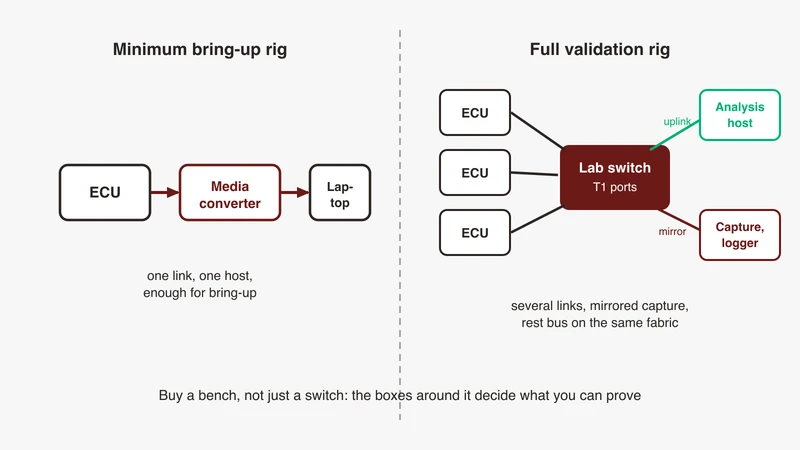
If you are planning a SOME/IP capable bench, start with our automotive Ethernet capabilities, or request a quote and tell us what you are trying to see on the wire.
References
- AUTOSAR R24-11 Foundation, SOME/IP Protocol Specification, document 696: https://www.autosar.org/fileadmin/standards/R24-11/FO/AUTOSAR_FO_PRS_SOMEIPProtocol.pdf
- AUTOSAR R24-11 Foundation, SOME/IP Service Discovery Protocol Specification, document 802: https://www.autosar.org/fileadmin/standards/R24-11/FO/AUTOSAR_FO_PRS_SOMEIPServiceDiscoveryProtocol.pdf
- Wireshark 3.2.0 release notes, new protocol support: https://www.wireshark.org/docs/relnotes/wireshark-3.2.0.html
- Wireshark SOME/IP display filter reference: https://www.wireshark.org/docs/dfref/s/someip.html
- Wireshark SOME/IP-SD display filter reference: https://www.wireshark.org/docs/dfref/s/someipsd.html
- Wireshark User’s Guide, controlling protocol dissection: https://www.wireshark.org/docs/wsug_html_chunked/ChCustProtocolDissectionSection.html
- Wireshark source,
epan/dissectors/packet-someip.candpacket-someip-sd.c, for the port registration behaviour and configuration table names: https://gitlab.com/wireshark/wireshark/-/tree/master/epan/dissectors - Wireshark Q&A, SOME/IP frames appearing as malformed until the dissector is enabled: https://ask.wireshark.org/question/29173/
- FibexConverter, FIBEX 4 to Wireshark configuration generator, GPL-2.0: https://github.com/LarsVoelker/FibexConverter
- COVESA vsomeip: https://github.com/COVESA/vsomeip
- COVESA vsomeip configuration and user guide: https://github.com/COVESA/vsomeip/tree/master/documentation
- COVESA vsomeip issue 1003, service discovery frames not visible when both endpoints share a target: https://github.com/COVESA/vsomeip/issues/1003
- some-ip.com, protocol reference site: https://some-ip.com/
Also appears in:
Building for Automotive & Mobility?
Talk to our application engineers for personalized tool recommendations.