Capabilities · RTOS Development

Real-time kernels, chosen, ported and traced.

Kernel selection, SEGGER embOS and Keil RTX integration, RTOS-aware debug and trace, safety-kernel deployment and training, from an authorized SEGGER and Arm engineering partner in India.

  1. 01 What we do
  2. 03 Partners and tools
  3. 04 How to start
01

Six ways GSAS works with real-time kernels.

Each card lights the part of a running system it deals with, on a scheduler trace like the one SystemView or a µVision RTX view draws.

An illustrative RTOS scheduler trace: an interrupt, three prioritised threads and idle on one core, numbered as on the capability cards time → one core MPU region 5 isr uart_rx control prio 5 comms prio 3 logger prio 1 idle prio 0 1 2 3 events trace 4
Scheduler trace, illustrative · numbered as on the cards
  1. Greenfield · migration

    RTOS selection and architecture

    A kernel choice your team can defend at every lifecycle review.

    • Kernel selection against your MCU and RAM budget
    • Thread and priority architecture
    • Migration plan from bare metal to an RTOS
    • Reviews of existing RTOS-based products
  2. SEGGER

    SEGGER embOS integration

    embOS brought up on your board with the middleware your product needs.

    • embOS BSP for custom boards
    • Interrupt priority planning and zero-latency ISRs
    • emFile, emUSB, emNet and emWin integration
    • Power-management hooks for battery devices

    embOS →

  3. Arm

    Keil RTX and CMSIS-RTOS

    The CMSIS-RTOS reference kernel that ships with Keil MDK, set up and migrated cleanly.

    • Keil MDK and RTX set-up and licensing
    • CMSIS-RTOS v2 migration from v1 and legacy kernels
    • Event Recorder configuration for RTOS trace

    Keil MDK →

  4. Timing

    RTOS-aware debug and trace

    See which thread ran when, where priorities inverted and why a deadline slipped.

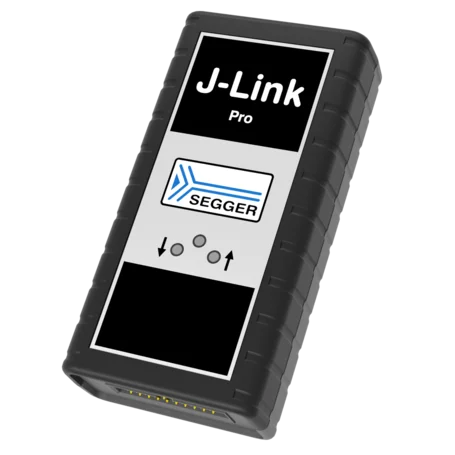
    • J-Link RTOS awareness for embOS, RTX and FreeRTOS
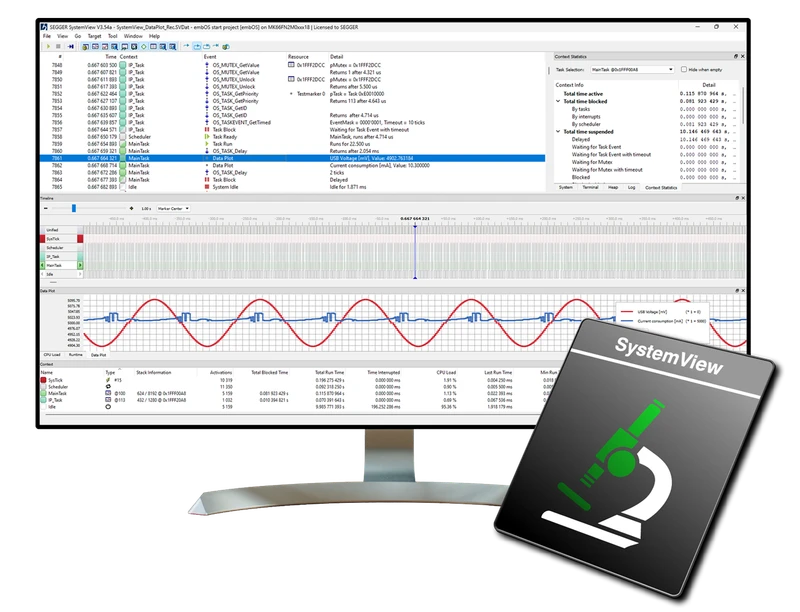
    • SystemView event tracing and timelines
    • µVision RTX views and thread inspection
    • Stack, heap and scheduling-latency checks

    SystemView →

  5. Mixed criticality

    Safety-kernel deployment

    Integration of embOS Safe, which SEGGER supplies with IEC 61508 SIL 3 and ISO 26262 ASIL D documentation.

    • embOS Safe integration with MPU-based isolation
    • Freedom-from-interference analysis for mixed criticality
    • Support preparing evidence for your safety case

    Functional safety →

  6. Your team

    RTOS training and workshops

    On-site workshops on your hardware and your codebase.

    • Threads, priorities and synchronisation
    • Priority inversion, deadlock and memory protection
    • Hands-on debug with J-Link and SystemView

    Training →

Choosing a kernel

A long-lived decision, weighed on six things.

The kernel shapes timing, memory, licensing and certification for the product’s whole life. GSAS evaluates the candidates against your device and writes the trade-offs down, so the choice holds up at every review.

  • SEGGER embOS
  • Keil RTX5
  • FreeRTOS
  • Zephyr
  • ThreadX
Timing
Interrupt latency and determinism the product needs
Footprint
ROM and RAM left after the application
Safety evidence
Whether a certified edition and its documentation exist
Middleware
File system, USB, networking and GUI stacks that fit
Tool chain
Compiler, debugger and trace awareness
Licensing
Commercial terms over the product’s life
02

From a kernel decision to a team that owns it.

Four stages, each leaving something your engineers keep: the reasons for the choice, a running port, a trace of real timing, and the training to carry it on. Hover a stage to find it on the line.

Select · Integrate · Trace · Hand over
01 Select 02 Integrate 03 Trace 04 Hand over
  1. 01

    Select

    Constraints
    MCU, memory, timing, safety
    Kernel
    trade-offs written down
    Architecture
    threads, priorities, IPC

    A decision with its reasons

  2. 02

    Integrate

    Port
    BSP, ticks, interrupt priorities
    Middleware
    file system, USB, network, GUI
    Kernels
    embOS, Keil RTX

    Threads running on your board

  3. 03

    Trace

    Timeline
    SystemView
    Probes
    J-Link, J-Trace
    Checks
    stacks, heap, latency, deadlines

    Timing you can see, not guess

  4. 04

    Hand over

    Safety
    evidence support for the safety case
    Training
    workshops on your hardware
    Review
    code and architecture walk-through

    A team that owns the kernel

Related: Embedded software · Functional safety · Security engineering · Training

03

The kernels and the tools that see inside them.

GSAS supplies the RTOS and the trace tools it uses, so the people who integrate your kernel are the ones who support the licence.

04

Three ways to start.

Hand GSAS the kernel work, license the RTOS and trace tools, or have your engineers trained on them.

  1. 01

    An RTOS project

    Selection, port or migration

    Bring the board and the constraints. GSAS selects or reviews the kernel, ports it, integrates the middleware and hands back traced, documented firmware.

  2. 02

    Kernels and trace tools

    SEGGER and Arm

    embOS, SystemView, J-Link, J-Trace, Keil MDK with RTX and ULINKplus, from an authorized SEGGER and Arm engineering partner in India, with INR quotes and GST invoices.

  3. 03

    Your team, trained

    Workshops on your hardware

    From multitasking basics to priority inversion, memory protection and trace-driven debugging, taught on your boards and your codebase.

05

Missing a deadline you can’t see?

Tell us the MCU, the kernel and what the timing should be. GSAS replies from Bengaluru with scope and a proposal: selection, integration, trace and training.

sales@gsasindia.com +91 80 6590 1783

RTOS development with GSAS in India

Which RTOS should we use?

It depends on timing, memory, safety evidence, middleware, tool chain and licensing. GSAS weighs those against your MCU and product and documents the trade-offs, across SEGGER embOS, Keil RTX5, FreeRTOS, Zephyr and ThreadX.

Does GSAS integrate SEGGER embOS?

Yes. GSAS is an authorized SEGGER engineering partner in India and integrates embOS on custom boards, plans interrupt priorities, and brings up emFile, emUSB, emNet and emWin.

Can GSAS migrate us to CMSIS-RTOS v2 and Keil RTX?

Yes. GSAS sets up Keil MDK and RTX, migrates code from CMSIS-RTOS v1 or legacy kernels to the v2 API, and configures Event Recorder for RTOS trace.

How do you debug timing problems in an RTOS application?

With RTOS-aware tools: J-Link with RTOS awareness, SEGGER SystemView for event timelines and µVision RTX views. They show which thread ran when, where priority inversions happened and why deadlines were missed.

Is there a safety-certified RTOS option?

Yes. SEGGER supplies embOS Safe with IEC 61508 SIL 3 and ISO 26262 ASIL D documentation and MPU-based fault isolation. GSAS integrates it and supports freedom-from-interference analysis and evidence for your safety case.

Do you train our engineers on RTOS development?

Yes. GSAS runs on-site workshops on your hardware and codebase, from multitasking fundamentals to priority inversion, memory protection and hands-on debugging with J-Link and SystemView.