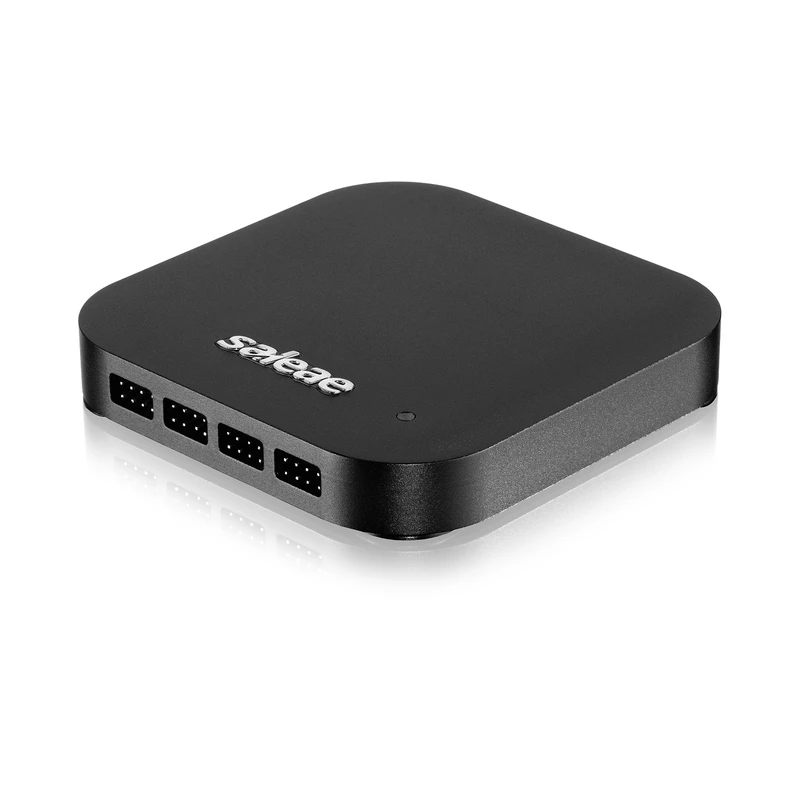
Saleae Logic 2 ships 23 built-in protocol analyzers plus 50+ community-shared decoders through the in-app Logic 2 Marketplace (about 70+ in total). The built-in stack covers I²C, SPI, UART, CAN, LIN, SMBus, USB-PD, Modbus, JTAG, SWD, and I²S; community analyzers add CAN-FD, I3C, MIPI RFFE, USB low/full speed, and the long-tail oddities like DCC, Anybus CompactCom, NAND, and SD/MMC.
It does not cover your application-layer protocol. The custom CAN frame format your team built for the BMS state machine. The proprietary register map sitting on top of SPI to your custom sensor. The application bytes inside the UART console output that you actually care about. These are what High-Level Analyzers are for.
This is a working walkthrough of the Saleae HLA framework, what it is, when to use it, and a complete example that you can lift into your own repo. The pattern works on any current Saleae device, Logic 8, Logic Pro 8, Logic Pro 16, or the Logic MSO line.
What an HLA actually is
A High-Level Analyzer is a Python class that consumes the frames emitted by a low-level analyzer and emits new annotated frames at a higher level of abstraction.
The low-level analyzer (say, the built-in I²C decoder) produces frames like:
startaddress: 0x68 (write)data: 0x12data: 0xFFstop
Your HLA reads those frames as input and produces something like:
IMU register write: WHO_AM_I (0x12) ← 0xFF
The HLA runs inside Logic 2 as a Python extension. It has no GUI of its own, its output appears in the same Logic 2 capture timeline as the low-level decoder, layered on top, with your high-level frame text shown alongside the raw I²C bytes. You can search for it, filter for it, export it, and diff it in CI exactly the same way as a built-in analyzer’s frames.
When to write one
You should write an HLA when:
- The application-layer meaning of bytes on the bus is what your team actually cares about, not the bytes themselves
- You’re spending capture time decoding register addresses by hand
- The bus traffic during bring-up is unreadable without sitting next to it with a datasheet
You should not write an HLA when:
- A community extension already exists, check the in-app Marketplace first. Search by protocol name.
- You only need this decode once. Manual decode in your head is faster than two hours of HLA development.
- The protocol is genuinely new and would benefit the wider Saleae community as a low-level analyzer. Then write a C++ Protocol Analyzer SDK extension instead and contribute it upstream.
The file layout
Every HLA is a directory with three files:
my-imu-hla/
├── extension.json
├── HighLevelAnalyzer.py
└── README.md
extension.json declares the extension to Logic 2:
{
  "version": "0.1.0",
  "apiVersion": "1.2.0",
  "author": "Your Team",
  "description": "IMU register-level decoder",
  "extensions": {
    "IMU Register Decoder": {
      "type": "HighLevelAnalyzer",
      "entryPoint": "HighLevelAnalyzer.IMUDecoder"
    }
  }
}
HighLevelAnalyzer.py is the actual decoder. README.md is for humans and the marketplace listing if you publish it.
A complete working example
Here’s a working HLA for an IMU on I²C, a generic 6-axis IMU with a typical register-map layout. The HLA consumes frames from the built-in I²C analyzer and emits human-readable register reads and writes.
# HighLevelAnalyzer.py
from saleae.analyzers import HighLevelAnalyzer, AnalyzerFrame, StringSetting

# Register map, adapt to your part
REGISTERS = {
    0x00: 'WHO_AM_I',
    0x10: 'CONFIG',
    0x11: 'GYRO_CONFIG',
    0x12: 'ACCEL_CONFIG',
    0x1A: 'FIFO_EN',
    0x3B: 'ACCEL_XOUT_H',
    0x3C: 'ACCEL_XOUT_L',
    0x43: 'GYRO_XOUT_H',
    0x44: 'GYRO_XOUT_L',
    # ... add more as needed
}

class IMUDecoder(HighLevelAnalyzer):
    target_address = StringSetting(label='IMU I2C Address (hex)')

    result_types = {
        'reg_write': {
            'format': 'WRITE {{data.register}} ← 0x{{data.value}}'
        },
        'reg_read': {
            'format': 'READ {{data.register}} → 0x{{data.value}}'
        },
    }

    def __init__(self):
        try:
            self.address = int(self.target_address, 16)
        except (ValueError, TypeError):
            self.address = 0x68  # sensible default
        self._state = 'idle'
        self._reg = None
        self._is_write = False
        self._byte_count = 0
        self._start_time = None

    def decode(self, frame: AnalyzerFrame):
        ft = frame.type
        data = frame.data

        if ft == 'start':
            self._state = 'expect_address'
            self._start_time = frame.start_time
            return None

        if ft == 'address' and self._state == 'expect_address':
            addr = data['address'][0]
            if addr != self.address:
                self._state = 'idle'
                return None
            self._is_write = (data['read'] is False)
            self._state = 'expect_register' if self._is_write else 'expect_data'
            self._byte_count = 0
            return None

        if ft == 'data' and self._state == 'expect_register':
            self._reg = data['data'][0]
            self._state = 'expect_value'
            return None

        if ft == 'data' and self._state == 'expect_value':
            value = data['data'][0]
            reg_name = REGISTERS.get(self._reg, f'REG_0x{self._reg:02X}')
            return AnalyzerFrame('reg_write', self._start_time, frame.end_time, {
                'register': reg_name,
                'value': f'{value:02X}',
            })

        if ft == 'data' and self._state == 'expect_data':
            value = data['data'][0]
            reg_name = REGISTERS.get(self._reg, 'unknown')
            return AnalyzerFrame('reg_read', self._start_time, frame.end_time, {
                'register': reg_name,
                'value': f'{value:02X}',
            })

        if ft == 'stop':
            self._state = 'idle'
            self._reg = None
            return None

        return None
To install: in Logic 2, open the Extensions panel, click “Load Existing Extension”, and select the my-imu-hla/ directory. Add the “I2C” analyzer to your I²C channels, then add the “IMU Register Decoder” HLA on top of it, providing your IMU’s I²C address in the settings.
The capture timeline will now show both the raw I²C bytes (from the built-in analyzer) and the register-level reads/writes (from your HLA) on the same trace. The HLA frames are searchable, filterable, and exportable like any built-in decoder’s output.
Patterns we use in production
Three patterns we’ve shipped at Indian customer benches over the last year:
Pattern 1, BMS state-machine decoder. Battery management systems run a state machine on top of CAN. The built-in CAN-FD decoder shows the frames; an HLA on top shows the state transitions (IDLE → PRECHARGE → CHARGING → BALANCING) with the values that triggered each transition. Test engineers can read these directly during validation, instead of cross-referencing the CAN log against the firmware source.
Pattern 2, UART console parser for boot sequences. Embedded boot output is dense and noisy. An HLA can parse it into structured events (BOOTLOADER_START, KERNEL_HANDOFF, DRIVER_PROBE, USERSPACE_INIT) with timestamps, so a regression test can assert that all four happen within their expected time windows.
Pattern 3, Custom register-map decode for proprietary sensors. Same idea as the IMU example above, but for parts whose register maps are NDA-restricted and therefore will never get a community extension. The HLA lives in the customer’s private repo. Logic 2 happily loads it.
CI integration
Because HLA frames look identical to built-in analyzer frames in Logic 2’s data table, they export to the same CSV format and behave the same way under the Logic 2 Automation API. The HLA runs inside the headless Logic 2 instance on your bench CI runner exactly as it does on your desk. There is no additional CI setup beyond what the automation API workflow already needs.
The diff-against-golden pattern works perfectly: your nightly capture exports the HLA-decoded register sequence, the diff script compares against the golden register sequence, and the build fails when the sequence changes unexpectedly.
When to escalate to a C++ low-level analyzer
If your protocol is genuinely novel, not an application layer on top of I²C or SPI but a new physical-layer protocol, the HLA framework can’t help. You need a low-level analyzer written in C++ against the Saleae Sample Analyzer SDK. That’s a bigger project (~1-2 weeks for a moderately complex protocol) and worth contributing upstream if the protocol is widely used.
For the vast majority of bring-up work in Indian embedded teams, an HLA in Python is enough.
What GSAS does
GSAS co-authors HLAs with customer firmware teams as part of the Saleae engineering partnership. Typical engagement: half a day to a day of pair programming on your actual protocol, your actual capture, your actual register map. You own the source, it goes in your repo, not ours. The three HLA patterns we build with teams across Bengaluru, Pune, and Chennai are BMS state machines, custom sensor register maps, and proprietary diagnostic frames, adapt as your stack needs.
Request a Quote for Saleae product pricing in India, or Contact us if your team is sizing whether an HLA would unstick a current bring-up.
Also appears in:
Interested in Saleae tools?
Talk to our application engineers for personalized tool recommendations.
More from Saleae
View all →
Saleae Logic MSO: Standard or Pro? The India Buying Decision
17 Jul · 6 min
Best Logic Analyzer in India (2026): A Vendor-Neutral Buying Guide for Embedded Teams
5 Jun · 10 min
AI Data Centers in India: Test, Measurement & Memory Boom
4 Jun · 14 min
Logic Analyzer vs Oscilloscope vs MSO: When You Actually Need Analog Channels (Saleae Logic MSO)
4 Jun · 10 min

Emulating Processor Power for Thermal Testing: Why Constant Power
7 Oct · 7 min

CRPS and Rack Power Supply Testing: The Six Tests That Matter
7 Oct · 7 min