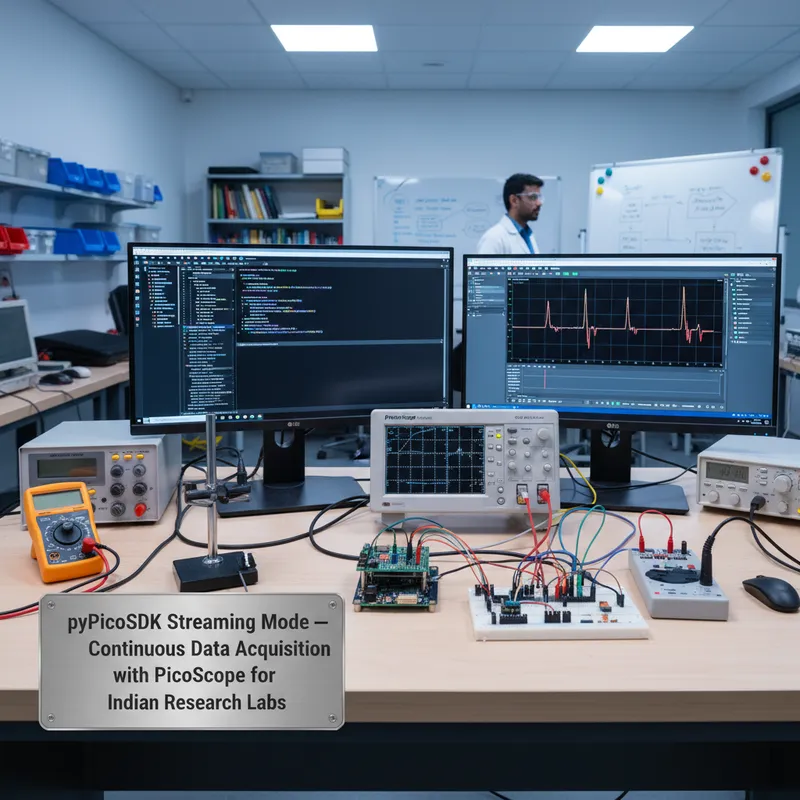
Block mode is how most Indian engineering teams first encounter oscilloscope acquisition in Python. You arm a trigger, wait for the event, read back the captured waveform, plot it in Matplotlib, and move on. It works. It is easy to understand. And it falls over the moment the measurement you need requires observing a signal continuously for longer than the oscilloscope’s buffer can hold at your chosen sample rate, which is almost every interesting measurement in practice.
Streaming mode is the other half of the PicoScope acquisition model, and it is where pyPicoSDK genuinely changes what Indian research teams can do with a PicoScope instrument. This post walks through when to pick streaming over block mode, the Python patterns that make streaming work reliably (ring buffers, callback flow control, disk persistence), and how to hand off streamed samples cleanly to NumPy and SciPy for signal processing. GSAS Micro Systems is an authorized Pico Technology partner, PicoScope hardware, pyPicoSDK licensing (the SDK itself is free and open), and on-site bring-up support are available from our offices in Bengaluru, Chennai, Hyderabad, Delhi NCR, Mumbai, and Pune.
Block mode vs streaming mode in one paragraph
In block mode, the PicoScope acquires a single pre-configured number of samples at a specific sample rate, stores them in on-scope memory, and returns the completed waveform when the acquisition finishes. You get bounded, tightly timed captures, ideal for repetitive triggered measurements like eye diagrams, rise-time analysis, or characterizing a signal that happens on a clean external trigger event. The ceiling is the scope’s capture buffer: a PicoScope 6000E at 5 GS/s fills its 4 gigasample buffer in 800 milliseconds of real time, and you cannot observe a signal for longer than that at full speed in block mode.
In streaming mode, the PicoScope transfers samples to the host PC continuously over USB while the acquisition is still running. The on-scope buffer becomes a FIFO instead of the final storage, and the host PC is responsible for draining the FIFO fast enough that it does not overflow. Streaming lets you observe signals for minutes, hours, or days without interruption, at sample rates determined by USB throughput rather than on-scope memory depth. For a motor-drive commissioning session in a Bengaluru R&D lab, an overnight soak test of an EV battery in a Pune cell, or a multi-hour EMC pre-compliance sweep at a Hyderabad test bench, streaming is the only practical mode.
When streaming is the right mode for an Indian research or industrial workload
- Long-duration capture at moderate sample rates. EV battery cell characterization under realistic load profiles, hours or days of continuous current and voltage logging, is the classic fit. pyPicoSDK streaming at 1 MS/s on two channels through a USB 3.0 PicoScope runs indefinitely, limited only by disk space for the captured data.
- Slow signals you do not want to re-trigger on. A thermal soak test, a long-duration sensor drift measurement, an overnight battery-cycling profile, any workload where the signal evolves slowly and you want every sample, not a set of discrete triggered snapshots. Block mode makes you choose between “short high-resolution snapshot” and “hours of capture coverage”; streaming lets you have both (at lower sample rates).
- Non-repetitive events you cannot predict. Some faults happen once an hour at an unpredictable moment. Streaming keeps the scope live and the data flowing, and the Python post-processing step can search the streamed record for the fault signature. This is particularly useful for Indian motor-drive debug (inverter commutation faults, insulated-gate transistor failure precursors, phase-to-phase shorts) where the exact failure moment is not reproducible.
- Synchronized multi-channel measurements. PicoScope 5000D, 6000E, and 4444 differential scopes can stream all channels simultaneously with matched timestamps, useful for cross-correlation between, for example, a high-side gate drive signal, the motor phase current, and the DC bus voltage during a single event.
Where streaming is not the right mode: high-speed digital eye diagrams, serial protocol decode, and anything that needs the deepest possible per-acquisition buffer at the scope’s maximum sample rate. Block mode remains the right tool for those.
The minimal pyPicoSDK streaming setup
The pyPicoSDK streaming workflow follows a consistent pattern across all the supported PicoScope families. The key calls, using the ps5000a driver as an example, equivalent driver names exist for 2000A, 3000D, 3000E, 4000A, 4444, 6000E, and the sampling scopes, are:
ps5000aOpenUnit(), claim the USB connection to the device.ps5000aSetChannel(), configure each enabled channel’s range, coupling, and analog bandwidth limit.ps5000aSetDataBuffers(), register host-side NumPy buffers for the streaming driver to write into. This is the critical step, the driver writes samples into these buffers as they arrive, and your Python code reads from them.ps5000aRunStreaming(), start the acquisition, specifying the sample interval, pre-trigger samples (usually 0 for pure streaming), post-trigger samples, auto-stop flag, and downsampling mode.- In your Python loop:
ps5000aGetStreamingLatestValues(), poll the driver to let it deliver any samples it has accumulated since your last call. This triggers a callback in the driver that copies from the device-side buffer into your registered host buffers. - When the measurement is finished:
ps5000aStop()andps5000aCloseUnit().
In code form (abbreviated for clarity, using numpy for the sample buffers):
import numpy as np
from picosdk.ps5000a import ps5000a as ps
from picosdk.functions import assert_pico_ok

handle = ctypes.c_int16()
status = ps.ps5000aOpenUnit(ctypes.byref(handle), None, ps.PS5000A_DEVICE_RESOLUTION["PS5000A_DR_14BIT"])
assert_pico_ok(status)

# Configure channel A: ±5 V range, DC coupled, 20 MHz bandwidth limit
ps.ps5000aSetChannel(handle, 0, 1, 1, ps.PS5000A_RANGE["PS5000A_5V"], 0.0)

# Register a 50,000-sample host buffer
buffer_size = 50_000
buffer_a = np.zeros(buffer_size, dtype=np.int16)
ps.ps5000aSetDataBuffers(handle, 0, buffer_a.ctypes, None, buffer_size, 0, 0)

# Start streaming at 1 MS/s
sample_interval = ctypes.c_int32(1)  # 1 microsecond
ps.ps5000aRunStreaming(handle, ctypes.byref(sample_interval), 2, 0, buffer_size, 0, 1, 0)

# Poll and drain the buffer until we have the data we want
while still_collecting:
    ps.ps5000aGetStreamingLatestValues(handle, streaming_callback, None)
    # streaming_callback copies new samples out of buffer_a into a persistent store
The streaming callback is where the flow-control logic lives. A naive implementation reads buffer_a directly in the callback and appends to a Python list, this works for short captures but degrades for long ones because Python list appends grow the underlying memory, and memory fragmentation under sustained streaming kills performance after a few minutes.
Ring-buffer pattern: the reliable way to do sustained streaming
For captures longer than a few seconds, the correct Python pattern is a ring buffer backed by a pre-allocated NumPy array, with a separate disk-writer thread draining it into a memory-mapped file on local SSD. The pattern:
RING_SIZE_SAMPLES = 10 * 1024 * 1024  # 10 Msamples = ~20 MB at int16
ring = np.zeros(RING_SIZE_SAMPLES, dtype=np.int16)
write_idx = 0
read_idx = 0

def streaming_callback(handle, no_of_samples, start_idx, overflow, trigger_at, triggered, auto_stop, user_data):
    global write_idx
    # Copy from driver buffer into ring
    src_slice = buffer_a[start_idx:start_idx + no_of_samples]
    end = (write_idx + no_of_samples) % RING_SIZE_SAMPLES
    if end >= write_idx:
        ring[write_idx:end] = src_slice
    else:
        split = RING_SIZE_SAMPLES - write_idx
        ring[write_idx:] = src_slice[:split]
        ring[:end] = src_slice[split:]
    write_idx = end
Meanwhile, a separate thread drains the ring into a np.memmap-backed file on SSD every few hundred milliseconds:
import threading, numpy as np

mmap = np.memmap('/data/capture_session.bin', dtype=np.int16, mode='w+', shape=(LONG_SESSION_SAMPLES,))
mmap_write_idx = 0

def disk_writer():
    global read_idx, mmap_write_idx
    while still_collecting:
        available = (write_idx - read_idx) % RING_SIZE_SAMPLES
        if available > 1024:
            # Drain available samples into mmap
            end = (read_idx + available) % RING_SIZE_SAMPLES
            if end >= read_idx:
                mmap[mmap_write_idx:mmap_write_idx + available] = ring[read_idx:end]
            else:
                split = RING_SIZE_SAMPLES - read_idx
                mmap[mmap_write_idx:mmap_write_idx + split] = ring[read_idx:]
                mmap[mmap_write_idx + split:mmap_write_idx + available] = ring[:end]
            read_idx = end
            mmap_write_idx += available
        time.sleep(0.1)

threading.Thread(target=disk_writer, daemon=True).start()
This pattern can sustain multi-hour streaming at 1 MS/s on a laptop with a modern NVMe SSD, and the captured data is a flat binary file you can load into NumPy for post-analysis with np.memmap('/data/capture_session.bin', dtype=np.int16) without ever loading the whole thing into RAM.
SciPy and NumPy hand-off patterns for Indian research workloads
Once the raw samples are on disk, pyPicoSDK has done its job, the remaining work is signal processing, and that is where NumPy, SciPy, and the broader Python scientific stack take over. The hand-offs Indian research teams need most often:
- Filtering.
scipy.signal.butter+scipy.signal.filtfiltfor zero-phase low-pass / high-pass / band-pass filtering of streamed sensor data. Useful for EV battery current measurements where you want to isolate the slow thermal envelope from the fast switching harmonics. - FFT / spectral analysis.
scipy.signal.welchfor power spectral density of long captures. The Welch method handles long streams cleanly by segmenting and averaging; for an 8-hour capture at 1 MS/s, direct FFT is infeasible but Welch runs in seconds. - Event detection.
scipy.signal.find_peaksfor locating event features in the streamed record, useful for post-processing motor commutation captures to extract each commutation cycle and measure timing parameters. - Resampling for plot display.
scipy.signal.resample_polyto decimate the stream to a plottable resolution before handing off to Matplotlib. Plotting 8 hours of 1 MS/s data directly is not useful; resampling to 10 kHz for visualization preserves the envelope information at a sensible plot density. - Cross-correlation.
scipy.signal.correlatefor aligning two channels’ streams, useful when analyzing phase relationships between a gate drive and a motor phase current over long time scales.
Hardware that matters for streaming: which PicoScope to pick
For an Indian research team setting up streaming-capable measurement benches, the PicoScope selection comes down to USB throughput and sample rate:
- PicoScope 2000B Series, USB 2.0, good for streaming up to roughly 1 MS/s on one or two channels. Entry point for streaming work.
- PicoScope 5000D Series FlexRes, SuperSpeed USB 3.0, the typical mid-range choice for Indian research labs. Up to 12-bit resolution at 125 MS/s, easily sustains streaming at 5-10 MS/s continuous.
- PicoScope 6000E Series, flagship, highest streaming throughput, deep buffer for bursts between streaming windows. Right choice for signal-integrity research and multi-channel power electronics captures.
- PicoScope 4000 Series, high-resolution and differential variants including the PicoScope 4444 differential. For streaming precision analog measurements, battery cell characterization, sensor drift, low-frequency vibration.
- PicoLog 1000, PicoLog CM3, and PicoLog ADC-20/ADC-24, dedicated data loggers with a companion Python SDK for streaming workloads that do not need oscilloscope-class sample rates. PicoLog is often the better choice for overnight thermal logging, current monitoring, and environmental sensor work.
Further reading
- pyPicoSDK on GitHub, the official Python wrappers for PicoSDK
- PicoSDK downloads, drivers for Windows, macOS, and Linux
- Pico Technology partner page, full PicoScope range available in India from GSAS
- PicoSDK and pyPicoSDK product page, SDK support details
- PicoScope 6000E deep-dive, flagship scope for research streaming workloads
- pyPicoSDK tutorial for automated test, companion tutorial on block-mode Python acquisition
Also appears in:
Interested in Pico Technology tools?
Talk to our application engineers for personalized tool recommendations.
More from Pico Technology
View all →
How to Buy an Oscilloscope in India (2026): USB vs Benchtop, Bit Depth, Bandwidth: A Buying Guide
5 Jun · 11 min
PicoScope 5000D vs 5000E: Native 16-Bit or FlexRes? A Buyer's Guide for Indian Labs
4 Jun · 11 min
PicoScope 5000E in India: The World's First 4-Channel 16-Bit USB Oscilloscope, Explained
4 Jun · 11 min
PicoScope 7 Goes Native Arm64: Apple Silicon, Snapdragon Windows and Arm Linux Test Benches in India
4 Jun · 11 min
Emulating Processor Power for Thermal Testing: Why Constant Power
7 Oct · 7 min
CRPS and Rack Power Supply Testing: The Six Tests That Matter
7 Oct · 7 min