Siemens EDA product family

Xpedition PCB design software: every edition compared

Siemens' Xpedition family runs from PADS Pro Essentials to Xpedition Enterprise. This page sets out the four editions, Siemens' full capability checklist and how to buy in India.

What Xpedition is

Xpedition is Siemens EDA's family of PCB and electronic systems design software. It was Mentor Graphics Xpedition before Mentor Graphics became Siemens EDA. As of November 2026 the family has four editions: PADS Pro Essentials, Xpedition Standard, Xpedition Advanced and Xpedition Enterprise.

Siemens describes it as a scalable electronic systems design platform that grows with you, from independent engineers to global enterprises. Xpedition Advanced is the newest edition. Siemens introduced it with the Xpedition 2610 release on 26 October 2026 (Siemens' announcement).

GSAS Micro Systems is an authorized Siemens EDA partner in India. We supply Xpedition Standard, Xpedition Advanced, Xpedition Advanced DS and Xpedition Enterprise, quote in INR, and support teams with application engineers in cities including Bengaluru, Hyderabad, Chennai, Pune, Mumbai and Delhi NCR. Siemens sells PADS Pro Essentials itself, through its own web store.

The four Xpedition editions

Taglines, descriptions and "best for" lines are Siemens' own, from its Xpedition page and buyer's guide. For the multi-user schematic design on the Xpedition Advanced card, Siemens' stated limit is two schematic users at a time, with a third user in Layout. No prices appear on this page: GSAS quotes the editions it supplies in INR.

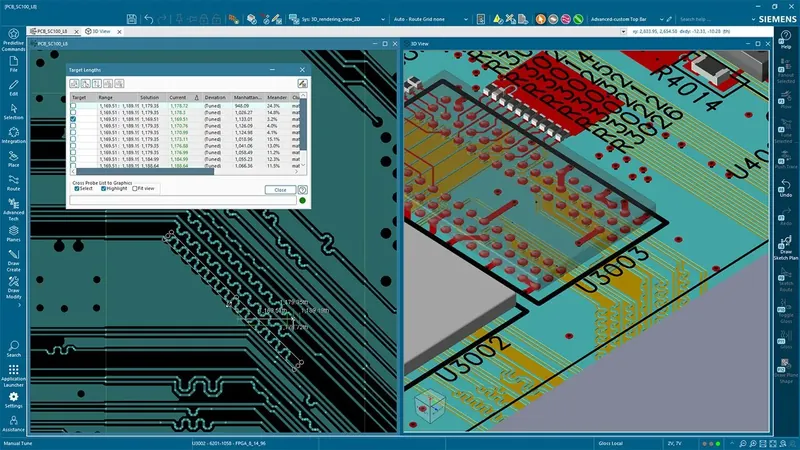
PADS Pro Essentials 2D PCB layout, Siemens' entry edition in the Xpedition family, explained for India by GSAS

PADS Pro Essentials

Design with confidence. Upgrade without limits.

Professional-grade entry-level PCB design built on proven Xpedition technology.

Best for individual innovators wanting a professional-grade PCB design alternative to free tools.

  • Powered by Xpedition technology
  • Constraint-driven design
  • Community-based support

Named-user subscription, bought from Siemens online

Sold online by Siemens, with community-based support. GSAS does not supply this edition.

Xpedition Standard PCB design software, available in India from GSAS

Xpedition Standard

Designed for today. Prepared for tomorrow.

Team-ready PCB design software for higher complexity boards

Best for small teams that need more capability, automation, and collaboration.

  • Integrated team workflows for reviews, reuse, and alignment
  • On-demand add-ons for rigid-flex and signal integrity analysis

Named-user subscription, with token-based add-ons

Engineers using Xpedition Advanced schematic and layout, available in India from GSAS

Xpedition Advanced

Built for advanced engineering. Designed for productivity.

High-speed PCB design for multi-domain teams building advanced, complex boards.

Best for growing teams that need schematic user concurrency, advanced capabilities and automation for high speed, complex designs, and collaboration.

  • Advanced routing automation and high-speed electrical constraints
  • Concurrent, multi-user schematic design
  • Integrated rigid-flex, SI analysis and advanced ECAD-MCAD co-design

Named-user subscription

Xpedition Enterprise electronic systems design software, available in India from GSAS

Xpedition Enterprise

Accelerate innovation. Deliver with confidence.

Enterprise-scale electronic systems design

Best for large or distributed organizations requiring multi-user concurrency, formal processes, and audit-ready governance.

  • Custom design process and integrations
  • Multi-board systems and requirements
  • Global, multi-disciplinary design concurrency
  • On-prem data management, compliance and advanced security

Floating/enterprise licensing through a guided engagement

Xpedition Advanced DS: a schematic-only seat

Xpedition Advanced DS is not a fifth edition. Siemens' buyer's guide calls it a schematic-only design environment for engineering teams, with support for concurrent schematic design. A team adds DS seats for schematic engineers while layout continues in Xpedition Advanced. Siemens states the limit as up to two schematic users at the same time, on different sheets, with a third user in Layout. GSAS supplies Advanced DS in India.

Which Xpedition edition fits your team

Siemens' buyer's guide suggests a simple method. For each row of the table below, choose the column that most closely describes your situation. The edition with the most matches is typically your best starting point.

This table describes the buyer, not the software. For what each edition includes, use the edition checklist. For a walk-through of the decision, read which Xpedition edition do you need.

Siemens' buyer's-guide fit table: buyer situations matched to Xpedition editions, not product features
Your situation PADS Pro Essentials Xpedition Standard Xpedition Advanced Xpedition Enterprise
Team size & makeup Single engineer, maker; price sensitive; prototyping 1-5 hybrid engineers; sequential or single-user workflow Larger, distributed teams; specialists emerging; need multi-user schematic concurrency Large, globally distributed engineering teams; formal roles and cross-team workflows
Design complexity Typically, ≤ 6 layers; few/no diff pairs; limited or no high-speed; okay with manual management of design complexity Typically, ≤ 10 layers; some diff pairs; limited high-speed; occasional pre-layout checks Typically, more high-speed interfaces (DDR/PCIe/SerDes); constraint-driven design; HDI; via stitching; FPGA flows High-speed designs the norm; standardized methodologies; multi-user concurrent layout
Release discipline Informal design reviews More structured design reviews; no required gates Defined team workflow; roles/permissions; approval or required checklists Program-level governance; audit trail; e-records/signatures; compliance processes
Design data management & versioning Local/simple design sharing; ad-hoc versioning Local/network storage or centralized design data management; version compare Controlled team design/library data management; roles, states, history; predictable handoffs Cross-program governance; retention/backup; exportable audit; multi-program RBAC
Collaboration pattern Design visualization with cross-probing sufficient; no markup Small-team design reviews; informal verification handoff Role-based collaboration; more structured design reviews Multi-team, multi-site signoffs; supplier involvement; formal compliance; multi-user concurrent design
Automation & methodology Wizard help is nice but not critical Basic automation needed (hierarchical floorplanning, auto-routing); constraint-driven clearances, rules Advanced automation needed; constraint-driven workflows; templates and rules Enterprise-wide methodology standardization with audit evidence
High-speed design capability Typically not applicable Basic length/phase matching; occasional SI checks Full electrical constraints (impedance, delay, coupling, Z-axis clearance); built-in SI planning Program-level signal integrity governance; standardized closure metrics across product lines
Integrations None required MCAD and PLM integrations supported Advanced ECAD-MCAD; SSO; PLM-ready workflows Deep PLM integration; multi-domain digital thread; enterprise identity; reporting; lifecycle orchestration
Library scope & control Symbols/footprints from cloud ECAD model provider sufficient Team library; conventions, consistency; locally stored or shared Governed library; approval workflows; lifecycle state; audit history Enterprise library federation; multi-program RBAC; approved manufacturer parts; compliance attributes
Business risk posture Speed to first board (prototype) trumps process; minimal training Balance speed + basic DFM quality; flexibility valued Predictable schedules; reduced ECO churn; traceability recommended Compliance-driven; cross-program consistency; integration ROI mandatory

Source: Siemens, Xpedition buyer's guide, "What solution is best fit?", as published on 18 November 2026. Rows describe the buyer's situation, not what the software includes.

Xpedition edition checklist: 54 capabilities, four editions

This is Siemens' own comparison of PADS Pro Essentials, Xpedition Standard, Xpedition Advanced and Xpedition Enterprise, reproduced cell for cell from its Xpedition page as published on 18 November 2026. Every cell here is text, so the checklist can be searched and copied.

How to read it

Tick: included
Siemens' table shows a tick for this edition.
Hyphen (-): not listed
Siemens' table shows neither a tick nor a label for this edition.
None
Siemens' table says none.
Core / Extended
Siemens' two depth labels for a capability. Siemens' page does not define them further.
Add-on
Added on demand. On Xpedition Standard, add-ons use token packs.
Included
Part of the edition, where the same capability is an add-on or option elsewhere.
Option
Offered by Siemens as an option for that edition.

Component and supply chain management

Siemens Xpedition edition checklist: Component and supply chain management
Capability PADS Pro Essentials Xpedition Standard Xpedition Advanced Xpedition Enterprise
Cloud-based component research and simulation Included Included Included Included
Cloud-based component search and download Included Included Included Included
AI-assisted datasheet query Not listed Included Included Included
Component sourcing insights - schematic Not listed Included Included Included
Component sourcing insights - BOM Not listed Included Included Included
Component sourcing insights - library Not listed Not listed Not listed Included
Part request system Not listed Not listed Not listed Included
Component supply chain management in library Not listed Not listed Not listed Included

Schematic design

Siemens Xpedition edition checklist: Schematic design
Capability PADS Pro Essentials Xpedition Standard Xpedition Advanced Xpedition Enterprise
Design constraints - schematic environment Core Core Extended Extended
Hierarchical block design Included Included Included Included
Integrated component search and download Included Included Included Included
Schematic/layout co-design Not listed Included Included Included
Variant management Not listed Included Included Included
Concurrent team design - schematic Not listed Not listed Included Included
Table-based design Not listed Not listed Included Included

Layout design

Siemens Xpedition edition checklist: Layout design
Capability PADS Pro Essentials Xpedition Standard Xpedition Advanced Xpedition Enterprise
Design constraints - layout environment Core Core Extended Extended
3D design Not listed Included Included Included
Circuit reuse within a design Not listed Included Included Included
Automated routing None Core Extended Extended
Sketch planning Not listed Not listed Included Included
Rigid-flex design None Add-on Included Included
Concurrent team design - layout Not listed Not listed Not listed Included
Bond wires, embedded active/passives Not listed Not listed Not listed Included

Design and library data management

Siemens Xpedition edition checklist: Design and library data management
Capability PADS Pro Essentials Xpedition Standard Xpedition Advanced Xpedition Enterprise
Library creation and editing Included Included Included Included
Library management None Core Core Extended
Design version management and editing None Core Core Extended
Design review, compare and markup None Core Core Extended
PLM integration None Option Option Option
Managed design reuse - schematic, layout and constraints Not listed Not listed Not listed Included
On-prem storage with advanced security Not listed Not listed Not listed Included
Release management Not listed Not listed Not listed Included

Multi-domain collaboration

Siemens Xpedition edition checklist: Multi-domain collaboration
Capability PADS Pro Essentials Xpedition Standard Xpedition Advanced Xpedition Enterprise
ECAD-MCAD co-design - basic Not listed Included Included Included
ECAD-MCAD co-design - advanced None Add-on Included Included
Multi-board system design Not listed Not listed Not listed Included
FPGA/PCB co-design Not listed Not listed Not listed Included
IC/package/board co-design Not listed Not listed Not listed Included
Electronic/electrical co-design Not listed Not listed Not listed Included
Model-based engineering Not listed Not listed Not listed Included
RF co-design Not listed Not listed Not listed Included

MFG verification / documentation

Powered by Valor

Siemens Xpedition edition checklist: MFG verification / documentation
Capability PADS Pro Essentials Xpedition Standard Xpedition Advanced Xpedition Enterprise
Manufacturing outputs - manual Included Included Included Included
Manufacturing output automation Not listed Core Core Extended
DFM checks (DFF, DFA) core Included Included Included Option
DFM checks (DFF, DFA) extended Option Option Option Option
Manufacturing drawing creation Not listed Included Included Included
Integrated DFM checks in layout Not listed Not listed Not listed Included
Panelization Not listed Not listed Included Included

Performance analysis and verification

Powered by HyperLynx

Siemens Xpedition edition checklist: Performance analysis and verification
Capability PADS Pro Essentials Xpedition Standard Xpedition Advanced Xpedition Enterprise
Signal integrity simulation - basic None Add-on Included Option
Signal integrity simulation - full None Option Option Option
Power integrity simulation None Option Option Option
Analog / mixed-signal simulation None None None Option
Electrical rule checks None Option Option Option
Schematic analysis None Option Option Option
Intelligent design optimization None Option Option Option
Integrated multi-discipline verification None Option Option Option

Three things the checklist does not make obvious

  • The editions are not strict supersets. Siemens lists basic signal integrity simulation as included in Xpedition Advanced and as an option in Xpedition Enterprise. It lists core DFM checks as included in the first three editions and as an option in Enterprise.
  • Analog and mixed-signal simulation appears in two places. The row under performance analysis is the HyperLynx-powered capability, listed as an Enterprise option. Separately, Siemens' Xpedition Advanced fact sheet lists analog/mixed-signal simulation enabled by PartQuest Explore, a cloud application, for Xpedition Standard and Xpedition Advanced.
  • Concurrent schematic design has a stated limit. Siemens' Xpedition Advanced page says up to two schematic users can work at the same time in Xpedition Advanced and Advanced DS, on different sheets, with a third user in Layout. Concurrent team layout is listed for Xpedition Enterprise only.

Source: Siemens, Xpedition product family page, "Choose the right PCB design solution for you", as published on 18 November 2026. The notes above also draw on Siemens' Xpedition Advanced page and fact sheet. Siemens can change the checklist at any time. Confirm the capabilities you depend on with GSAS before you order.

How Xpedition is licensed and bought in India

Siemens' buyer's guide describes two ways of buying. The facts below are Siemens'. The last card is how GSAS handles the purchase in India.

Named-user subscriptions

PADS Pro Essentials, Xpedition Standard, Xpedition Advanced and Xpedition Advanced DS are named-user subscriptions. Siemens explains that named-user licensing assigns software access to individuals instead of shared machines.

Siemens describes these editions as a full desktop authoring environment with cloud-connected workflows for sharing, collaboration and review, and says they can work online or offline.

Xpedition Enterprise

Xpedition Enterprise is delivered through a guided engagement, with floating/enterprise licensing and enterprise deployment options.

Siemens describes centralized licensing and user administration, integration with enterprise IT policies and security frameworks, and on-premises data management with Xpedition EDM.

Token add-ons, or Xpedition Advanced

On Xpedition Standard, a 25- or 50-token pack gives on-demand access to add-on capabilities: pre- and post-layout signal integrity powered by HyperLynx, rigid-flex design and enhanced ECAD-MCAD co-design with Siemens NX. Siemens states that all of these are included in the Xpedition Advanced subscription.

Tokens or Advanced: how to decide

Moving between editions

Siemens expects seats of Xpedition Standard, Advanced and Advanced DS to co-exist in one organization and states they are fully compatible forward and back. All products are upward compatible, including with Xpedition Enterprise.

One caveat from Siemens' Xpedition Advanced fact sheet: Advanced-specific capabilities may be read-only or unavailable when a design is opened in Xpedition Standard.

System requirements

Siemens' buyer's guide lists Windows 11 64-bit, Enterprise and Pro editions (24H2 and 25H2), a dual-core Intel or AMD processor as the minimum, and 32 GB of RAM as the minimum recommended. For the best experience it recommends an Intel i7, i9 or Xeon or an AMD Ryzen 7 or 9, an SSD of at least 1 TB (2 TB recommended) and dedicated graphics with 4 GB. Confirm the figures for your edition and release before you order workstations.

Buying from GSAS in India

GSAS quotes Xpedition Standard, Advanced, Advanced DS and Enterprise in INR with a GST invoice. Siemens can change its India list price without notice and a GSAS quotation may differ from it, so we quote and do not publish a figure. Tell us the edition, the number of users and any add-ons.

Seven reasons Siemens gives for choosing Xpedition

These are the arguments in Siemens' buyer's guide, in short form. They describe the family as a whole. Which edition includes which capability is in the checklist.

  1. Design intent stays connected

    Siemens designs Xpedition as an integrated environment in which schematic, layout, constraints, libraries and downstream deliverables stay aligned as the design changes.

  2. Verification moves earlier

    Siemens recommends checking progressively as you design, so the big trade-offs are made early, while the design is still flexible.

  3. Manufacturing feedback during design

    Siemens says Xpedition supports DFM and manufacturing-aware checks during design, and manufacturing data exchange in formats such as ODB++ and IPC-2581.

  4. ECAD, MCAD and PLM aligned

    Siemens says ECAD-MCAD co-design lets electrical and mechanical teams stay in sync in their own tools, and that PLM-connected release improves revision control and traceability.

  5. Sourcing visibility at the desk

    Siemens says sourcing data and BOM visibility are available during design, so engineers can check availability, alternates and risk while the design can still change.

  6. Practical AI assistance

    Siemens' example is command prediction: it learns from executed commands and recommends likely next actions, and the user can turn the recommendations off.

  7. A growth path across editions

    Siemens describes Xpedition as a family on one technology foundation. Teams start with what they need and add capability and governance as complexity grows.

Source: Siemens, Xpedition buyer's guide, "Why choose Xpedition?".

Switching from Altium, OrCAD or Eagle

Siemens provides wizard-based migration tools, paired with migration guides, for bringing existing designs and libraries into Xpedition with a repeatable process. Its Library Migration Wizard guide covers converting existing PCB libraries into a central library format, and its Project Migration Wizard guide covers moving designs.

GSAS application engineers help Indian teams plan the move, set up libraries and train users.

Onboarding checklist for Xpedition Advanced

Siemens publishes a Getting Started guide for Xpedition Advanced. In outline:

  1. Set up the accounts. Administrators and users register with a business email address. The administrator works in the Siemens Xcelerator Admin Console and in Support Center.

  2. Configure the cloud account. On first login the administrator chooses the data storage region and names the account administrators. Siemens recommends at least two.

  3. Assign licences. The administrator assigns Xpedition Advanced licences to named users in the Admin Console. Multi-factor authentication and single sign-on are optional.

  4. Install the software. Users install from Siemens Software Center: Xpedition Advanced, plus Xpedition Add Ons for the HyperLynx-powered signal integrity capabilities.

  5. Open the tools and follow the tutorials. Launch Xpedition Designer or Xpedition Layout, sign in to the cloud apps (Connect, PartQuest Portal, PartQuest Explore, PCBflow) and work through the Siemens workflow tutorials.

One point to settle before purchase: Siemens' guide lists three storage regions for the cloud account, United States (N. Virginia), Europe (Frankfurt) and Asia Pacific (Japan), and says the region cannot be changed once selected. There is no India region in that list, and the guide does not say which data is held there. Confirm it for your configuration before purchase. GSAS can raise the question with Siemens for you.

Common questions about Xpedition editions

What is Siemens Xpedition?
Xpedition is Siemens' scalable platform for PCB and electronic systems design. Siemens' buyer's guide says it supports schematic capture and PCB layout and scales into verification, manufacturability, component intelligence and collaboration. The family has four editions: PADS Pro Essentials, Xpedition Standard, Xpedition Advanced and Xpedition Enterprise. Xpedition was a Mentor Graphics product before Mentor Graphics became Siemens EDA.
Which Xpedition editions are available in 2026?
As of November 2026 Siemens lists four editions: PADS Pro Essentials, Xpedition Standard, Xpedition Advanced and Xpedition Enterprise. Xpedition Advanced is the newest. Siemens introduced it with the Xpedition 2610 release, announced on 26 October 2026. Siemens also offers Xpedition Advanced DS, a schematic-only seat that works alongside Xpedition Advanced.
Which Xpedition edition should I choose?
Siemens' buyer's guide gives a quick fit for each. PADS Pro Essentials: individual innovators who want a professional-grade alternative to free tools. Xpedition Standard: small teams that need more capability, automation and collaboration. Xpedition Advanced: growing teams that need schematic user concurrency, advanced capabilities and automation for high-speed, complex designs. Xpedition Enterprise: large or distributed organizations that need multi-user concurrency, formal processes and audit-ready governance. Siemens' 54-row edition checklist shows what each edition includes.
What is the difference between Xpedition Standard and Xpedition Advanced?
In Siemens' checklist, Xpedition Advanced adds concurrent schematic team design, table-based design, sketch planning and panelization, and moves design constraints and automated routing from core to extended. Rigid-flex design, basic signal integrity simulation and advanced ECAD-MCAD co-design are add-ons on Xpedition Standard and included in Xpedition Advanced. Siemens states that up to two schematic users can work concurrently in Advanced, on different sheets, with a third user in Layout.
What is the difference between Xpedition Advanced and Xpedition Enterprise?
Capabilities that Siemens' checklist gives to Xpedition Enterprise and to no other edition include concurrent team layout, managed design reuse, on-prem storage with advanced security, release management, multi-board system design, FPGA/PCB, IC/package/board, electronic/electrical and RF co-design, model-based engineering and integrated DFM checks in layout. Per Siemens' buyer's guide, Enterprise uses floating/enterprise licensing through a guided engagement and Xpedition Advanced is a named-user subscription.
What is Xpedition Advanced DS?
Xpedition Advanced DS is a schematic-only seat. Siemens' buyer's guide describes it as a schematic-only design environment for engineering teams, providing a cost-effective seat with support for concurrent schematic design. Siemens states that up to two schematic users can work on the same schematic at the same time, on different sheets, in Xpedition Advanced and Advanced DS. A third user can open the same design in Layout in Xpedition Advanced. Advanced DS is not a separate column in Siemens' edition checklist. GSAS supplies Xpedition Advanced DS in India alongside Xpedition Advanced.
Does GSAS supply PADS Pro Essentials in India?
No. Siemens sells PADS Pro Essentials through its own web store, with digital access and community-based support. Siemens' store page shows the United States by default, so check with Siemens how to buy it in India. GSAS supplies Xpedition Standard, Xpedition Advanced, Xpedition Advanced DS and Xpedition Enterprise in India, with local application engineers. If you are unsure whether Essentials or Standard is the right start, GSAS can talk the choice through with you.
How much does Xpedition cost in India?
GSAS quotes Xpedition Standard, Xpedition Advanced, Xpedition Advanced DS and Xpedition Enterprise in INR with a GST invoice and does not publish a figure. Siemens can change its India list price without notice and a GSAS quotation may differ from it. Request a quote with your team size, the edition and any add-ons. Siemens sells PADS Pro Essentials itself, through its own web store.
How is Xpedition licensed?
Per Siemens' buyer's guide, PADS Pro Essentials, Xpedition Standard, Xpedition Advanced and Xpedition Advanced DS use named-user subscriptions, which assign software access to individuals instead of shared machines. Xpedition Enterprise is delivered with floating/enterprise licensing through a guided engagement. On Xpedition Standard, a 25- or 50-token pack gives on-demand access to add-on capabilities. Siemens states those capabilities are included in the Xpedition Advanced subscription.
Can designs and libraries move between Xpedition editions?
Siemens states that Xpedition Standard, Xpedition Advanced and Xpedition Advanced DS are fully compatible forward and back, and that all products are upward compatible, including with Xpedition Enterprise. Siemens' Xpedition Advanced fact sheet adds one caveat: Advanced-specific capabilities may be read-only or unavailable when a design is opened in Xpedition Standard.
Is Xpedition a cloud-based PCB design tool?
Xpedition is a desktop design tool with cloud-connected services. Siemens describes it as designed for high-performance desktop authoring, with connected workflows for collaboration and design review, and says the named-user editions can work online or offline. Siemens' Getting Started guide for Xpedition Advanced lists three storage regions for the cloud account: United States (N. Virginia), Europe (Frankfurt) and Asia Pacific (Japan). The region cannot be changed once selected and the list has no India region. The guide does not say which data is held there, so confirm it for your configuration before purchase.
What are the system requirements for Xpedition?
Siemens' buyer's guide lists Windows 11 64-bit, Enterprise and Pro editions (24H2 and 25H2), a dual-core Intel or AMD processor as the minimum, and 32 GB of RAM as the minimum recommended. For the best experience it recommends an Intel i7, i9 or Xeon or an AMD Ryzen 7 or 9, an SSD of at least 1 TB (2 TB recommended) and dedicated graphics with 4 GB. Confirm the requirements for your edition and release with GSAS before you order hardware.
Can we move from Altium, OrCAD or Eagle to Xpedition?
Siemens provides wizard-based migration tools and two guides, the Project Migration Wizard guide and the Library Migration Wizard guide, for bringing existing designs and libraries into Xpedition. GSAS application engineers support migration planning, library setup and training for teams in India.
How do we buy Xpedition in India?
GSAS Micro Systems is an authorized Siemens EDA partner in India. GSAS supplies Xpedition Standard, Xpedition Advanced, Xpedition Advanced DS and Xpedition Enterprise, quotes in INR with a GST invoice, and supports edition selection, demos, deployment and training with application engineers in cities including Bengaluru, Hyderabad, Chennai, Pune, Mumbai and Delhi NCR.

Xpedition articles from GSAS

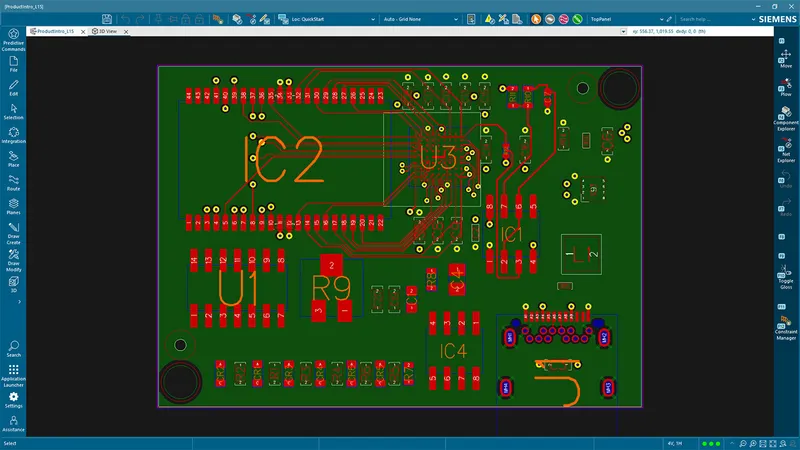
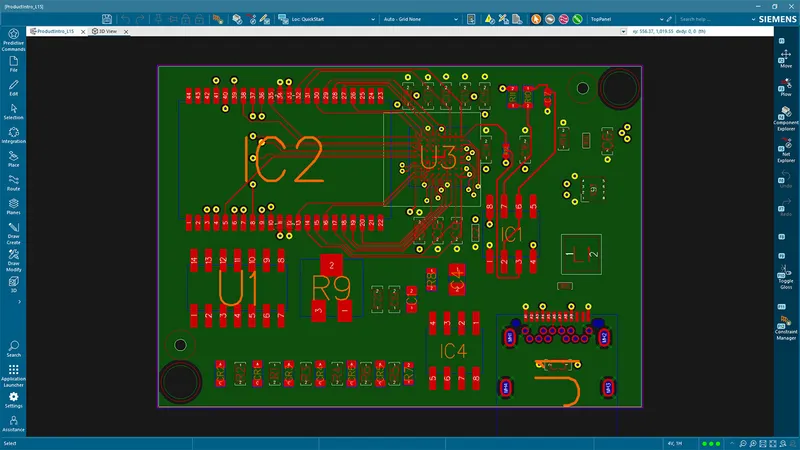
PADS Pro Essentials 2D layout of a small routed board: a Siemens screenshot in GSAS's comparison with Xpedition Standard for India
Xpedition Siemens EDA

PADS Pro Essentials vs Xpedition Standard: Which One to Start With

PADS Pro Essentials and Xpedition Standard are the first two editions of Siemens' Xpedition family, and they differ on 24 of the 54 rows in Siemens' edition checklist. Here are those rows, how each edition is bought, and how to choose a starting point in India.

18 Nov 2026 · 8 min read
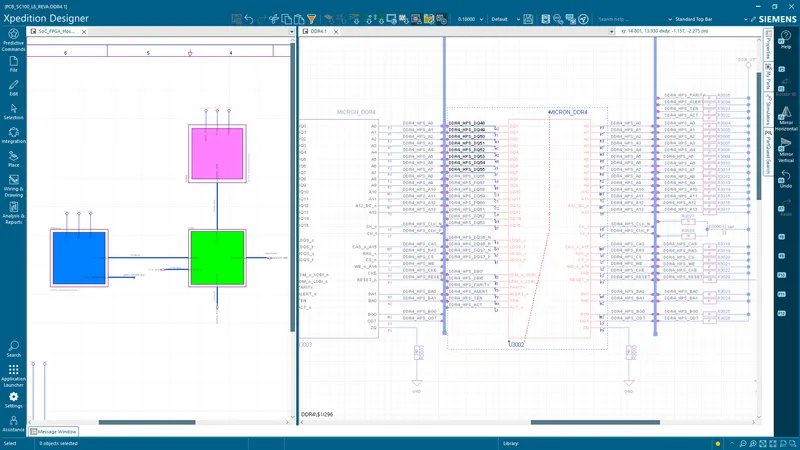
Siemens Xpedition Designer screenshot of a block diagram beside a DDR4 schematic sheet, from Siemens' Xpedition Advanced DS page, shown by GSAS India
Xpedition Siemens EDA

Concurrent Schematic Design in Xpedition Advanced and Advanced DS

Siemens documents concurrent schematic design in Xpedition Advanced for up to two schematic users, with a third user in Layout. Here is who can work at once, what has to be set up, what an Xpedition Advanced DS seat is for and where the limit is.

18 Nov 2026 · 7 min read
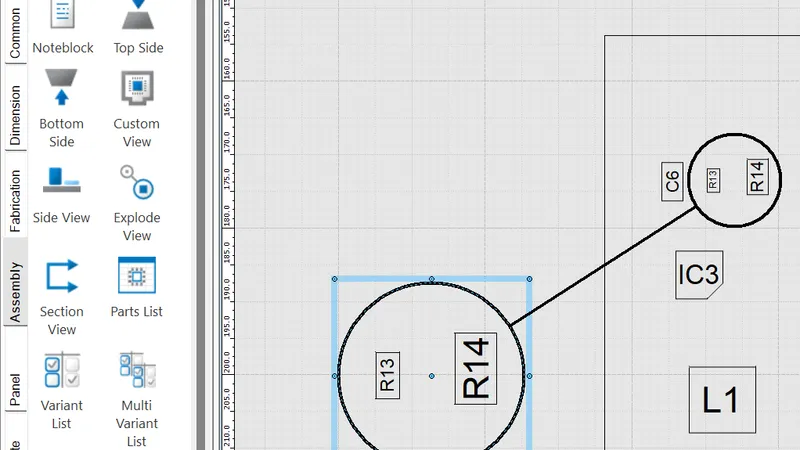
BluePrint assembly drawing with a detail callout and the tool palette, a Siemens screenshot from its Documentation Creation tutorial for Xpedition Advanced, shown by GSAS India
Xpedition Siemens EDA

From Layout to Fabrication in Xpedition Advanced: BluePrint, Panels, DFM

Handing a board from Siemens Xpedition Advanced to a fabricator and an assembler takes five steps: manufacturing outputs, DFM analysis in PCBflow, BluePrint drawings, panelization, and pack and release. Here is what each step produces and which edition has it.

18 Nov 2026 · 10 min read
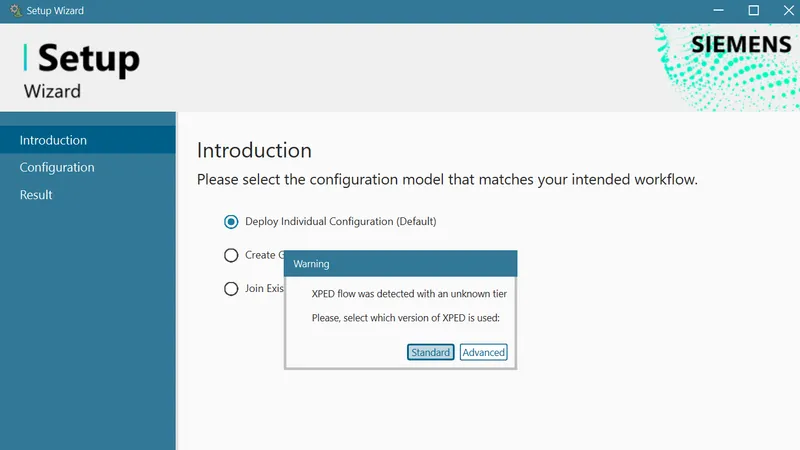
Siemens Xpedition Setup Wizard introduction screen with the dialog asking whether the Standard or Advanced tier is used, from Siemens' Setup Wizard tutorial, shown by GSAS India
Xpedition Siemens EDA

Getting Started with Xpedition Advanced: An Onboarding Checklist

An onboarding checklist for Xpedition Advanced, built from Siemens' public Getting Started guide: accounts and roles, installation, the applications a licence includes, a first-week learning path, system requirements and two questions Indian teams should settle before purchase.

18 Nov 2026 · 8 min read
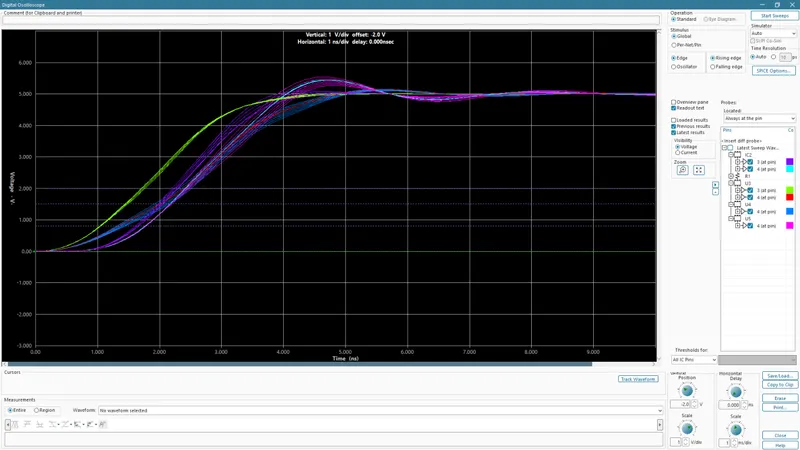
HyperLynx LineSim digital oscilloscope with swept rising-edge waveforms, from Siemens' pre-layout signal integrity tutorial for Xpedition Advanced, shown by GSAS India
Xpedition Siemens EDA

High-Speed PCB Design in Xpedition Advanced: Constraints, Routing and SI

This post follows high-speed PCB design in Siemens Xpedition Advanced through three steps: constrain, plan and route, verify. Here is what each rule type controls, how sketch planning and routing topologies work, what the HyperLynx-powered simulation covers and which edition has each piece.

18 Nov 2026 · 9 min read
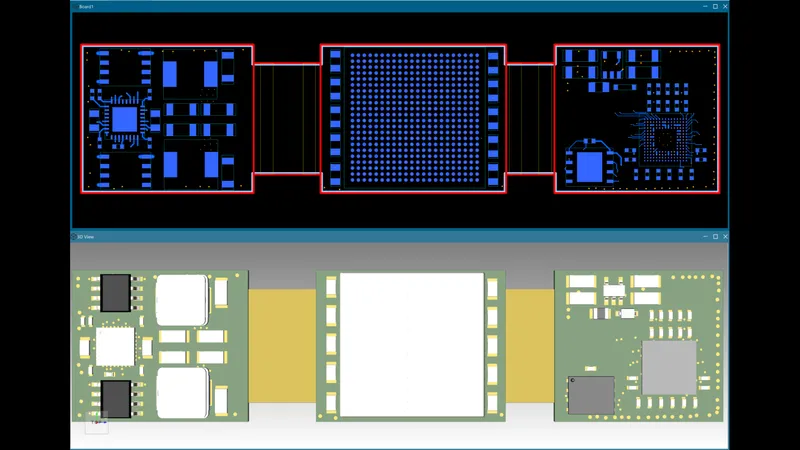
Rigid-flex board in Xpedition Layout, three rigid sections joined by two flex sections, in 2D above its 3D view, from Siemens' Rigid-Flex Layout tutorial, shown by GSAS India
Xpedition Siemens EDA

Rigid-Flex PCB Design in Xpedition Advanced: Stackups, Bend Areas and 3D

Siemens lists rigid-flex design as included in Xpedition Advanced. This is the workflow from Siemens' own tutorial, in order: master stackup, stackup schemes, bend areas, placement and routing, planes and cover lay, 3D view and hazards, with the reason for each step.

18 Nov 2026 · 8 min read

Not sure which Xpedition edition fits?

Tell us your team size, your board complexity and how you share work. A GSAS application engineer will suggest an edition, and we quote the editions we supply in INR.