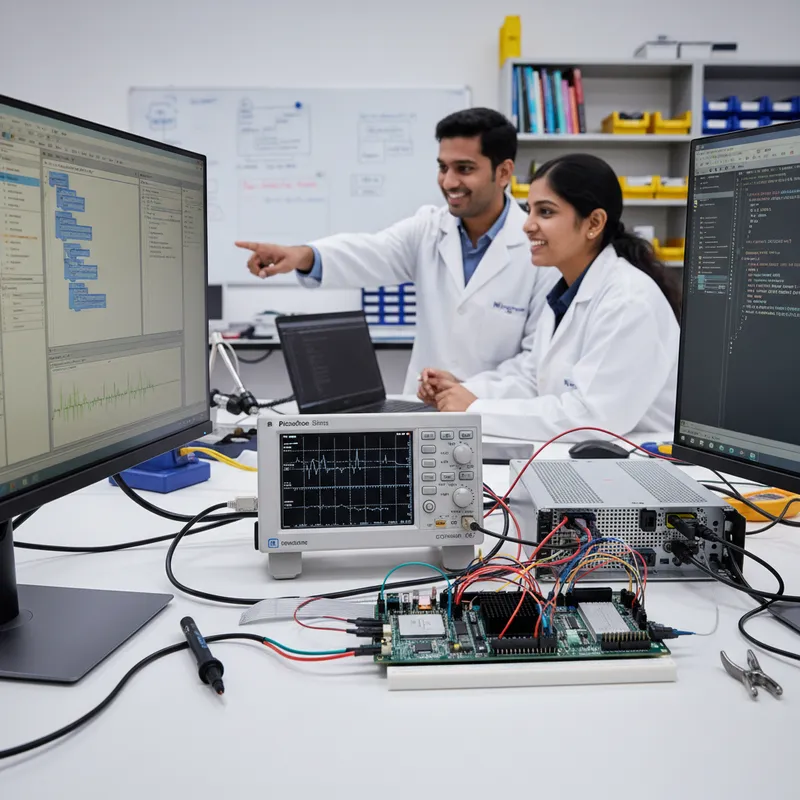
Walk into any Indian Tier-1 automotive validation lab, defence electronics test bench, power electronics R&D group, or medical device compliance rig, and there is a high chance the test executive on the bench PC is NI LabVIEW. It is still the incumbent graphical test environment across large parts of Indian industry, not because it is the newest tool, but because an entire generation of Indian test engineers learned LabVIEW in their IIT, NIT, and VIT labs during their undergraduate years and carried that fluency directly into their first industry role. When those engineers spec a new test bench, LabVIEW is the default. That reality is not going away, and any instrumentation strategy for Indian T&M teams has to meet LabVIEW where it actually lives. Pico Technology’s PicoScope family integrates into LabVIEW through the official PicoSDK VI libraries, and for Indian teams sitting on existing LabVIEW and TestStand investments, that integration path is often the shortest route to adding precision PicoScope capture to a bench that already works.
GSAS Micro Systems is an authorized Indian engineering partner for Pico Technology, and we support Indian T&M teams on both the LabVIEW integration path and the newer Python-first pyPicoSDK path, including on-site bring-up, VI library installation, TestStand sequence integration, and migration planning between the two. This post covers what PicoScope + LabVIEW actually looks like in practice, where it is the right architectural choice for an Indian bench, and where pyPicoSDK is the better call for new greenfield projects.
The LabVIEW reality in Indian test and measurement
LabVIEW is deployed across Indian industry in patterns that are broadly consistent:
- Indian automotive Tier-1 HIL (hardware-in-the-loop) rigs running LabVIEW Real-Time on Linux or PXI chassis, driving model-based simulation of powertrain, braking, and steering control units. LabVIEW Real-Time on Linux is growing fast because Linux-based HIL is cheaper to license and ships with mature PREEMPT_RT kernels.
- Indian defence and aerospace test benches running TestStand on Windows test PCs, calling LabVIEW VIs for individual measurement steps during board-level acceptance test
- Indian power electronics R&D labs running LabVIEW VIs for inverter commissioning, motor-drive validation, and grid-tie characterization
- Indian medical device validation rigs using LabVIEW to log and analyze analog front-end signals from patient monitors, ECG front-ends, and diagnostic equipment under IEC 60601-1 pre-compliance test
- Indian academic research groups at IIT and IISc where LabVIEW is often the teaching language for measurement courses
The Indian engineers running those benches do not want to rewrite five years of test code in Python. They want to add a new hardware source to their existing LabVIEW project, have it show up in the block diagram like any other VI, and move on. PicoSDK delivers exactly that.
How PicoScope plugs into a LabVIEW project
Pico Technology ships official LabVIEW wrappers (VI libraries) for the full PicoScope and PicoLog family, and they are part of the free PicoSDK download, not a paid add-on. The integration pattern is consistent across the range:
- Install the PicoSDK for your target operating system. PicoSDK ships on Windows, Linux, and macOS. Indian automotive HIL teams that run LabVIEW Real-Time on Linux get PicoSDK Linux with the same driver surface as the Windows SDK.
- Install the Pico LabVIEW VI library into your LabVIEW project. The library includes VIs for Open, Configure Channel, Set Trigger, Run Block, Read Data, Stop, and Close, one set per PicoScope product family.
- Drop the VIs into the block diagram of your existing LabVIEW test VI. The pattern is the same as any other NI-DAQmx or VISA-based instrument driver, open the handle, configure channels, run a capture, read samples, close the handle.
- Route captured samples into LabVIEW’s built-in signal processing VIs. PicoScope waveforms land as LabVIEW waveform clusters, the native LabVIEW data type that every LabVIEW signal processing VI accepts. FFT, digital filters, Tone Measurements, THD, rise time, all of it works out of the box on PicoScope data.
The result is that a PicoScope 6000E captured trace flows through a LabVIEW test sequence looking exactly like a PXI-capture would have looked, except the hardware cost is a small fraction of a comparable PXI scope module, and the USB-connected form factor is portable enough to move between benches.
TestStand as the outer loop
NI TestStand is the test executive that Indian Tier-1s use to sequence manufacturing and validation tests. A TestStand sequence is a list of named test steps, each of which calls either a LabVIEW VI, a .NET assembly, a C/C++ DLL, or a command-line executable. TestStand handles the pass/fail logic, result reporting, operator prompts, and lot tracking.
In a typical Indian production-test configuration:
- TestStand runs on the Windows test PC wired to the unit under test
- Individual test steps call LabVIEW VIs that wrap a Pico LabVIEW capture sequence (open → configure → trigger → capture → measure → close)
- The VI returns a measurement result (a voltage, a rise time, an overshoot, a harmonic ratio) as a TestStand numeric, which TestStand compares against the sequence’s limit table
- Pass/fail propagates up to the TestStand report, which writes a per-unit serialized log to the MES system
This is a common Indian Tier-1 manufacturing-bench architecture for ECU, BMS, inverter, and power-supply production test. Adding PicoScope into this picture is almost always incremental, one more test step in the TestStand sequence, not a framework rewrite.
Honest framing: when LabVIEW + PicoScope is the right choice
LabVIEW + PicoScope is the right call when:
- The team already owns LabVIEW and TestStand licences and uses them daily
- The team already has existing VI-based measurement code that handles trigger logic, waveform math, and report generation
- The bench already runs inside a PXI chassis or LabVIEW Real-Time host and the PicoScope is being added as an additional USB-connected capture channel
- The test engineers on the team trained on LabVIEW and are productive in it
- The surrounding ecosystem (data logging, MES integration, operator UI) is already built in LabVIEW and rewriting it would cost more than the benefit
In those situations, reusing the existing skill set and toolchain is the right economic answer. Pico’s VI libraries make the integration straightforward and the captured data flows into existing LabVIEW analysis VIs without translation.
Honest framing: when pyPicoSDK is the better choice
pyPicoSDK is the better call when:
- The team is starting a new greenfield project with no LabVIEW lock-in
- The team wants a cross-platform Python ecosystem: NumPy, SciPy, Pandas, Jupyter, Matplotlib, all of which are free, open source, and have no licence cost
- The team runs CI-driven hardware testing where a Jenkins or GitLab runner needs to execute the test suite on every firmware commit. Jenkins + pytest is operationally simpler than Jenkins + LabVIEW build server.
- The team wants to avoid the recurring NI licence cost on new benches
- The team’s firmware engineers already write Python daily and would rather share a single language across firmware unit tests and hardware integration tests
For new projects, pyPicoSDK paired with pytest delivers the same measurement capability with a lower licence footprint and better CI integration. The two paths are not mutually exclusive, many Indian T&M teams run LabVIEW for their legacy benches and pyPicoSDK for their new ones, sharing the same physical PicoScope hardware across both.
Indian test bench case patterns
A set of representative configurations we have seen across our Indian customer base:
- Pune automotive Tier-1 HIL rig: LabVIEW Real-Time on Linux, PicoScope 6000E connected via USB to the bench PC, capturing analog brake-by-wire and steer-by-wire control signals during closed-loop HIL validation runs. TestStand on an adjacent Windows workstation calls into the Linux HIL host over TCP/IP for sequence orchestration.
- Bengaluru defence electronics test bench (generic framing), TestStand on Windows running board-level acceptance test on a circuit card assembly. One of the test steps calls a LabVIEW VI that uses PicoScope 5000D FlexRes to capture a precision analog reference output, measure peak-to-peak ripple at 12-bit resolution, and return the result to TestStand’s limit checker.
- Chennai medical device validation lab: LabVIEW-based test executive characterizing a patient-monitor analog front end. PicoScope 5000D FlexRes at its 16-bit hardware resolution mode captures the low-level analog signal chain for noise floor and ENOB measurement in a pre-compliance test before IEC 60601-1 submission.
- Hyderabad power electronics R&D lab: LabVIEW VIs driving a three-phase inverter commissioning bench. PicoScope 4444 captures the DC bus and three-phase AC outputs through the PicoConnect 442 attenuating differential probe set for 1000 V CAT III isolated measurement on a live mains rig.
In all four cases, the LabVIEW investment pre-dated the PicoScope purchase, and adding PicoScope into the existing VI architecture was an incremental bring-up, usually two or three days of integration work followed by a week of cross-verification against the previous measurement path.
Hardware and software recommendation
For Indian T&M teams standardizing on PicoScope-over-LabVIEW:
- PicoScope 5000D FlexRes: 60/100/200 MHz hardware-switchable 8/12/14/15/16-bit resolution is the default bench-top choice for precision analog measurement in LabVIEW VIs. Higher resolution modes run at reduced sample rate and bandwidth.
- PicoScope 6000E: up to 1 GHz standard (3 GHz on the 6428E-D variant), 5 GS/s, 4 GS buffer for flagship HIL and signal integrity work
- PicoScope 4444 with PicoConnect 442 probes, 4-channel differential 20 MHz 14-bit for isolated high-voltage power electronics measurement
- PicoSDK: the free driver bundle that ships the official Pico LabVIEW VI libraries for Windows, Linux, and macOS
Further reading
- Pico Technology PicoSDK and Developer Resources, canonical driver, SDK, and LabVIEW VI library downloads
- Pico Technology PicoScope for LabVIEW reference pages, official product reference
- GSAS Pico Technology partner page
- Building an Automated Production Test Framework with pyPicoSDK and pytest, the Python-first alternative path
- PicoSDK for C and C++ on Indian Production Test Rigs, the native-code path for high-throughput test benches
- pyPicoSDK Streaming and Continuous Acquisition on Indian Benches
- PicoScope 7 Software Deep Dive, Math, Masks, and Measurements
Closing: LabVIEW is not going away in Indian industry
LabVIEW remains the incumbent test executive across a large slice of Indian T&M, Tier-1 automotive, defence electronics, power electronics, medical device validation, and academic research. PicoScope integrates cleanly into that ecosystem through the official PicoSDK LabVIEW VI libraries, and for teams with existing LabVIEW and TestStand investments, that integration path is the pragmatic one. For new greenfield projects, pyPicoSDK plus pytest is increasingly the better call, but that is a greenfield decision, not a migration mandate. GSAS Micro Systems supports Indian test and measurement teams on both paths from our offices in Bengaluru, Chennai, Hyderabad, Delhi NCR, Mumbai, and Pune: with LabVIEW VI library integration, TestStand sequence bring-up, and pyPicoSDK migration consulting from the same engineering team.
Also appears in:
Interested in Pico Technology tools?
Talk to our application engineers for personalized tool recommendations.
More from Pico Technology
View all →
How to Buy an Oscilloscope in India (2026): USB vs Benchtop, Bit Depth, Bandwidth: A Buying Guide
5 Jun · 11 min
PicoScope 5000D vs 5000E: Native 16-Bit or FlexRes? A Buyer's Guide for Indian Labs
4 Jun · 11 min
PicoScope 5000E in India: The World's First 4-Channel 16-Bit USB Oscilloscope, Explained
4 Jun · 11 min
PicoScope 7 Goes Native Arm64: Apple Silicon, Snapdragon Windows and Arm Linux Test Benches in India
4 Jun · 11 min

Emulating Processor Power for Thermal Testing: Why Constant Power
7 Oct · 7 min

CRPS and Rack Power Supply Testing: The Six Tests That Matter
7 Oct · 7 min