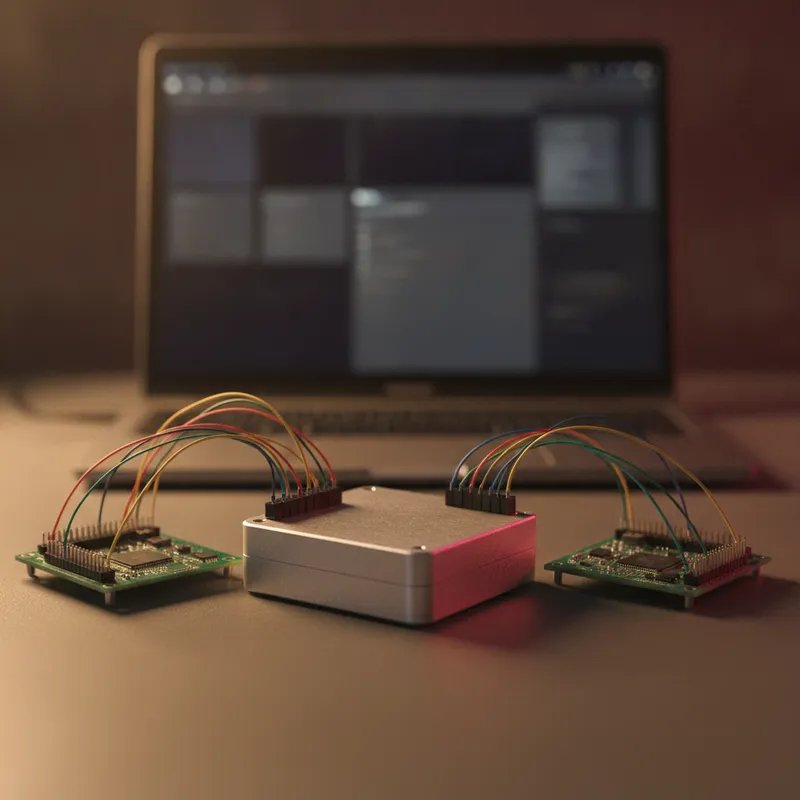
Almost everything written about I3C bench tools, including most of what we have written, assumes one direction. You hold the controller, the interesting device is the target, and the job is to make the target answer.
There is a second direction, and for a certain kind of team it is the more valuable one. If you are the one building the I3C controller, whether that is controller IP inside an SoC, a driver in an RTOS, or the I3C peripheral on an MCU you are bringing up, then the target is the thing you need to be able to fabricate, misbehave, and control precisely.
Binho specifies the Binho Supernova’s I3C role as “Controller or Target”. This post is about that second word, why it matters, and what it lets you test that a drawer full of production sensors cannot.
What Binho Publishes About the Target Role
Two Binho statements establish the capability.
On the Supernova product page, the I3C role is listed as “Controller or Target”, alongside spec versions v1.0, v1.1.1 and v1.2, speeds up to 12.5 MHz, SDR mode and HDR-DDR, and support for In-Band Interrupts, Hot-Join and all Common Command Codes, at 0.8 V to 3.3 V.
On Binho’s public I3C Cafe tools reference, the categories are defined explicitly. Protocol exercisers are described as products that “can be used to emulate I3C devices and behave as an I3C controller or I3C Target”. USB host adapters are described as products “used to actively participate on the I3C bus, either as an I3C Controller or I3C Target”. Binho separates both from logic analyzers, which “observe/record the transactions on an I3C bus, decode the data, and provide a level of analysis suitable for firmware development and debugging”.
That taxonomy is worth internalising, because the three categories answer different questions and teams routinely buy the wrong one. Observation tells you what happened. Controller mode tells you how a target behaves. Target mode tells you how your controller behaves.
The Validation Gap Target Mode Closes
Binho’s I3C Cafe defines the roles simply: “An I3C Controller initiates communication on the bus, assigns dynamic addresses, and manages data transfers. An I3C Target responds to the controller’s requests.”
Read that from the controller author’s side and the testing problem becomes obvious. Your controller has to enumerate an unknown population of devices, allocate addresses to them, interpret whatever capability bytes they report, and then cope with them interrupting, joining late, and occasionally not answering. Every one of those behaviours belongs to the target. If your only targets are three compliant sensors from your BOM, you are testing the happy path and calling it coverage.
Here is what an emulated target lets you provoke that a production sensor will not.
Dynamic Address Assignment Edge Cases
During ENTDAA, each target reports a 48-bit Provisioned ID plus its BCR and DCR, and the controller assigns it a 7-bit address. A real sensor reports one PID, forever. An emulated target can report whatever you want it to, which is how you find out what your controller does when two devices arbitrate closely, when a PID it has never seen appears, or when the population is larger than the address pool your implementation quietly assumed.
The BCR is the more interesting byte. It tells the controller whether this device supports In-Band Interrupts and whether it is capable of the controller role. A controller that ignores those bits works fine until it meets a device that uses them.
In-Band Interrupts at Your Chosen Moment
IBI handling is where I3C controllers most often go wrong, because the failure is a race rather than a logic error. The target asserts on SDA during the idle phase; the controller has to notice, arbitrate, acknowledge, and read any Mandatory Data Byte, all without corrupting whatever it was about to do next.
To test that properly you need to raise an IBI at an inconvenient moment: immediately after a private write, in the gap between two CCCs, or from two targets at once. A production accelerometer raises an IBI when it has data. It will not raise one on cue, at microsecond precision, mid-transaction. An emulated target will.
Hot-Join After Enumeration Has Finished
Hot-Join is the mechanism by which a device that was not present during the initial scan announces itself and gets an address. Every controller implementation claims to handle it. Far fewer have been made to handle it while busy.
Emulating a target lets you join the bus at an arbitrary point in the controller’s lifecycle rather than at power-up, which is the only moment most benches ever test.
Not Answering
The most underrated test case is a target that goes quiet. A device that stops acknowledging, or answers late, or drops off the bus entirely, should degrade a system gracefully rather than wedging the controller’s state machine. That behaviour is trivial to produce with an emulated target and nearly impossible to produce reliably with a real one short of pulling a wire.
Where This Fits in an Indian Design Centre
The teams this matters most to are concentrated in Bengaluru and Hyderabad, where I3C controller IP goes into SoCs, sensor hubs and PMICs, and where the controller side is frequently ahead of the target silicon it will eventually talk to. Target emulation lets firmware and validation work start against a controllable stand-in rather than waiting for a partner’s sensor sample to arrive.
It matters in Pune and Chennai too, where automotive and industrial teams integrating I3C sensor subsystems need to prove their controller copes with devices from more than one vendor before those devices are all in hand.
MIPI Alliance lists multi-controller support, dynamic addressing and command-code compatibility among I3C’s technical highlights, and notes that the two-wire interface “supports in-band interrupts which reduces pin count and signal paths”. The pin-count argument is what gets I3C into a design. The controller’s handling of dynamic addressing and in-band interrupts is what decides whether the design works.
Practical Notes
A few things worth settling before you plan target-side work.
Confirm the API surface against Binho’s own documentation. Binho publishes the Controller-or-Target capability at the product level; the specific SDK calls and Mission Control affordances for target mode belong in Binho’s support documentation, and that is where you should confirm exactly which target behaviours are exposed for your firmware version before writing a test plan around them. GSAS can walk this through with you rather than leaving you to discover it after purchase.
Target mode is a Supernova capability, not a lineup-wide one. The Binho Pulsar does not list I3C, and its SPI Peripheral and I2C Peripheral modes are published by Binho as coming soon. The Binho Nova lists I2C, SPI, UART and 1-Wire. If target-side I3C is the requirement, the Supernova is the instrument.
You will still want the controller direction. Most programmes need both: exercising your targets, and emulating a target against your controller. Our I3C sensor bring-up guide covers the controller-side procedure step by step, and the first I3C transaction tutorial is the shortest route to a working bus. If you are still deciding whether I3C belongs in the design at all, start with the I3C FAQ.
Passive decoding is a separate purchase. Watching the bus rather than participating in it is the job of Binho’s I3C Basic Protocol Analyzer plugin for Saleae Logic, which is licensed software under Flex or Node-Locked terms, not a free download.
Why Buy from GSAS
GSAS Micro Systems is an authorized engineering partner in India. We supply the Binho Supernova with INR invoicing, evaluation units, and application engineering that goes beyond unboxing: setting up target-side test scenarios, reviewing which I3C behaviours your controller actually needs to survive, and integrating the results into an automated regression. Our engineers in Bengaluru, Hyderabad, Chennai, Pune, Mumbai, and Delhi NCR work with design centres adopting I3C on both sides of the bus. Contact us for an evaluation unit or a technical consultation, or request a quote.
Also appears in:
Interested in Binho tools?
Talk to our application engineers for personalized tool recommendations.
More from Binho
View all →
I3C FAQ for Firmware Teams: What the Bus Is, What Changes, and What You Need on the Bench
31 Jul · 8 min
Binho Mission Control 3 (Public Preview): Point-and-Click I2C, SPI, I3C, and GPIO
20 Jul · 5 min
Binho Mission Control: Point-and-Click I2C, SPI, and UART Without Writing Code
7 Apr · 5 min

From Dedicated Analyzers to Multi-Protocol USB Adapters: A Bench Tool Evolution
7 Apr · 5 min

Emulating Processor Power for Thermal Testing: Why Constant Power
7 Oct · 7 min

CRPS and Rack Power Supply Testing: The Six Tests That Matter
7 Oct · 7 min